How Do I Set Up Titus for Pay at Close Payments?
Last updated: October 14, 2026
Overview
Titus is a payment provider built for real estate. Connecting it gives your clients a new way to pay you and gives you a way to stop waiting on invoices. When an agent reaches the payment step, they can either pay right away by card, or choose Pay at Close — you're paid straight away either way, and if they choose Pay at Close, the agent settles up when the property sale closes. You are not financing the gap, and you are not chasing the invoice.
For agents, this removes the awkward part of the conversation, since they no longer have to pay for marketing a property before it has earned them anything. For you, it means the money arrives when the work is done rather than whenever the agent gets around to it.
Connecting Titus
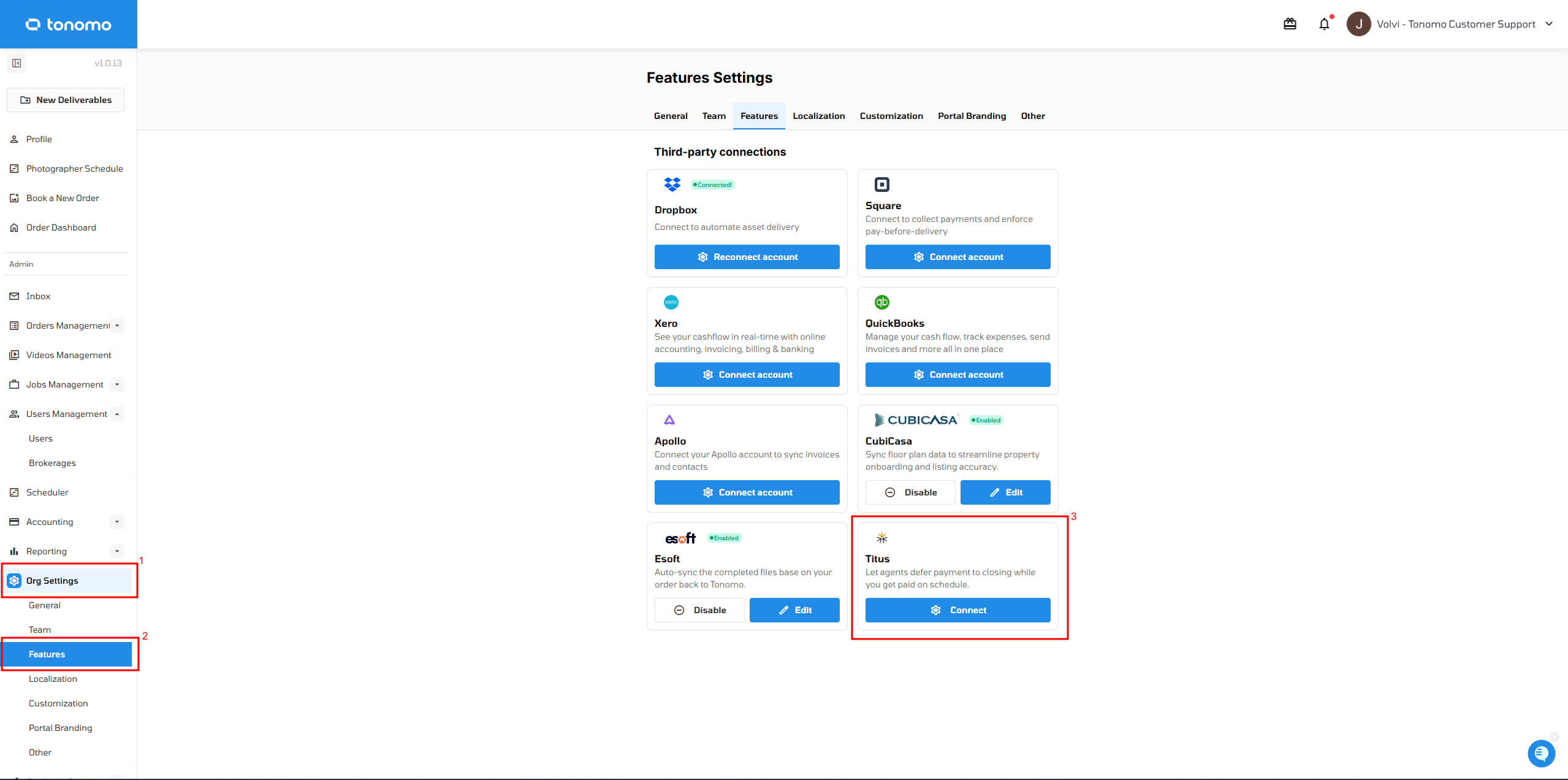
Go to Org Settings → Features → Third-party connections.
Turn on Titus.
Connect your Titus account.
You can edit or disconnect Titus from the same place at any time.
Where Titus Appears
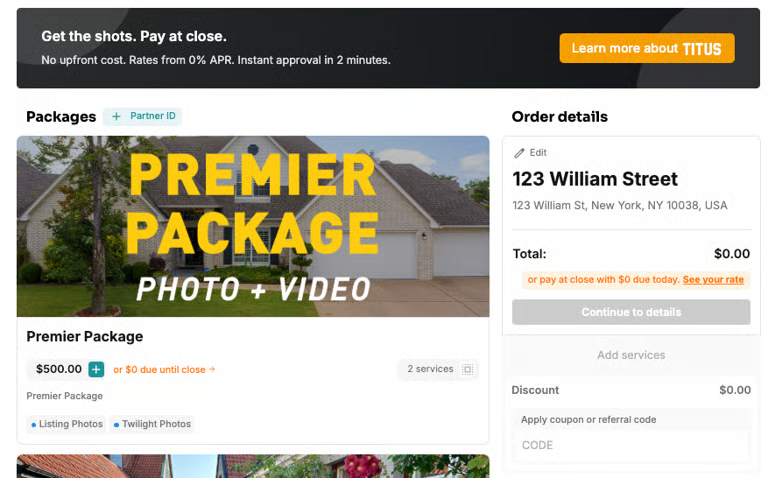
Once you connect your own Titus account, it shows up in three places:
A promotion on your booking page, so clients know the option exists.
Pay at Close alongside the usual card option on the delivery page and invoice.
The payment method on the invoice in your admin view, so you can see at a glance how each order was paid.
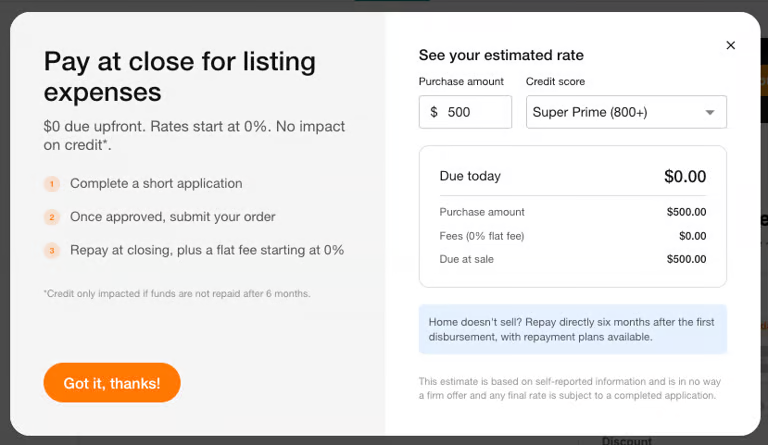
When a client selects See your rate, they get an estimate based on their purchase amount and credit score before they commit.
Choosing How Titus Is Used
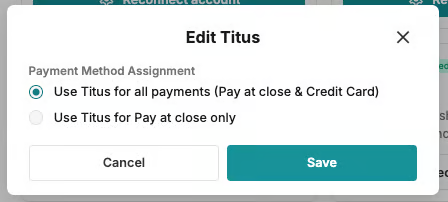
From Edit Titus, you can set the Payment Method Assignment to either use Titus for all payments (Pay at Close and Credit Card), or limit it to Pay at Close only.
Fees
Titus charges a fee on Pay at Close transactions, which takes the place of the usual card processing fee, and a separate fee applies to the agent. Your Titus account covers the exact rates.