How Do I Manage A User's Notification Preferences In Tonomo?
Last updated: September 22, 2026
Overview
Every user, whether an agent, photographer, or customer, now has their own Notification Preferences tab on their profile. Admins and staff can control which notifications each profile receives, with separate toggles for Email and Text Message per notification type.
Turning a notification off here applies only to that individual user. It won't change notification settings for anyone else.
Where to Find It
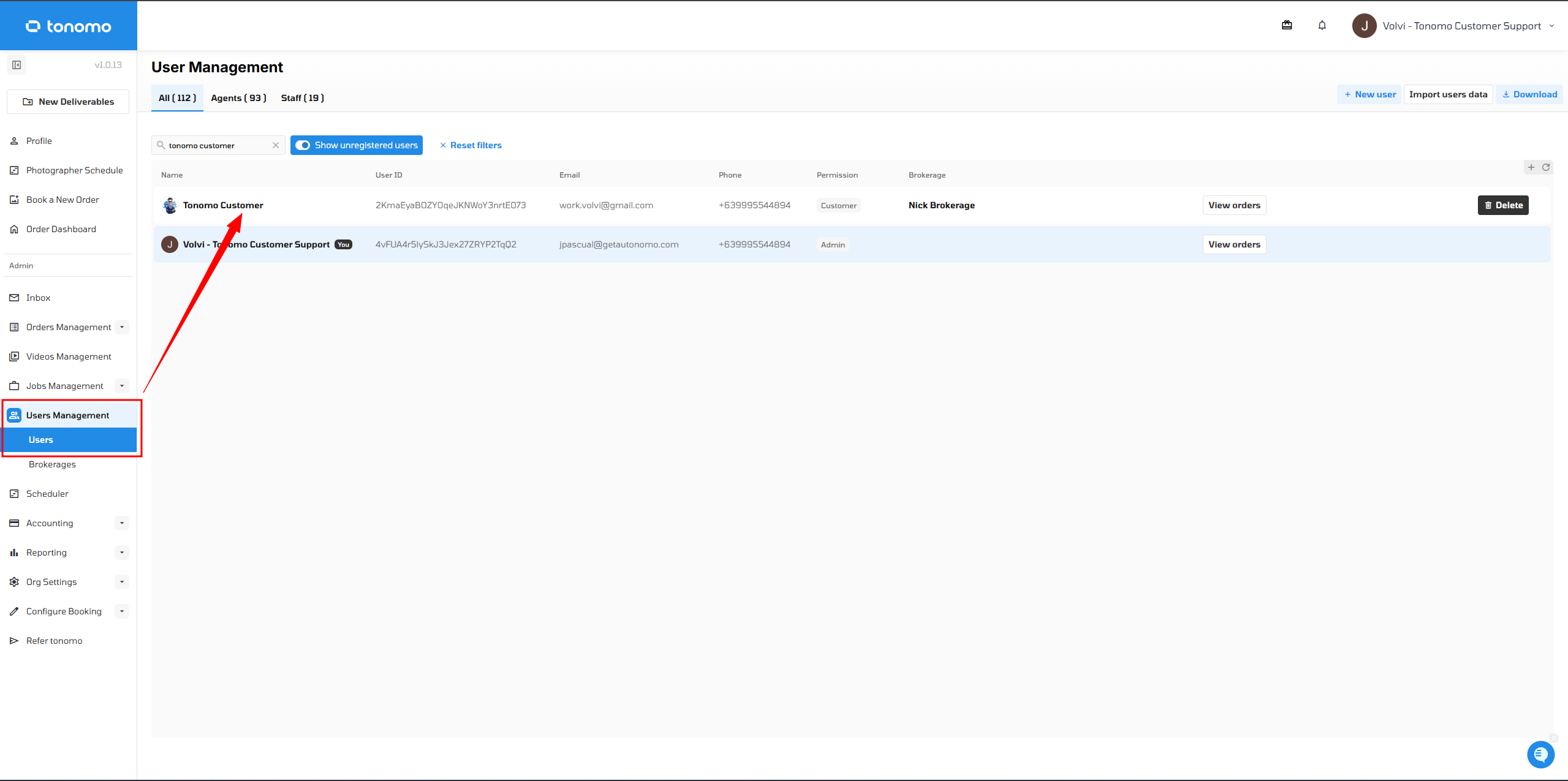
Go to User Management → Users.
Select the user you want to manage.
Open the Notification Preferences tab.
Managing Notification Preferences
Each row lists a notification type, with separate toggles for Email and Text Message. The notification types include:
Booking confirmation
Appointment rescheduled
Appointment reminder
Payment reminder
Project complete
Project follow-up
Appointment canceled
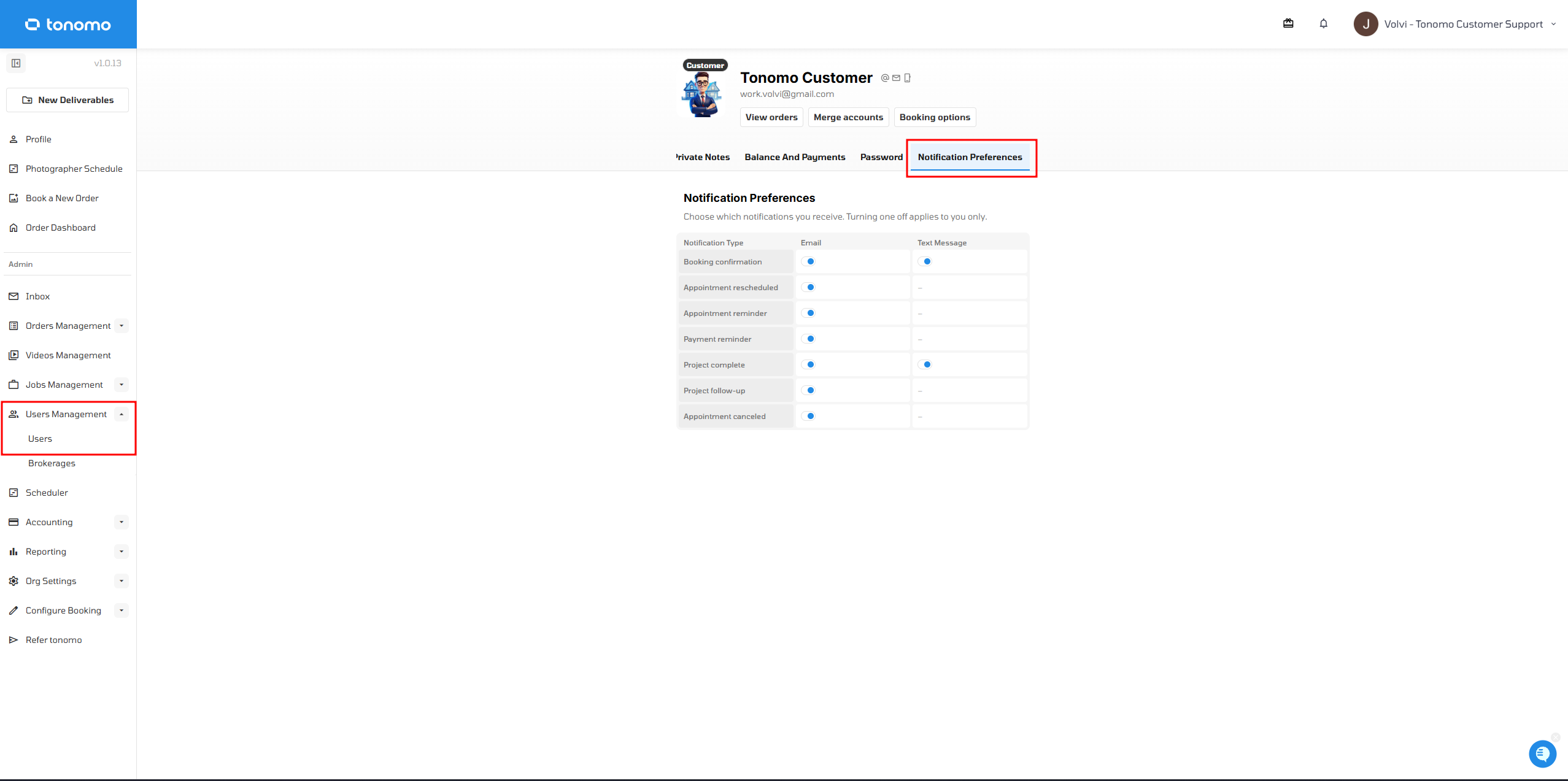
Only the email and SMS notifications enabled under Configure Booking → General will appear in this section.