How Do I Add My Booking Page to My Website?
Last updated: October 22, 2026
Overview
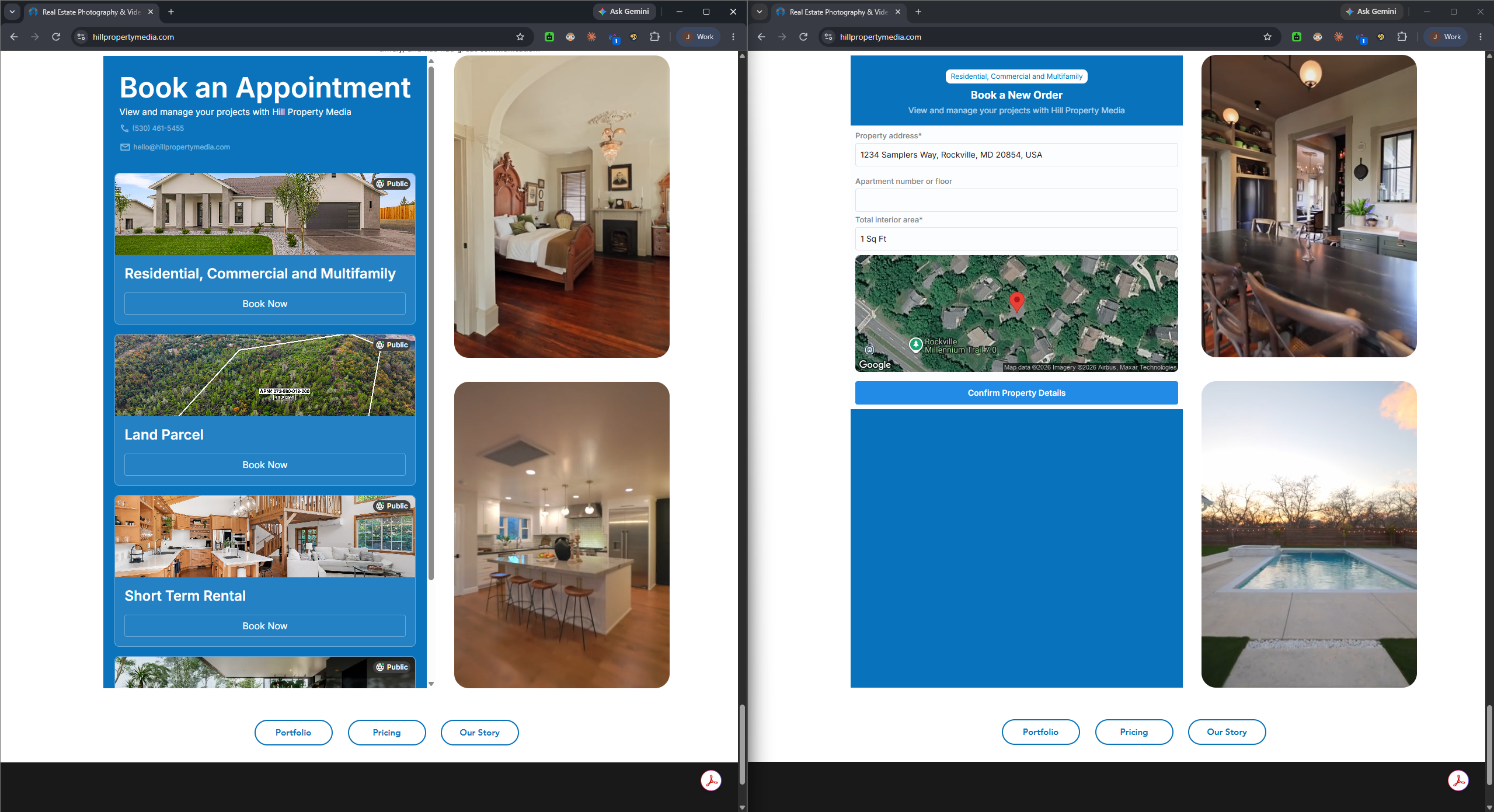
You can embed your Tonomo booking page directly into your own website so clients can book without leaving your site. This article covers your booking page URL, how to embed it in Squarespace, Wix, and WordPress, and what to check if the embed doesn't display.
Note: This feature needs to be turned on for your account first. Reach out to the Tonomo support team, and we'll enable it for you before you start embedding your booking page.
Your Booking Page URL
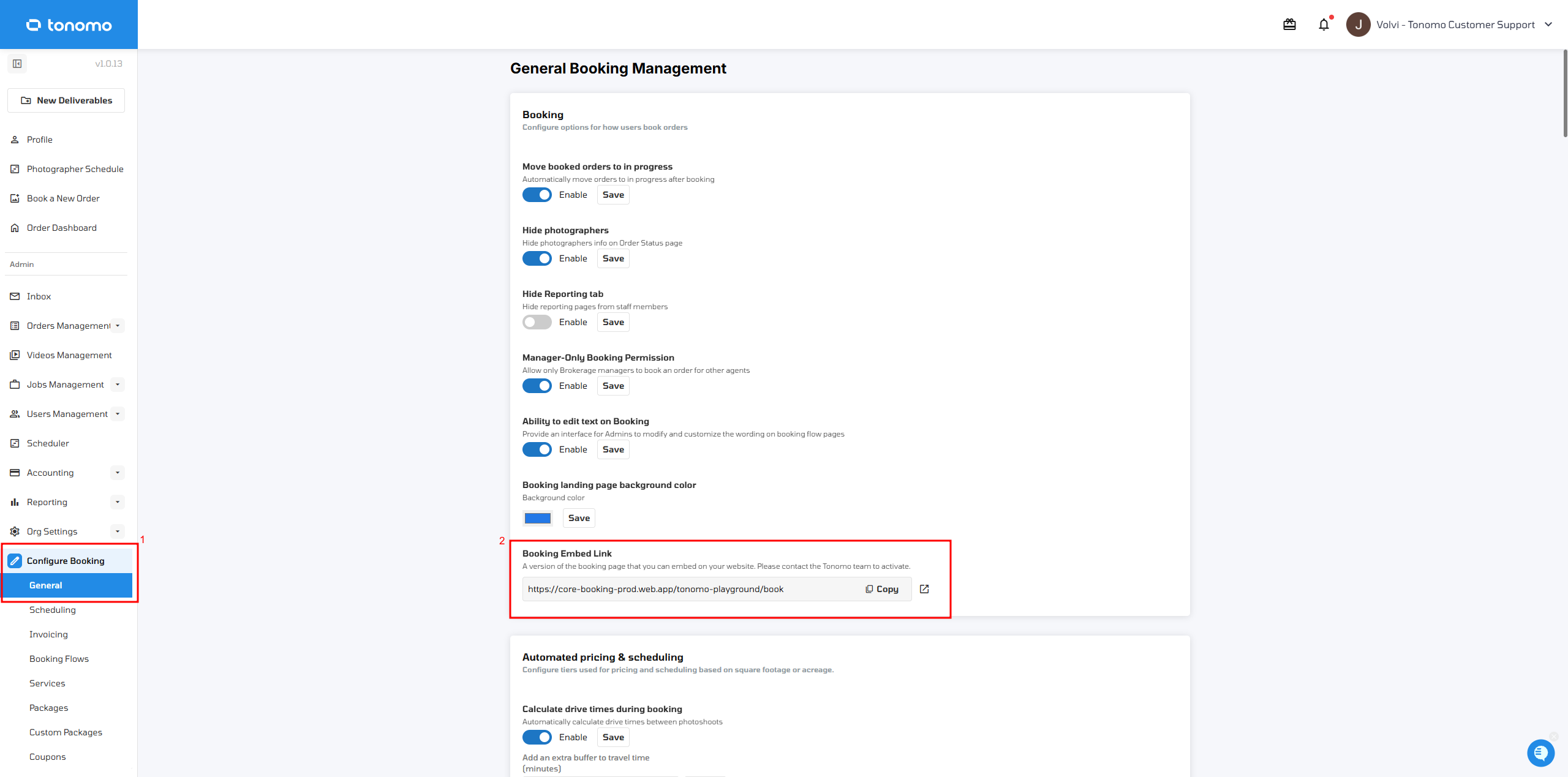
Your Booking Embed Link can be found under Configure Booking → General.
For example: https://core-booking-prod.web.app/tonomo-playground/book
All accounts have a Tonomo-hosted URL that typically follows this format: https://core-booking-prod.web.app/<account>/book
Embedding in Squarespace
Important: Squarespace's Embed Block, when set to Link mode, will fail with the error "there isn't anything to embed." This happens because Squarespace's Link mode looks for embed metadata (oEmbed/Open Graph tags) in the page's raw HTML — and since the booking page renders its content with JavaScript, there's nothing for Squarespace to read.
The fix: use a Code Snippet block instead of the Embed Block, and paste in an iframe:
HTML
<iframe src="https://core-booking-prod.web.app/<account>/book" width="100%" height="900" frameborder="0"></iframe>Replace the URL above with your own Booking Embed Link or Tonomo-hosted booking URL.
Embedding in Wix
Wix also supports embedding external content via an HTML/iframe element. Use the same iframe snippet as above, swapping in your own booking URL.
Embedding in WordPress
In the WordPress block editor, you can add a Custom HTML block and paste in the same iframe snippet, swapping in your own booking URL.
If the Embed Shows a Blank Box or "Refused to Connect"
If your iframe loads but shows a blank box, or your browser shows a "refused to connect" error, the site you're embedding into may be blocking framing (via X-Frame-Options or a Content-Security-Policy frame-ancestors rule). This needs an engineering check — it isn't something you can fix from the website builder alone, and we can't guarantee the embed will work on every site or hosting setup.
Still Need Help?
If your embed still isn't working, send us:
Which website platform you're using (Squarespace, Wix, WordPress, or other)
The exact booking URL you used in the embed
A screenshot of your embed/block settings
A link to the live page where the issue is happening