Booking Flow Setup
Last updated: September 10, 2026
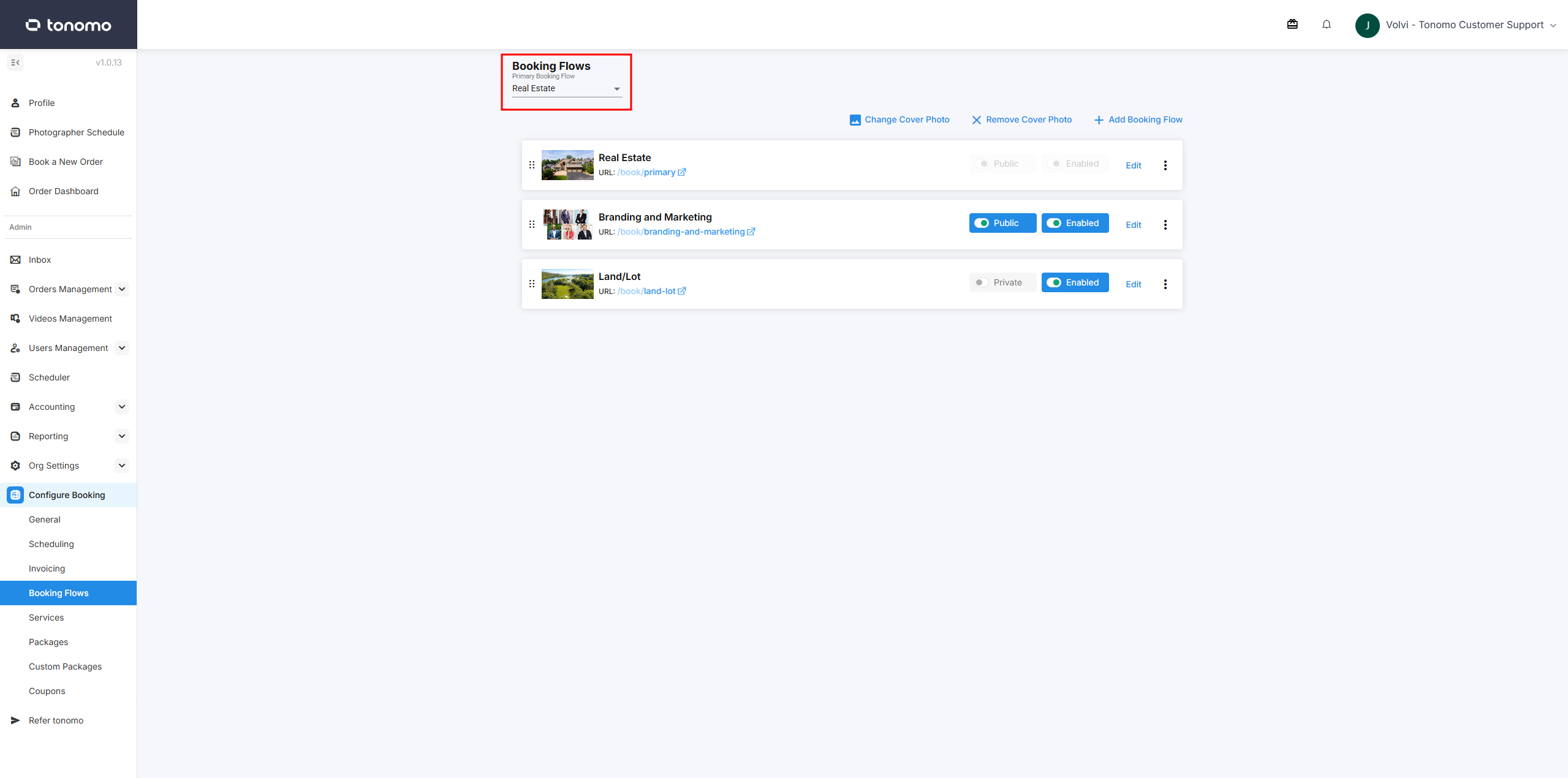
Booking Flows
Once your Services and Packages are added to the Tonomo system, you must configure a booking flow that your customers will use to purchase your services. You can have multiple booking flows, perhaps for different markets or for different features. For example, you can accept deposits in one booking flow and not accept deposits in another.
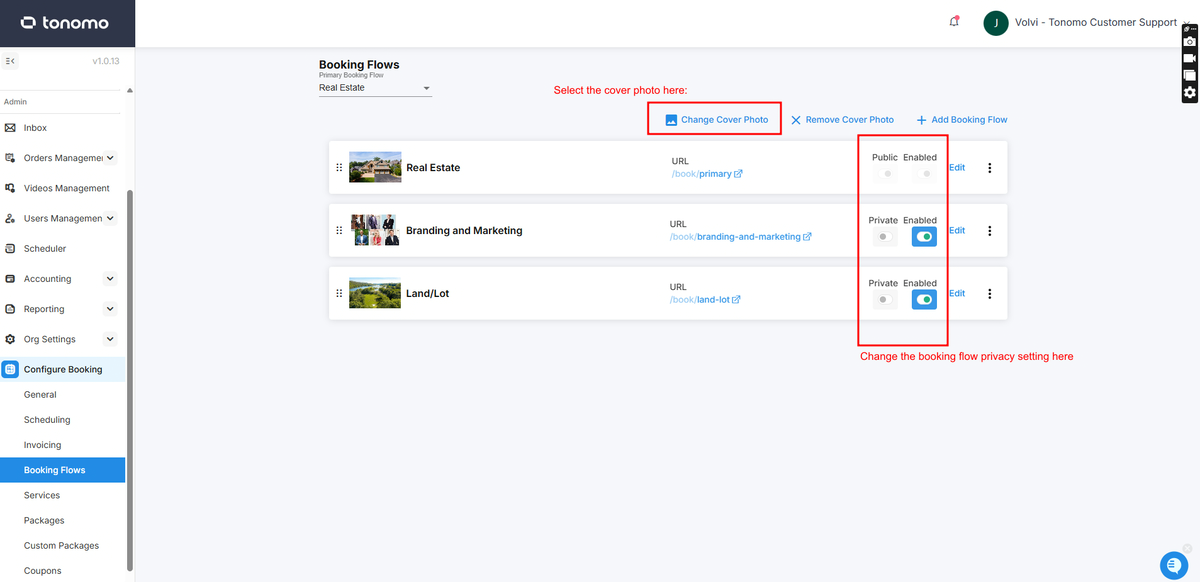
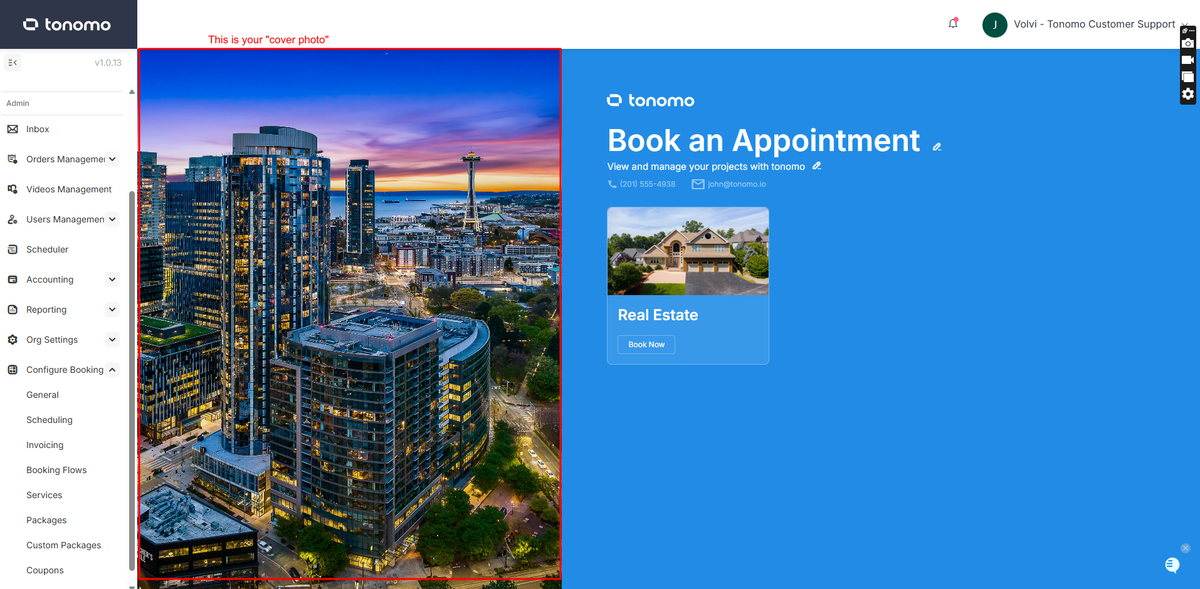
Modify the cover photo for your booking flow, which will be displayed on your landing page. You can customize the visibility settings, choosing to keep the booking flow private for specific individuals or brokerages, or make it public for general use. Additionally, you have the flexibility to enable or disable any booking flow as needed.
Create New Booking Flows
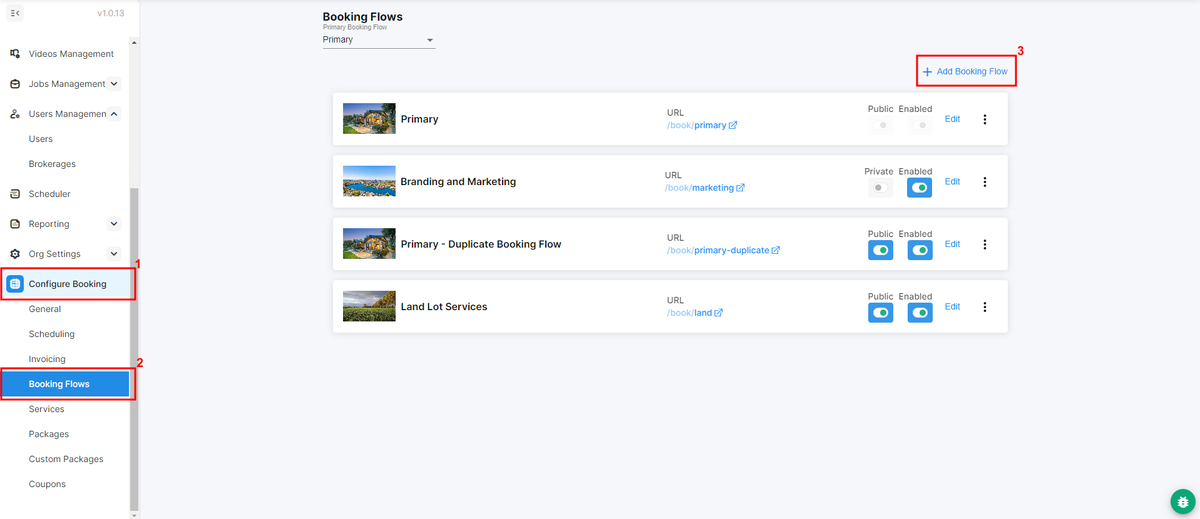
To create a Booking Flow, navigate to Configure Booking > Booking Flows and click + Add Booking Flow in the top right corner.
Primary Booking Flow
Primary booking flows are public and cannot be disabled, making them accessible to everyone. To change the primary booking flow, an admin simply needs to select a new one from the existing booking flows in this section.