How Do I Set Up Travel Fees For My Bookings?
Last updated: October 1, 2026
Tonomo can add a travel fee to bookings, based on the driving distance to the property from your office or from each photographer's home base. Travel fees are set separately for each booking flow, in three steps: where distance is measured from, how the fee is applied when several photographers go, and the distance tiers you charge. A live example shows exactly what a customer would pay before you save.
At a glance
Set per booking flow: Configure Booking > Booking Flows > Edit > Travel Fees.
Distance is measured in actual road distance, from the Office Location or each photographer's Home Base.
Per photographer (default): each photographer is charged a fee from their own home base. Per order: one fee per appointment, priced from the farthest-travelling photographer.
Charge tiers: an Up to distance and a Base Rate for each tier, plus an optional per-distance charge.
Live Example: enter a Trip distance to see the Total travel fees.
Booking a recommended time slot waives the travel fee.
Where do I set up travel fees?
Go to Configure Booking > Booking Flows.
Click Edit on the booking flow.
Scroll to Travel Fees ("Set how travel fees are calculated and billed").
Complete the three steps below, then click Update settings.
Step 1: How is the travel fee calculated?
Travel fees are based on the distance from an office location, or from a photographer's home location, to the property.
One office for everyone: if all your photographers start from the same office, enter it as the Office Location.
A different start point per photographer: click the each photographer's settings link, or go to Configure Booking > Scheduling. Click Edit on the photographer's availability and set their Home Base. That photographer's travel fee is then calculated from their home base instead of the office.
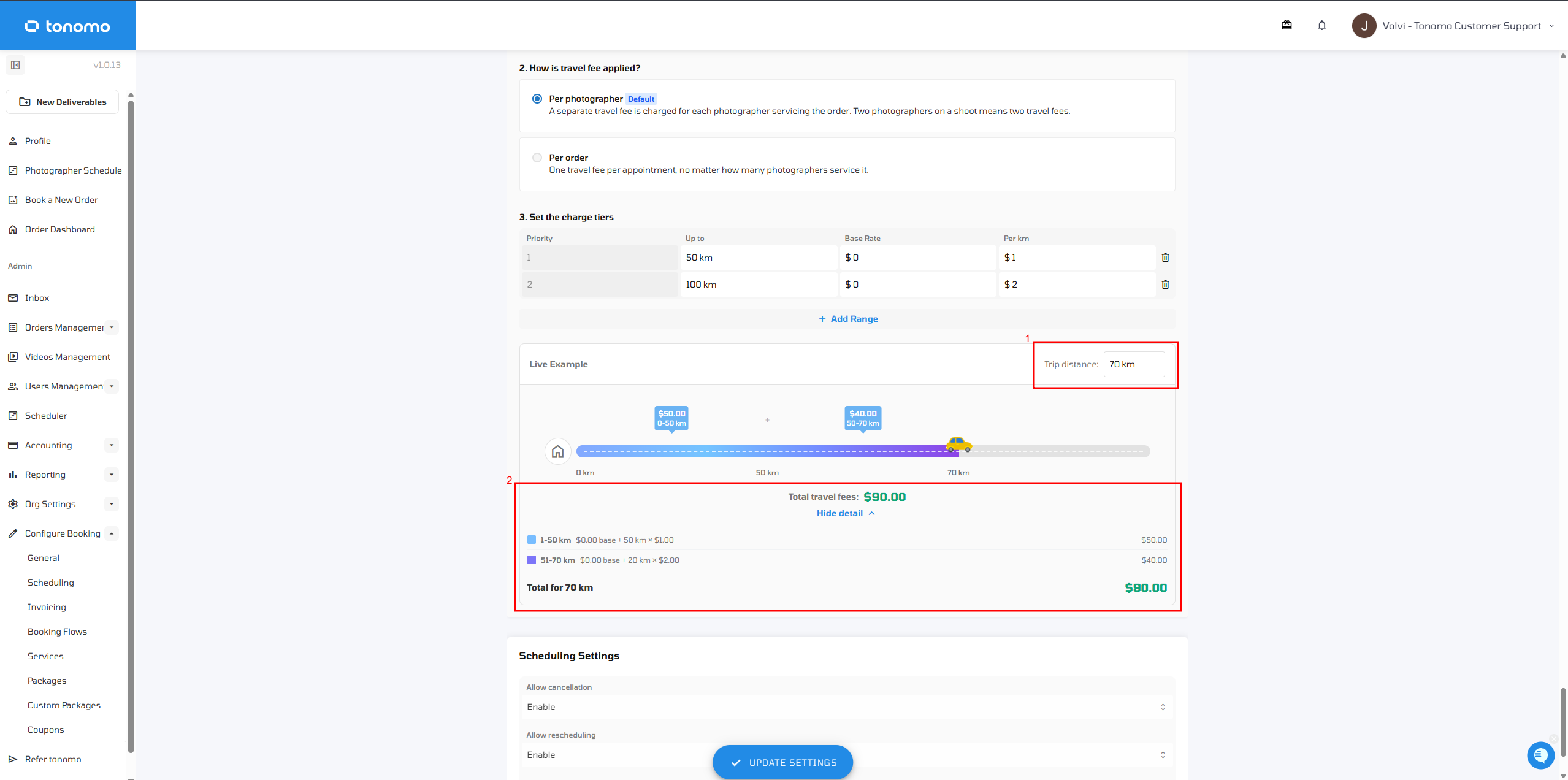
Step 2: How is the travel fee applied?
Choose how travel fees are charged when more than one photographer is on an order.
Option | Charged | Example: two photographers on one order |
|---|---|---|
Per photographer (Default) | A separate fee for each photographer | Two travel fees |
Per order | One fee per appointment, however many photographers are assigned, priced from the photographer who travels farthest | One travel fee |
If you choose Per order, also choose who receives the fee. This shows in reporting:
Split among photographers: the fee is divided between the photographers on the order.
Kept by the company: the fee goes to the company, not the photographers.
How is the Per order fee priced? From the photographer with the longest trip: Tonomo uses the farthest assigned photographer's Home Base, and falls back to your Office Location if there isn't one.
Step 3: How do I set the charge tiers?
Set your distance intervals, using Up to for each tier.
Set a Base Rate for each interval.
Optionally, add a per-mile (or per-km) charge on top.
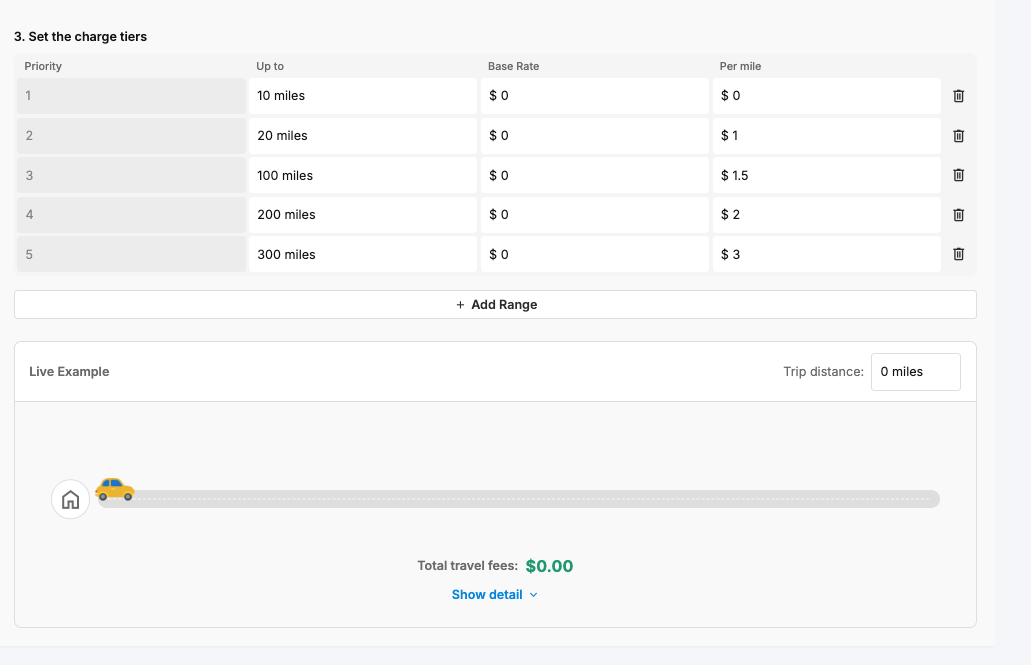
How do I check what a customer will be charged?
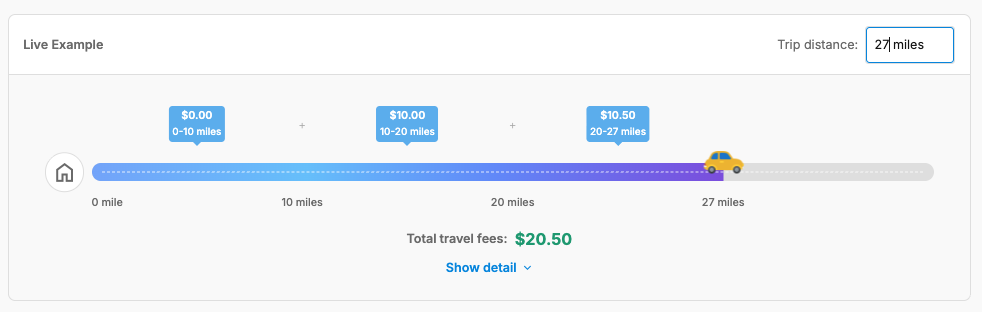
Use the Live Example in the Travel Fees section:
Enter a sample Trip distance.
Watch the car move along your configured tiers.
Check the running Total travel fees as it crosses each tier.
Click Show More Detail for a breakdown of how each tier added to the total.
Example: with tiers of $1 per km up to 50 km, then $2 per km up to 100 km, a 70 km trip builds up tier by tier to $90: $50 for the first 50 km, plus $40 for the next 20 km.
When is the travel fee waived?
When a customer books a recommended time slot, meaning a time when a photographer already has a shoot nearby, Tonomo waives the travel fee for locations that would normally be charged one. See How Do I Set Up Recommended Time Slots?
Frequently asked questions
Is the distance measured in a straight line? No. It's the actual road distance driven.
Miles or kilometres? Your portal's distance unit.
Can each booking flow have different travel fees? Yes. Travel fees are set per booking flow.
Will two photographers mean two fees? By default, yes (Per photographer). Switch to Per order for one fee.
Where do travel fees show up afterwards? On the order's invoice and in reporting, including who received the fee with Per order.
Related articles