How Do I Send Photos To Esoft For Editing In Tonomo?
Last updated: September 17, 2026
Overview
Esoft is a post-production company for real estate media. You send them your photos, they handle the editing, and the finished images come back to you.
You can now work with Esoft directly from Tonomo. Choose which of your services should go to Esoft for editing, and whenever a client books one of them, the Esoft order is prepared for you automatically. Each order gets its own Esoft section, so you can track editing progress right in Tonomo without logging into another system. Once the editors are finished, the images come back into Tonomo automatically, ready to deliver.
Esoft needs a photographer assigned to the order before the Esoft order can be created.
Setting Up the Integration
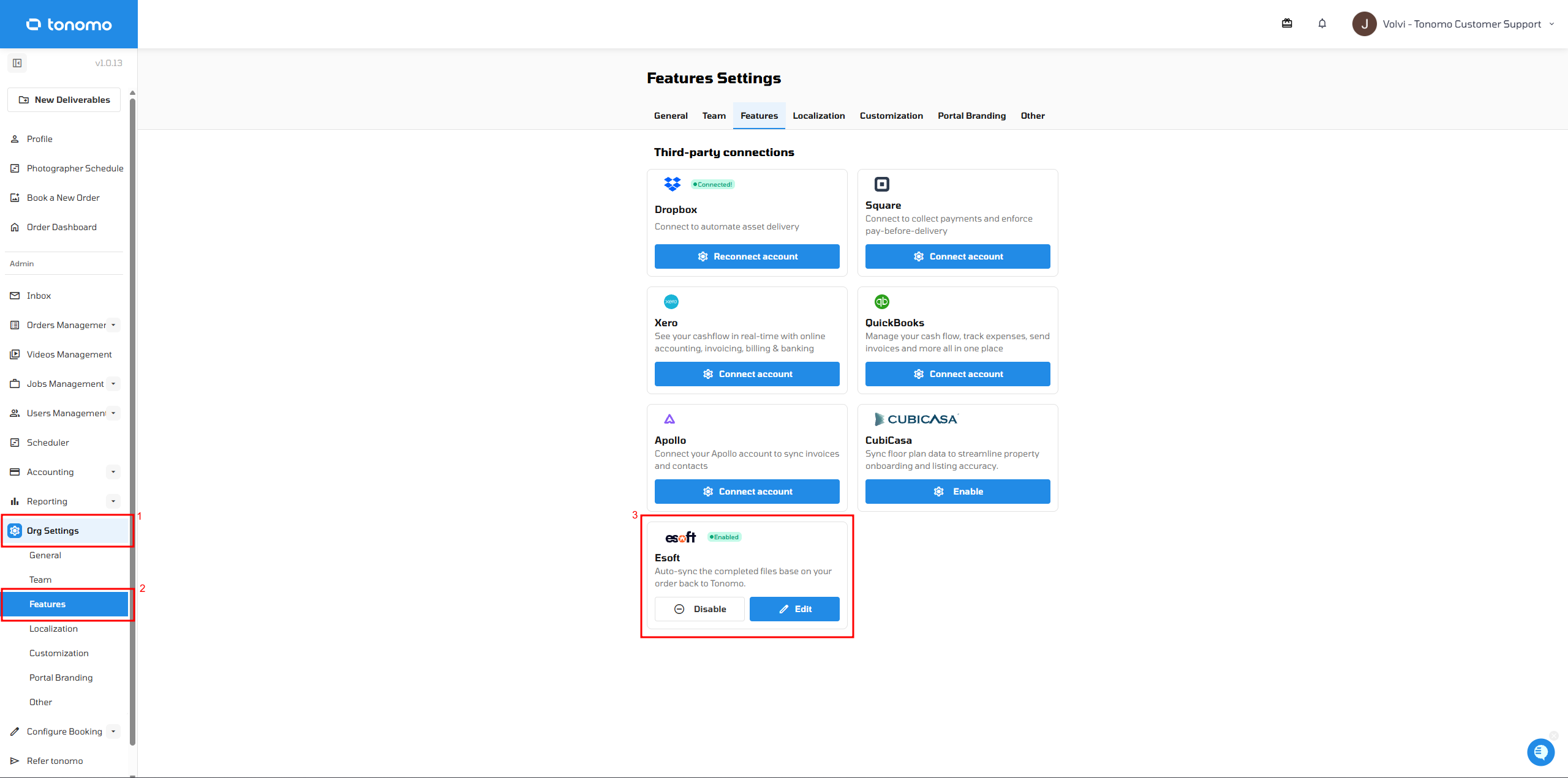
Go to Org Settings → Features.
Turn on Esoft.
Connect your Esoft account.
Choose which of your services you want to send to Esoft.
What Happens When a Client Books
A client books a service that's mapped to Esoft.
Tonomo automatically prepares the matching Esoft order for you.
The editors complete the work in Esoft.
The finished images sync back into Tonomo automatically, ready to deliver.
Viewing Esoft Orders Inside Tonomo
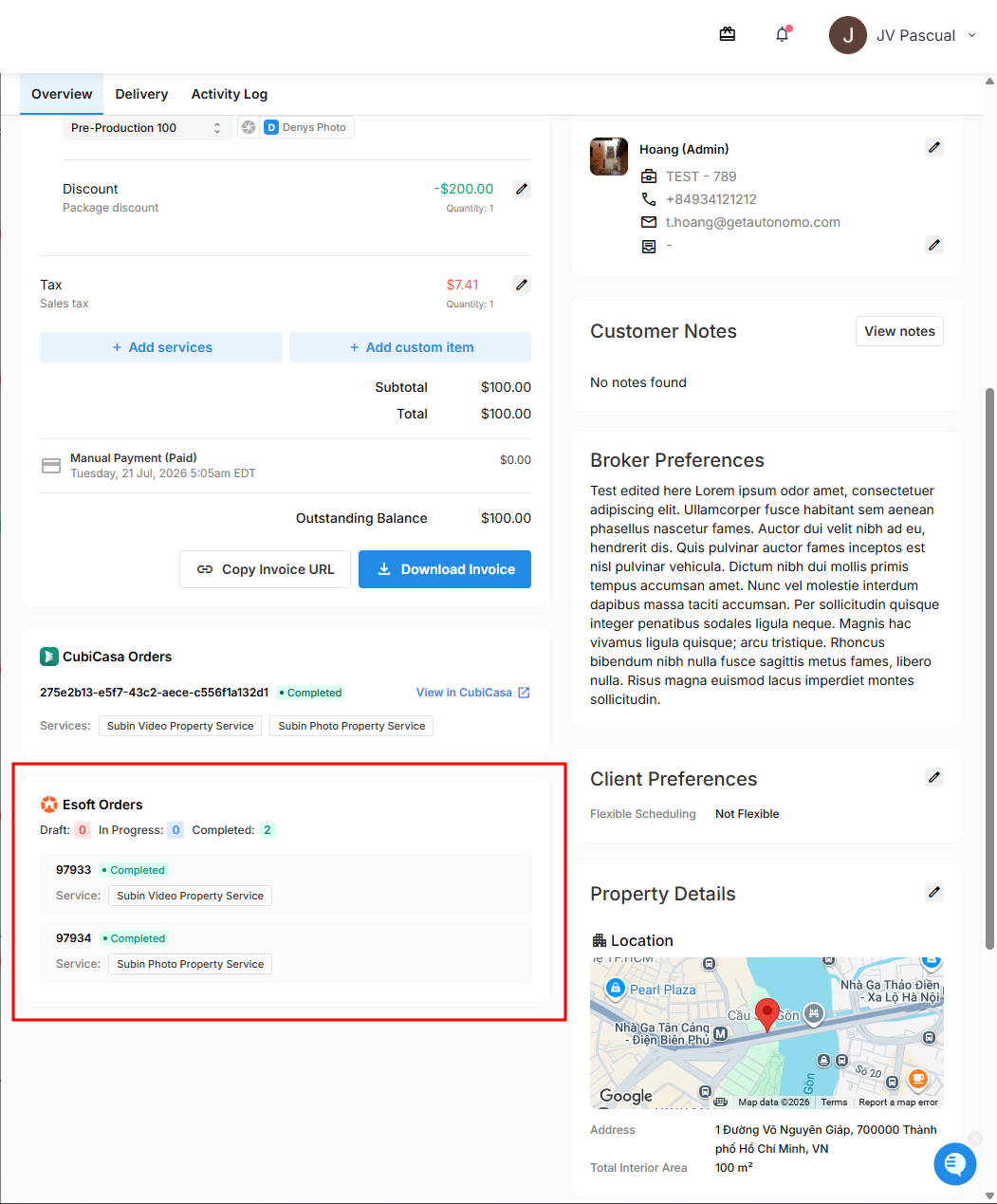
Open the order in Tonomo and look for the Esoft Orders section. It shows a running count of orders by status (Draft, In Progress, Completed), along with each order's ID, status, and the service that was sent to Esoft.
If you have any questions about the Esoft integration, reach out to Tonomo Support and we'll be happy to help.