How do I Set Up The CubiCasa Integration In Tonomo?
Last updated: September 17, 2026
Overview
CubiCasa turns a phone scan into a polished floor plan. Walk the property once, skip the measuring tape and CAD software, and the finished floor plan comes back to you.
You can now use CubiCasa without leaving Tonomo. Tell Tonomo which of your services are floor plan services, and those services will automatically go to CubiCasa every time a client makes a booking. You can follow its progress from the order, and when the floor plan is ready, it appears on the client's delivery page by itself. No emailing files back and forth, and nothing to download and re-upload.
The CubiCasa integration is currently in beta. If you'd like to be a beta tester, let Tonomo Support know.
Setting Up the Integration
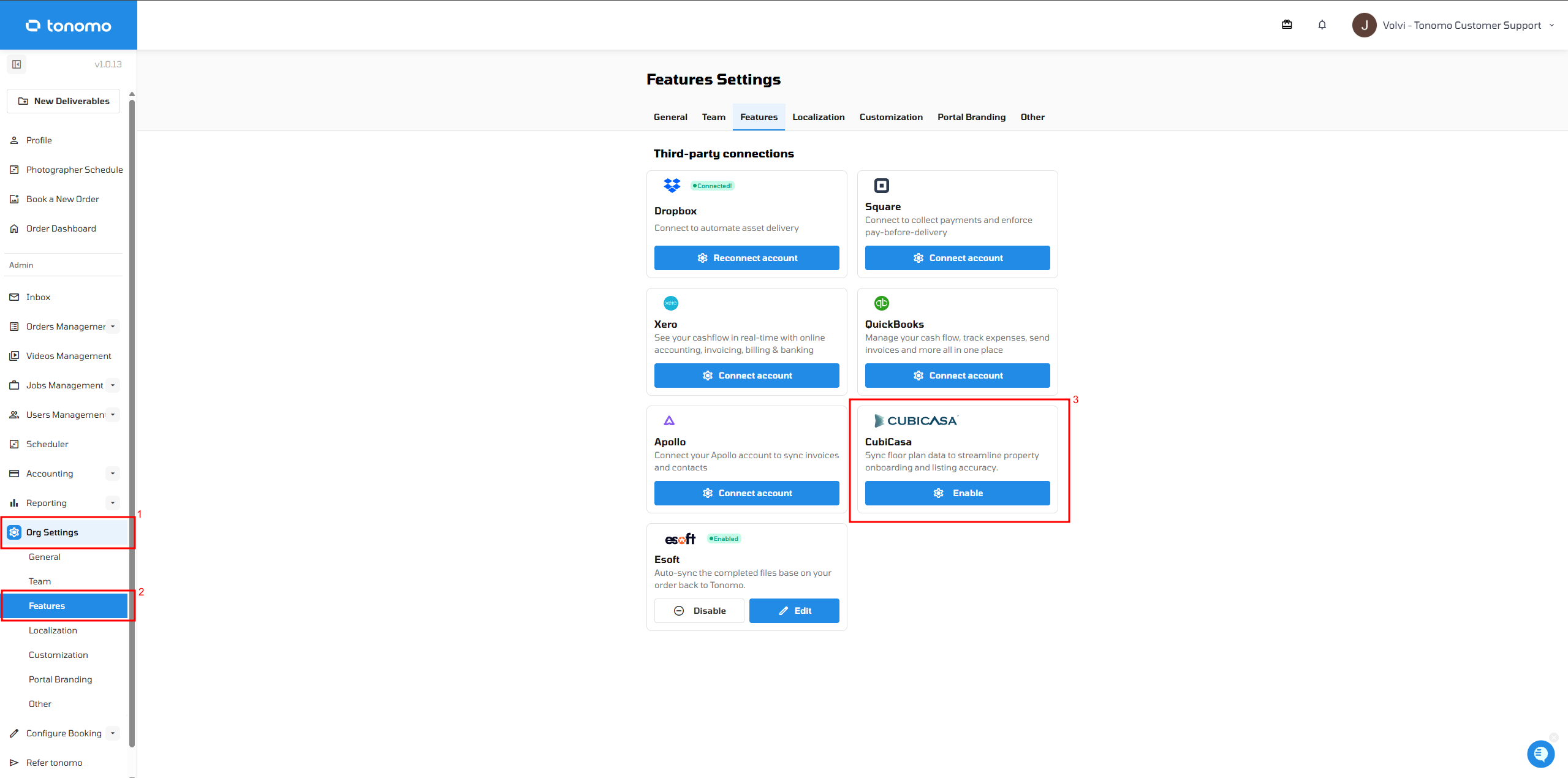
Go to Org Settings → Features.
Turn on CubiCasa and click Enable/Connect Account (or Edit if it's already connected).
Enter your CubiCasa API key.
Choose which media types you want to import into Tonomo.
Click Save.
Mapping Your Services
Once your API key is set up, the next step is to map your services. This tells Tonomo which of your services should create a matching order inside CubiCasa. For example, you might map a service called Floor Plan in Tonomo to CubiCasa's Plus Package.
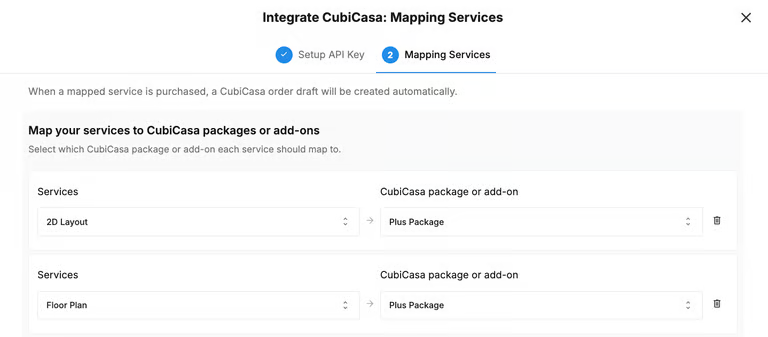
Under Services, select the Tonomo service you want to map.
Under CubiCasa Package or Add-On, select the matching CubiCasa package or add-on.
Add additional rows to map more services, or click the trash icon to remove a mapping.
When a mapped service is purchased, a CubiCasa order draft is created automatically — there's nothing else you need to do to kick off the order.
What Happens When a Client Books
A client books a service that's mapped to CubiCasa.
Tonomo automatically creates a matching draft order in your CubiCasa account, with the correct service already selected.
Complete the floor plan scan in the CubiCasa app as you normally would.
Once the floor plan is finished in CubiCasa, it syncs back into Tonomo automatically.
The finished floor plan appears both inside the Tonomo order and on the client's delivery page, with no downloading or re-uploading required.
Viewing the CubiCasa Order Inside Tonomo
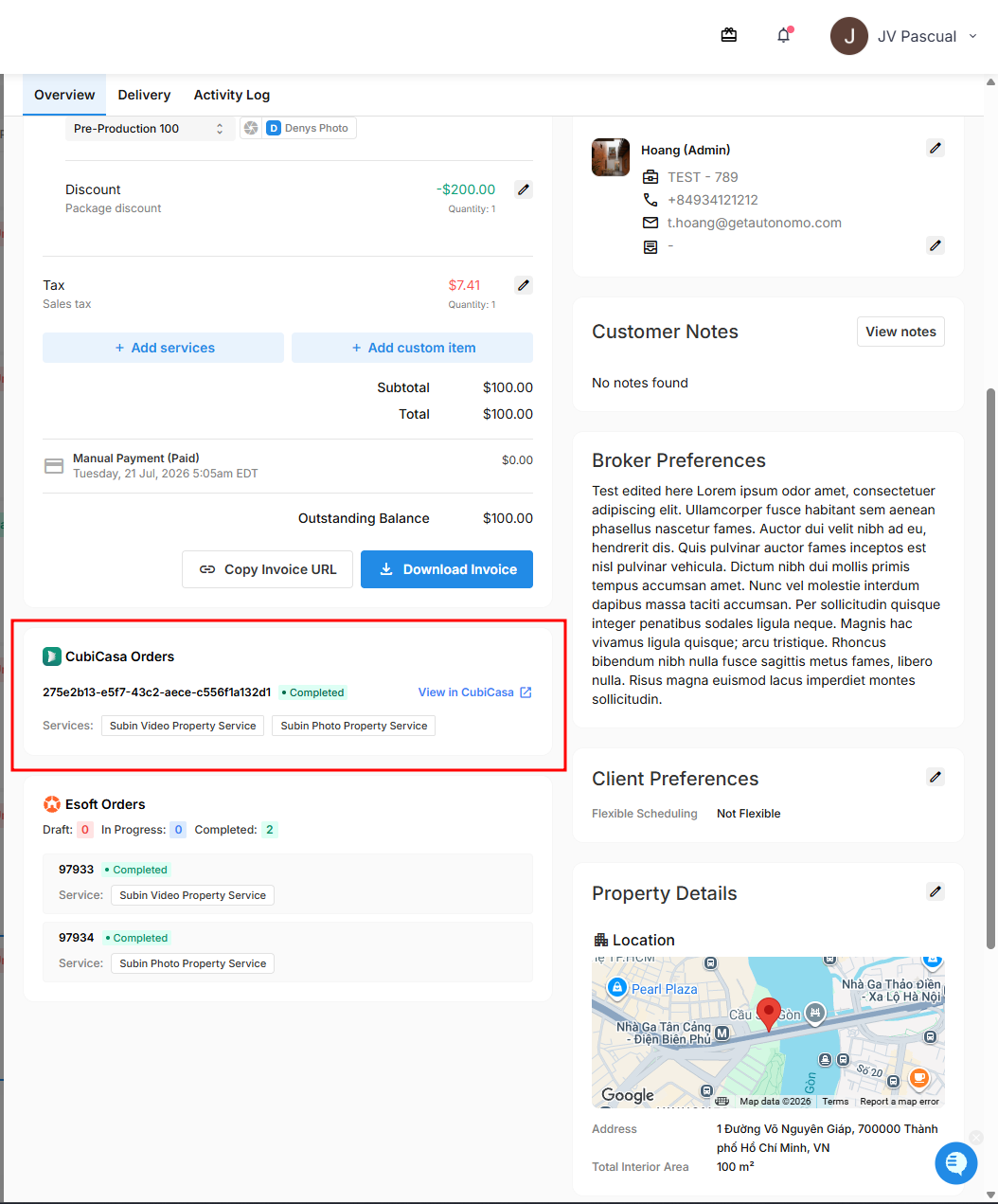
Open the order in Tonomo and look for the CubiCasa section. From here you can:
See the CubiCasa order this order is linked to.
Click View in CubiCasa to see the full order details in CubiCasa.