
How Do I Change The Address On An Order?
To change an order's address, open the order's Order Details, click the edit (pencil) button on Property details, enter the new address and click Add property address. Use this when the customer typed the wrong address or the shoot moves. If the new address changes the travel fee, Tonomo asks whether to update the invoice amount. If the address can't be found, type it in yourself and drag the map pin to the right spot.
At a glance
Where: Orders (Beta) > click the Order ID > Order Details > Property details > edit (pencil).
You can change the street, City, state, Zipcode, Country, Apartment, floor, Total interior area and Acreage (when your booking flow uses them).
Google suggests addresses as you type. If none matches, fill in the fields yourself and drag the pin on the map.
Tonomo recalculates the travel fee. If it changes, you choose Update invoice amount or Don't Update.
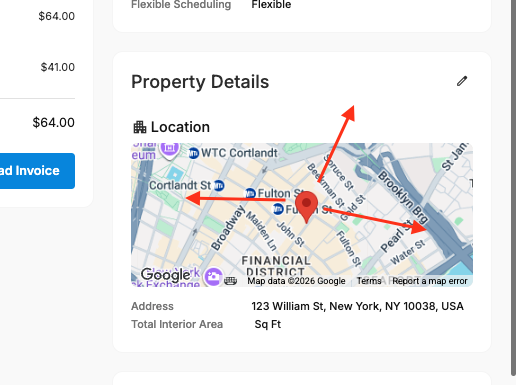
The map in Property details is a picture until you point at it or click it. Then it becomes the interactive Google Map.
If the order has a property website, update the address there too.
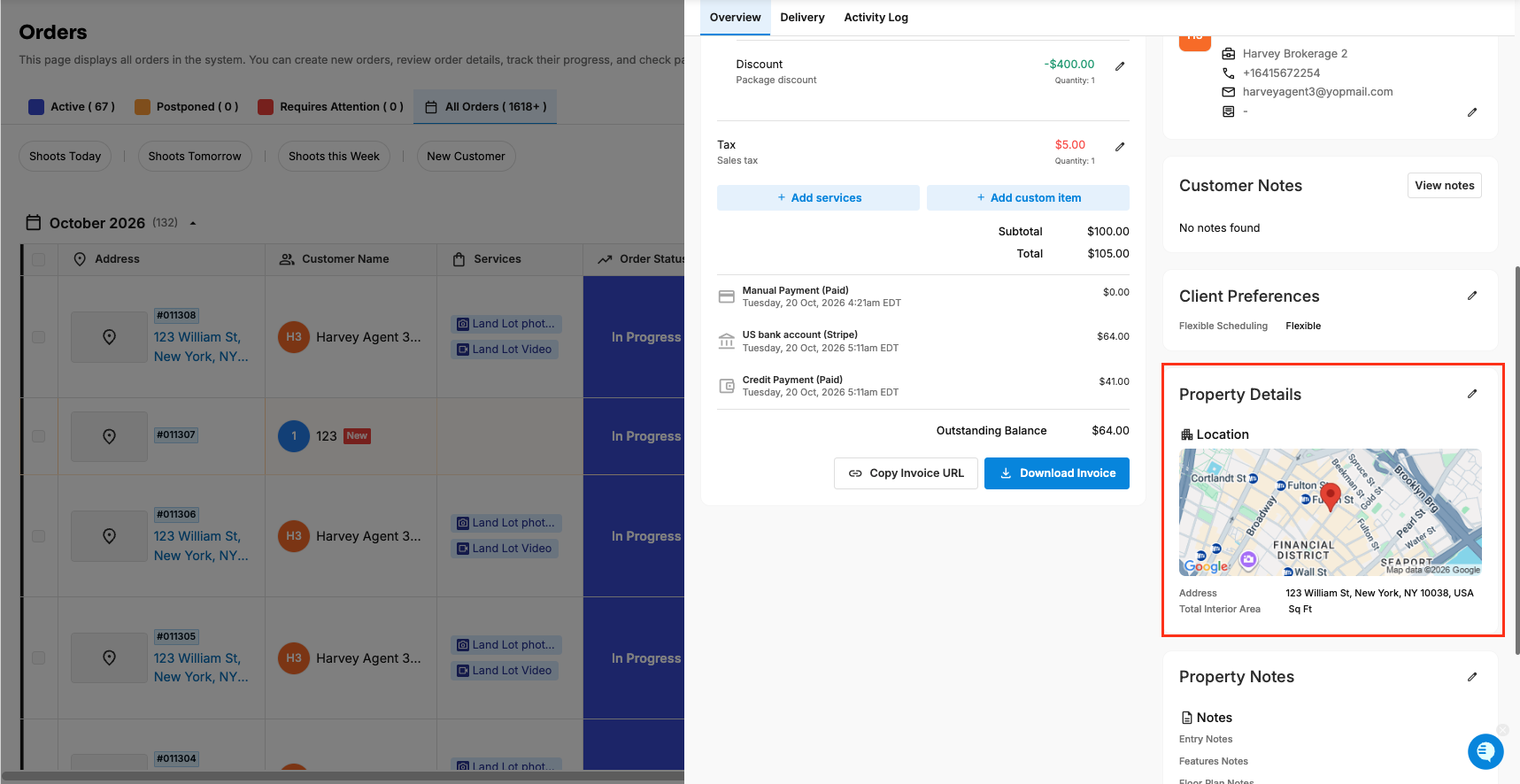
How do I change the address?
Go to Orders Management > Orders (Beta) and click the order's Order ID. Order Details opens on the right.
Scroll to Property details. Check the current Address, Address 2 (if there is one) and Total interior area.
Click the edit (pencil) button next to Property details. The Enter property address window opens.
In Street, start typing the new address and pick the right Google suggestion. Tonomo fills in the City, state, Zipcode and Country and moves the pin.
Add Apartment, floor if needed, and check Total interior area (and Acreage, if your booking flow asks for it).
Click Add property address.
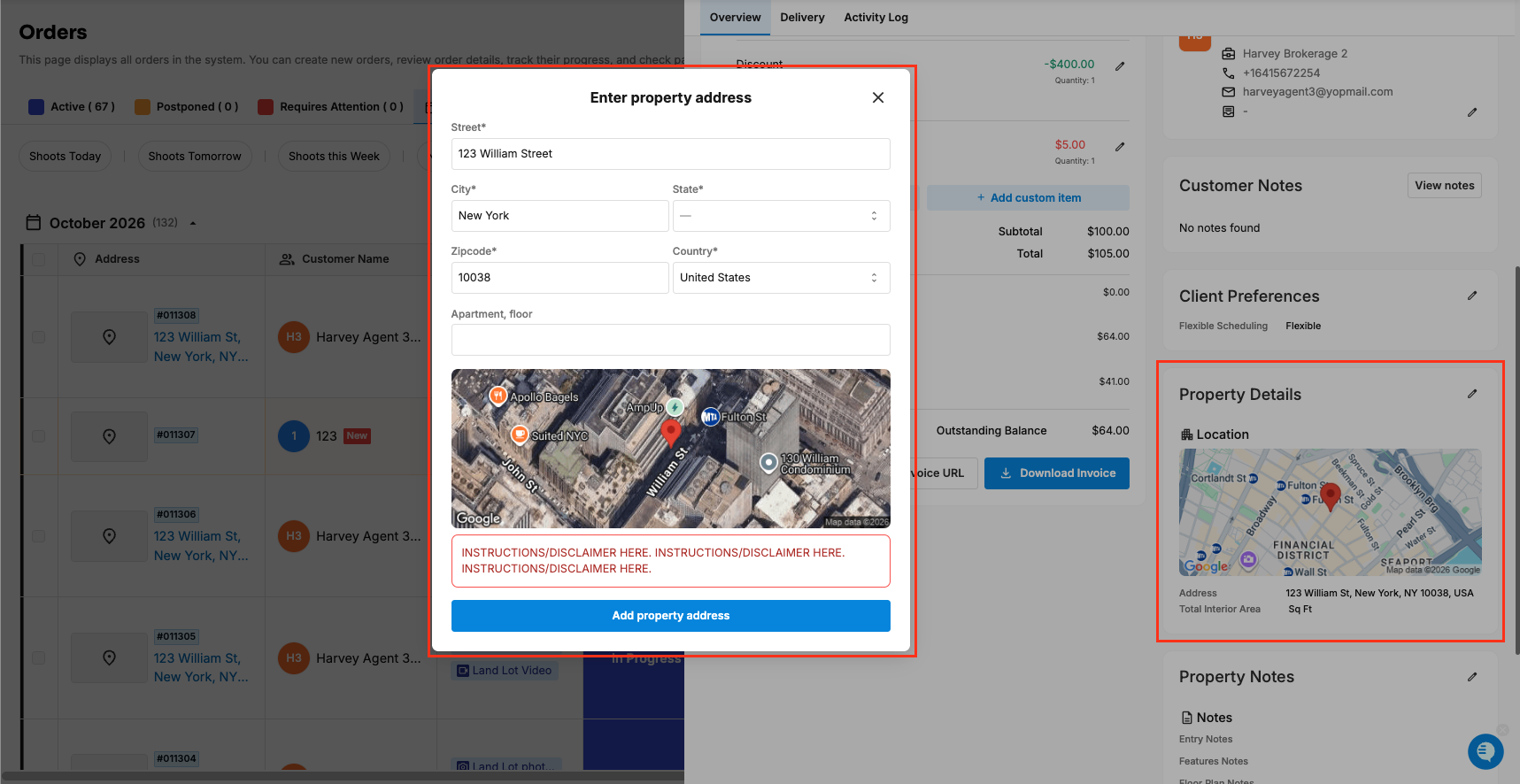
Tonomo saves the change straight away and the new address shows in Property details. There's no separate confirmation message. You may briefly see syncing... while it saves.
For booking flows that aren't for a property, the window is called Enter photoshoot address and doesn't ask for the area.
What if Google can't find the address?
New builds, rural lots and unit numbers are sometimes missing from Google. Enter the address yourself:
Type the street in Street and ignore the suggestions.
Fill in City, the state, Zipcode and Country by hand.
On the map below, drag the pin to the exact spot. That's where your photographer will be sent and where travel fees are measured from.
Click Add property address.
Until there's an address, the map says "Enter the address first to place the pin on the map". The map shows a picture at first. Point at it or click it to load the full map you can drag the pin on.
If your booking flow has property details instructions, they show under the map as a reminder.
What happens to the invoice and travel fee?
When you save a new address, Tonomo recalculates the travel fee for each appointment on the order.
If the travel fee changes, Tonomo asks "Update invoice amount from $X to $Y?":
Update invoice amount updates the invoice total. If the invoice is already in your accounting software, Tonomo then asks Resync invoice to accounting? Click Resync to update it there, or Cancel to leave it marked Out of Sync.
Don't Update keeps the invoice as it was. The new address is still saved.
If the travel fee stays the same, you won't see the question.
If you also changed the Total interior area or Acreage, Tonomo reprices services that depend on size, unless the invoice was entered manually. If the invoice total changes, you see the same kind of question, "Update invoice amount from $X to $Y?", with Update invoice amount or Don't Update. If the total stays the same, the new size is saved without a question.
The travel fee can go up or down depending on how far the new address is from your photographer. See How Do I Set Up Travel Fees for My Bookings?
Example: an order for 12 Oak St has a $25 travel fee. You change it to 840 Ridge Rd, 30 miles further out, and the travel fee becomes $45. Tonomo asks "Update invoice amount from $325.00 to $345.00?" Click Update invoice amount to charge the new fee.
What else should I update?
Property website: if the order has a property website, open its admin and check the address. If it still shows the old one, change it there.
Calendar event: changing the address in Order Details doesn't update the calendar event straight away. The event picks up the new address the next time it's saved: open the shoot in the Scheduler, check the details and click Save event.
Dropbox folders: an address change doesn't rename or move folders that already exist. They keep their original name, so rename them in Dropbox if you need to.
How does the map in Order Details work?
Property details shows a Location map of the order's address. To keep it fast, it loads as a picture first. Point at it or click it and it turns into the interactive Google Map, which you can zoom and move. Click the pin to open the address in Google Maps in a new tab.
Frequently asked questions
Can the customer change the address after booking? No. They contact you, and your team changes it in Order Details.
I changed the address but the invoice didn't change. Why? Either the travel fee is the same for the new address, or someone clicked Don't Update. Edit the invoice in Invoices & payments if you need to.
Where are the number of rooms and the entry notes? In Property Notes, just below Property details. See How Do I Use the Order Details Section?
Why does the map look like an image? It's a picture until you point at it or click it. Then the interactive map loads.
Related articles