
How Do I Recreate a Calendar Event After Postponing an Order?
When you postpone an order, Tonomo can delete its calendar event, either automatically or after asking you. When the customer is ready to book again, find the order in the Postponed view of Orders (Beta), move it back to In Progress, then create a new event for it in the Scheduler by dragging on the photographer's calendar and clicking Save event.
At a glance
Postponed orders are listed in the Postponed view of Orders Management > Orders (Beta).
Postponing asks you to confirm. Then, if the order has a calendar event, Tonomo asks "Delete calendar events associated with order?", or deletes it without asking if Automatically delete calendar events is on.
Deleting the event doesn't delete the order.
To rebook: set the order back to In Progress, open the Scheduler from Order Details, drag on the photographer's calendar, and click Save event.
If you kept the event when you postponed, just move it to the new time instead.
What happens to the calendar event when I postpone an order?
You change the order status to Postponed. Tonomo asks you to confirm.
If the order has a calendar event:
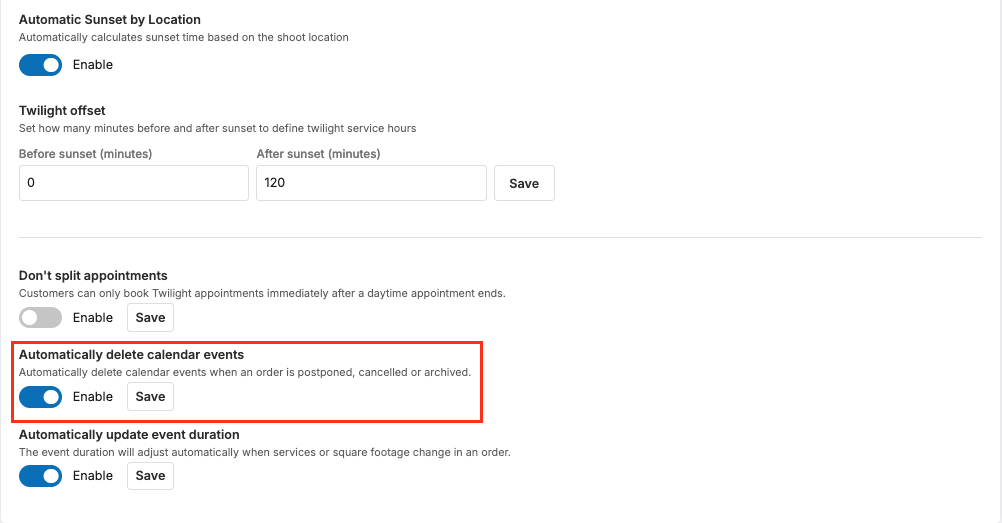
Automatically delete calendar events is off (the default): Tonomo asks "Delete calendar events associated with order?" Confirm to delete the event, or cancel to keep it.
Automatically delete calendar events is on: Tonomo deletes the event straight away.
The same applies when you cancel or archive an order, including archiving several orders at once.
How do I turn automatic deletion on or off?
Go to Configure Booking > General.
In the Scheduling card, find Automatically delete calendar events ("Automatically delete calendar events when an order is postponed, cancelled or archived.").
Switch Enable on or off and click Save.
This setting only shows when Integrated Booking is on.
How do I find a postponed order?
Go to Orders Management > Orders (Beta) and click the Postponed view. It lists every postponed order in the current date range. If you can't see the order, widen the date range or use Search orders. See How Do I Filter Orders In Order Management?
How do I rebook a postponed order?
1. Move the order back to In Progress
Click the order's Order ID to open Order Details.
Change the order status to In Progress:
New layout: use the Order: status menu at the top, next to Project Chat.
Original layout: use Order Status.
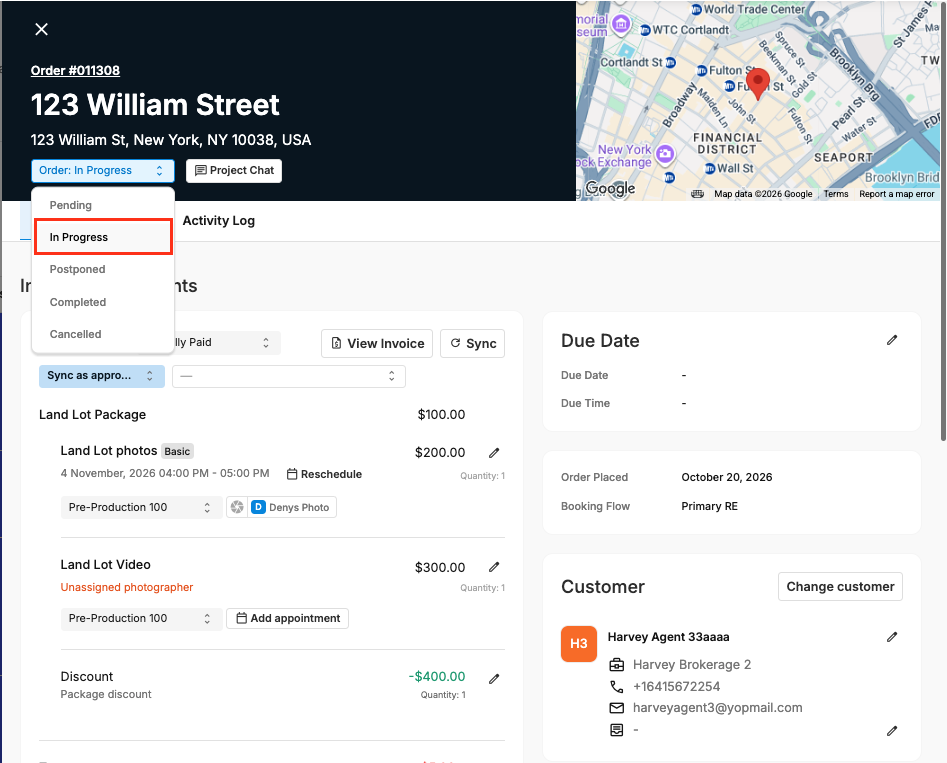
If you've renamed your order statuses, use the name you gave In Progress.
2. Open the Scheduler for the order
In Order Details, click:
New layout: Add Appointment in the Schedule Preferences section. It shows when the order has no appointment.
Original layout: Create event in scheduler in the Schedule section.
The Scheduler opens in day view on the order's date, with the order selected.
3. Create the event
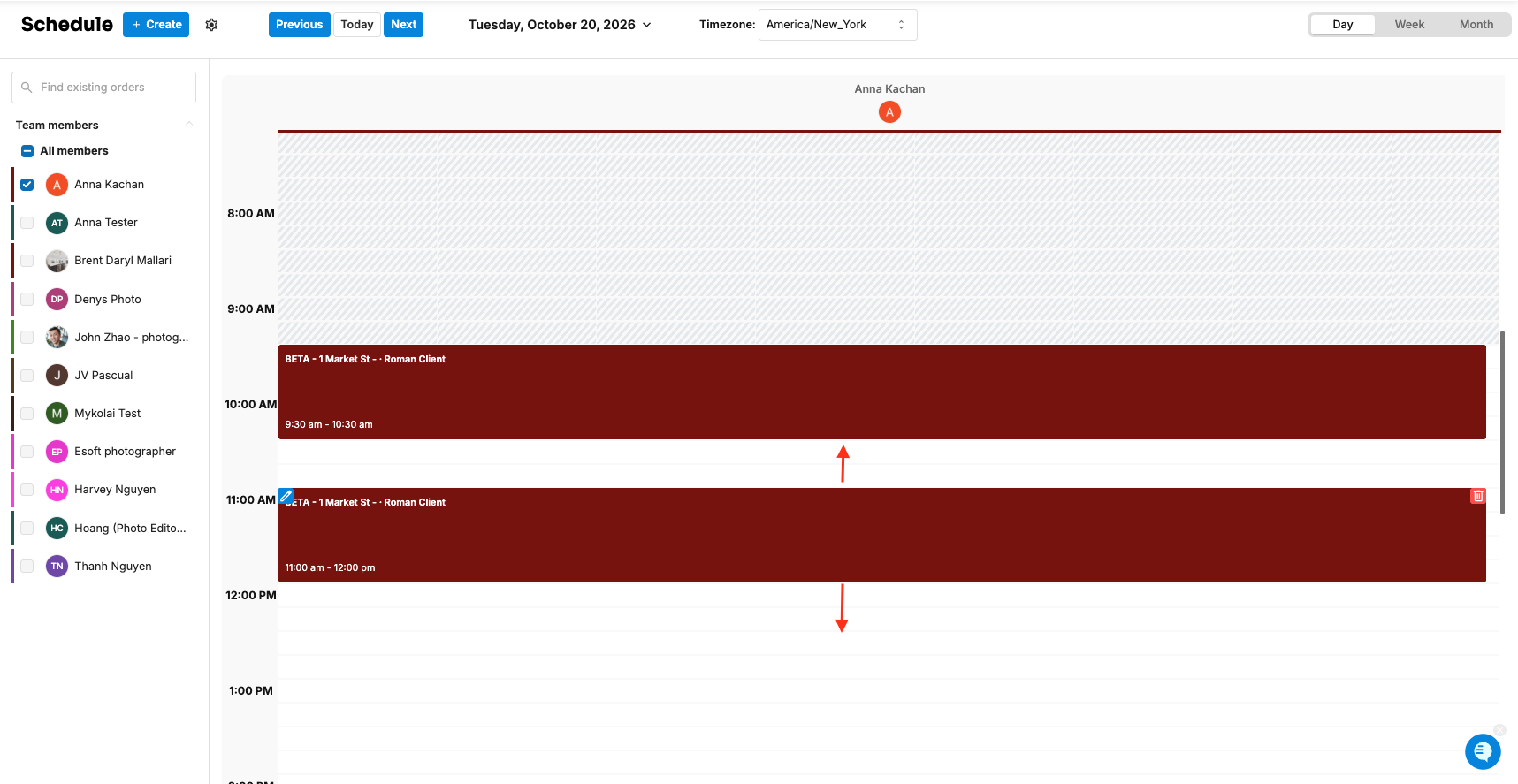
Go to the day you want and find the column of the photographer you want to assign.
Click and drag on their calendar over the time you want.
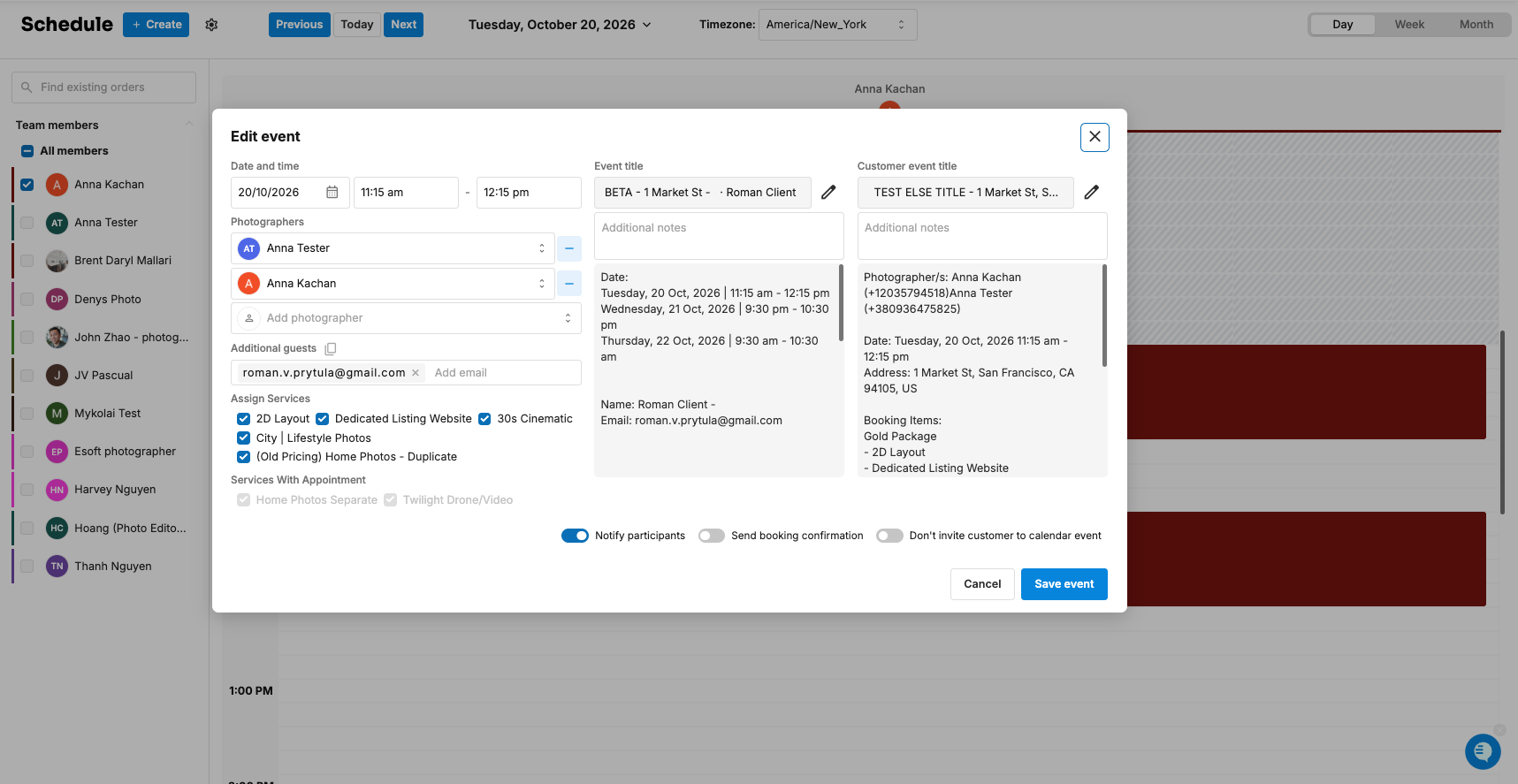
The Edit event window opens. Check or change the Date and time, Photographers, Additional guests, and Assign Services.
Decide whether to Send booking confirmation and Notify participants.
Click Save event at the bottom.
Another way: in the Scheduler, click + Create, choose Choose order, and pick the order from Select unassigned order. Orders with no calendar event are listed there. See How Do I Create an Appointment or Reserved Timeslot in the Scheduler?
What if I kept the calendar event when I postponed?
The event is still on the calendar. Move it to the new date and time instead of creating a new one. See How Do I Reschedule An Existing Order?
Frequently asked questions
Does postponing delete the order? No. It changes the status. Only the calendar event can be deleted, and the order stays in Orders (Beta) under Postponed.
Will the photographer and customer know the shoot was removed? Deleting the event removes it from the calendars of everyone invited. Their calendar app may also send its own cancellation notice, but don't rely on it. To tell the customer by email, see How Do I Cancel An Order? for the appointment canceled email.
Does the customer get a new confirmation when I rebook? Yes, if Send booking confirmation is on when you click Save event.
Can I stop Tonomo asking every time? Yes. Turn on Automatically delete calendar events in Configure Booking > General.
Related articles