Why Doesn't My Service Show Up?
Last updated: September 20, 2026
Overview
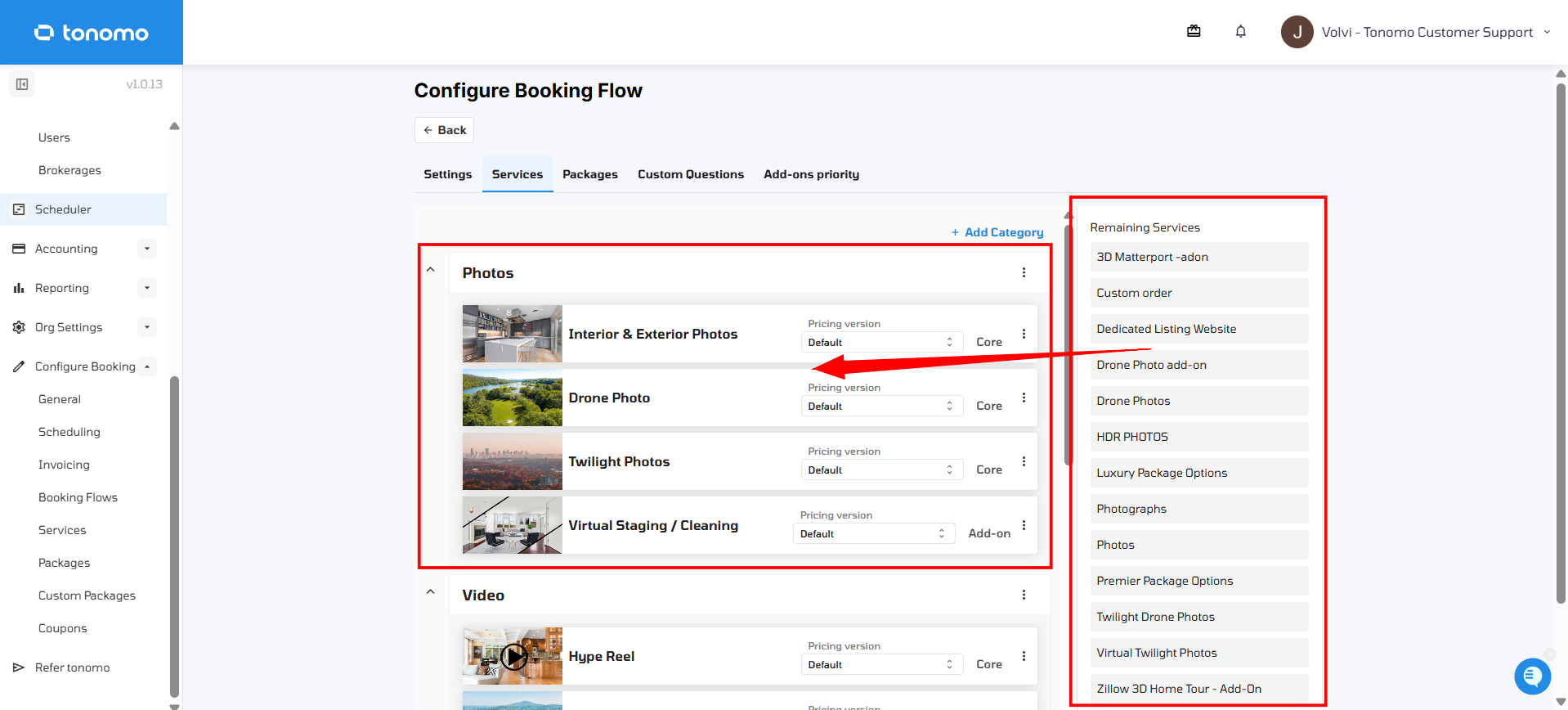
If you've created a service but it isn't appearing on a specific booking flow, it's usually because it hasn't been added to a category yet within that booking flow's settings. Creating a service doesn't automatically add it to every booking flow — it still needs to be added to a category within each booking flow's settings where you want it to appear.
Note: Troubleshooting an add-on that's already in a booking flow but still won't appear as selectable for clients? That's a different issue — see Why Doesn't My Add-On Show Up? instead, since add-ons have an extra requirement of being tied to a core service.
Adding a Missing Service
Go to Configure Booking → Booking Flows, click Edit on the booking flow you want to add the service to, and head over to the Services section. Any service that hasn't been added yet appears under Remaining Services on the right. Click and drag the service from that list into a category on the left to add it to your booking page.
Another Cause: Service Availability by Square Footage
If the service has already been added correctly to the booking flow but still isn't showing up, check its Service availability setting. Every service can be limited to specific square footage or acreage ranges — if the range covering a property's size is unchecked, the service won't show up for that property, even though it was added correctly.
Go to Configure Booking → Services.
Click the three-dot menu next to the service and select Edit.
Scroll down to Service availability.
Make sure the checkbox for the property's square footage range is checked.
Click Save.
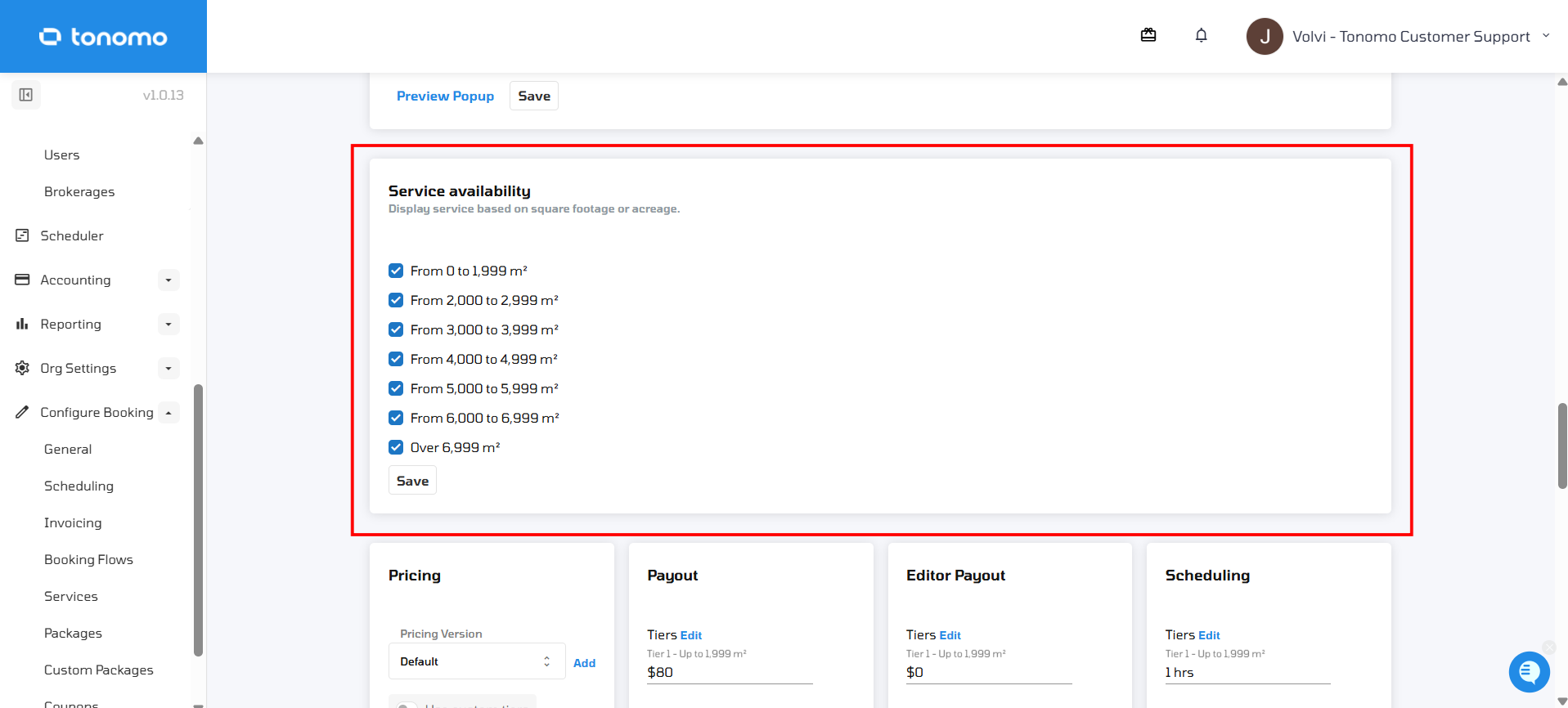
Important: If a square footage range is unchecked, the service won't show up for properties in that range, even if it was added correctly to the booking flow.