How Do I Create a Booking Flow?
Last updated: September 30, 2026
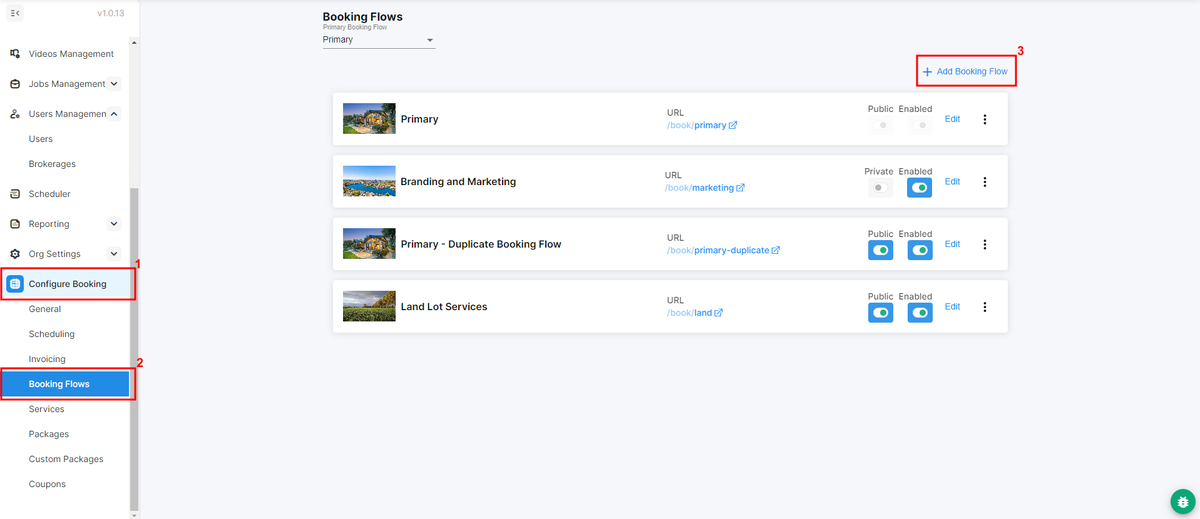
A booking flow is the booking page your customers use to order your services in Tonomo. You can run as many as you need, for example, one per market, one per partner brokerage, or one per payment rule. Each has its own web address, services, packages, and settings. One booking flow might take deposits while another doesn't. You create booking flows in Configure Booking > Booking Flows by clicking + Add Booking Flow, after your services and packages are set up.
At a glance
Set up your services and packages first.
Go to Configure Booking > Booking Flows and click + Add Booking Flow.
Each booking flow has its own web address, for example,
portal.yourcompany.com/book/chicago.Your primary booking flow is always at
portal.yourcompany.com/book. It's always public and can't be disabled.Choose whether a flow is public or limited to specific people or brokerages.
Switch a flow off without deleting it using Booking Flow Enabled.
Before you start
A booking flow is built from your services and packages, so add those first:
How do I create a booking flow?
Go to Configure Booking > Booking Flows.
Click + Add Booking Flow in the top right.
Click Edit on the new booking flow to open Configure Booking Flow and set it up. See How Do I Configure Booking Flow Settings?
Click Update settings.
What can I customize on each booking flow?
Setting | What it does |
|---|---|
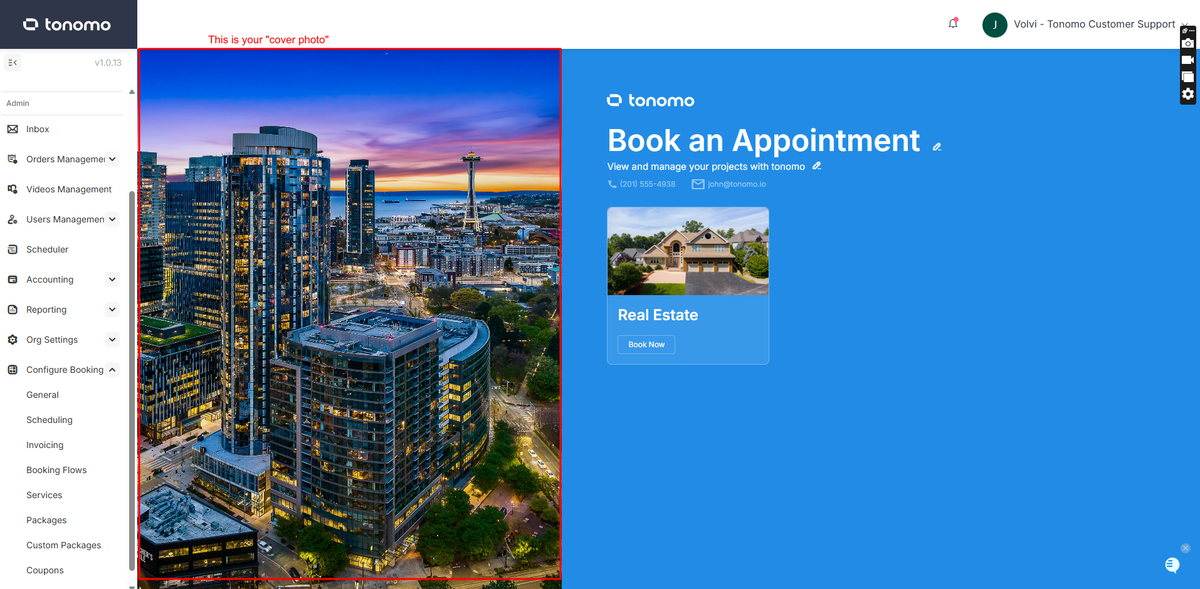
Thumbnail | The cover photo shown on your landing page |
Booking Flow Name | A name for your team, usually the market or partner, for example, San Francisco |
Set the URL for this booking flow | The web address ending, for example |
Visibility & Access | Whether it's listed on your public booking page, and who can book |
Booking Flow Enabled | Switch the flow off without deleting it |
Services, packages and categories | Which services and packages customers can book here |
Payments, questions, fees | Deposits, tax, custom questions, travel fees and more |
Can I make a booking flow just for one brokerage or client?
Yes.
Limit who can book: in Visibility & Access, use Who can book to limit the flow to specific people or brokerages, and turn off Show on booking page so it isn't listed publicly.
Link a brokerage: set a Brokerage on the flow. Any agent who books through it is added to that brokerage automatically, and the brokerage's pricing overrides apply.
For negotiated package prices, see How Do I Create Packages And Custom Packages?
Why would I have more than one booking flow?
Different markets: a Chicago flow and a Milwaukee flow, each with its own services and travel fees.
Different partners: a private flow for a brokerage, with its own pricing.
Different payment rules: take deposits in one flow and not another.
Different shoot types: property shoots vs branding shoots (Booking Flow Type).
Frequently asked questions
Can I disable a booking flow temporarily? Yes. Switch off Booking Flow Enabled. It's kept and can be switched back on. The primary flow can't be disabled.
I created a service. Why isn't it in my booking flow? Services must be added to a category in each booking flow. See Why Doesn't My Service Show Up?
Can one booking flow have its own travel fees? Yes. Travel fees are set per booking flow. See How Do I Set Up Travel Fees For My Bookings?
Related articles