How Do I Configure Booking Flow Settings?
Last updated: September 30, 2026
Each booking flow in Tonomo has its own settings that control what customers are asked, which days they can book, how they pay, which services they see, and what they're told after booking. Open them in Configure Booking > Booking Flows and click Edit on a booking flow. The Configure Booking Flow page has five tabs: Settings, Services, Packages, Custom Questions and Add-ons priority. Click Update settings to save.
At a glance
Settings tab: name and web address, visibility, booking days and fees, which booking questions to ask or hide, payments, landing page, order status page, travel fees, scheduling, and cancellations.
Services tab: organize services into categories.
Packages tab: choose which packages this flow offers.
Custom Questions tab: add your own booking questions, optionally only for certain services.
Add-ons priority tab: set the order add-ons appear in.
Click Update settings to save.
On this page: name and web address · visibility · days and fees · booking form · payments · landing page · order status page · scheduling and travel · services and packages · custom questions · add-ons priority · land lots and branding · terms of service
How do I set the booking flow's name and web address?
On the Settings tab:
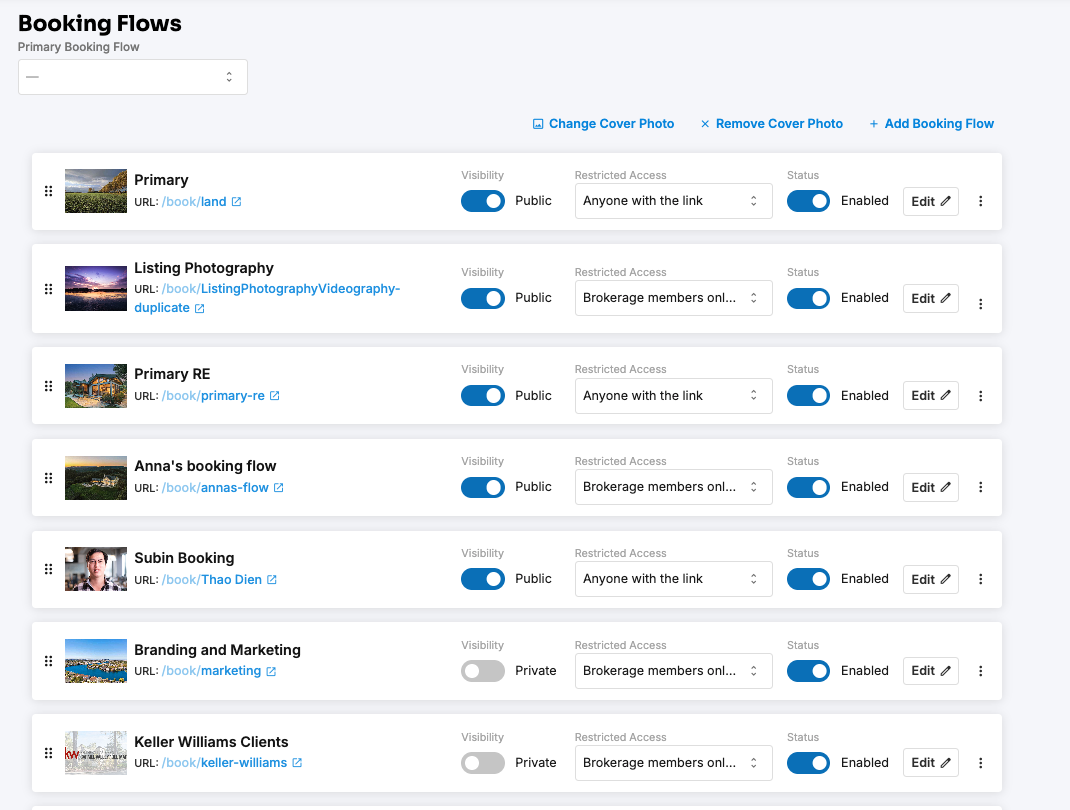
Thumbnail: the cover photo on your landing page. Use any image that represents this booking flow.
Booking Flow Name: a name for your team. Most people use the market or partnership it's for, for example San Francisco.
Set the url for this booking flow: the end of the web address. A Chicago flow could be
portal.yourcompany.com/book/chicago.Alternate booking flow urls: extra web addresses for the same booking flow.
Your primary booking flow is always portal.yourcompany.com/book.
Can I turn a booking flow off, or limit who sees it?
Booking Flow Enabled: switch the flow off without deleting it. The primary booking flow can't be disabled.
Visibility & Access:
Show on booking page: list this flow on your public booking page.
Who can book: control who can access this booking flow, whether everyone or specific people or brokerages.
Brokerage: link the flow to a brokerage. Agents who use it are added to the brokerage automatically, and the brokerage's pricing overrides apply.
What's the difference between Property and Branding booking flows?
Set Booking Flow Type (Beta):
Property: asks for the property address and square footage at the start. Use it for real estate shoots.
Branding: skips the property address and square footage, and asks for the office location where the shoot will happen. Use it for branding and other shoots that aren't at a property.
Can I block certain days, or charge extra for them?
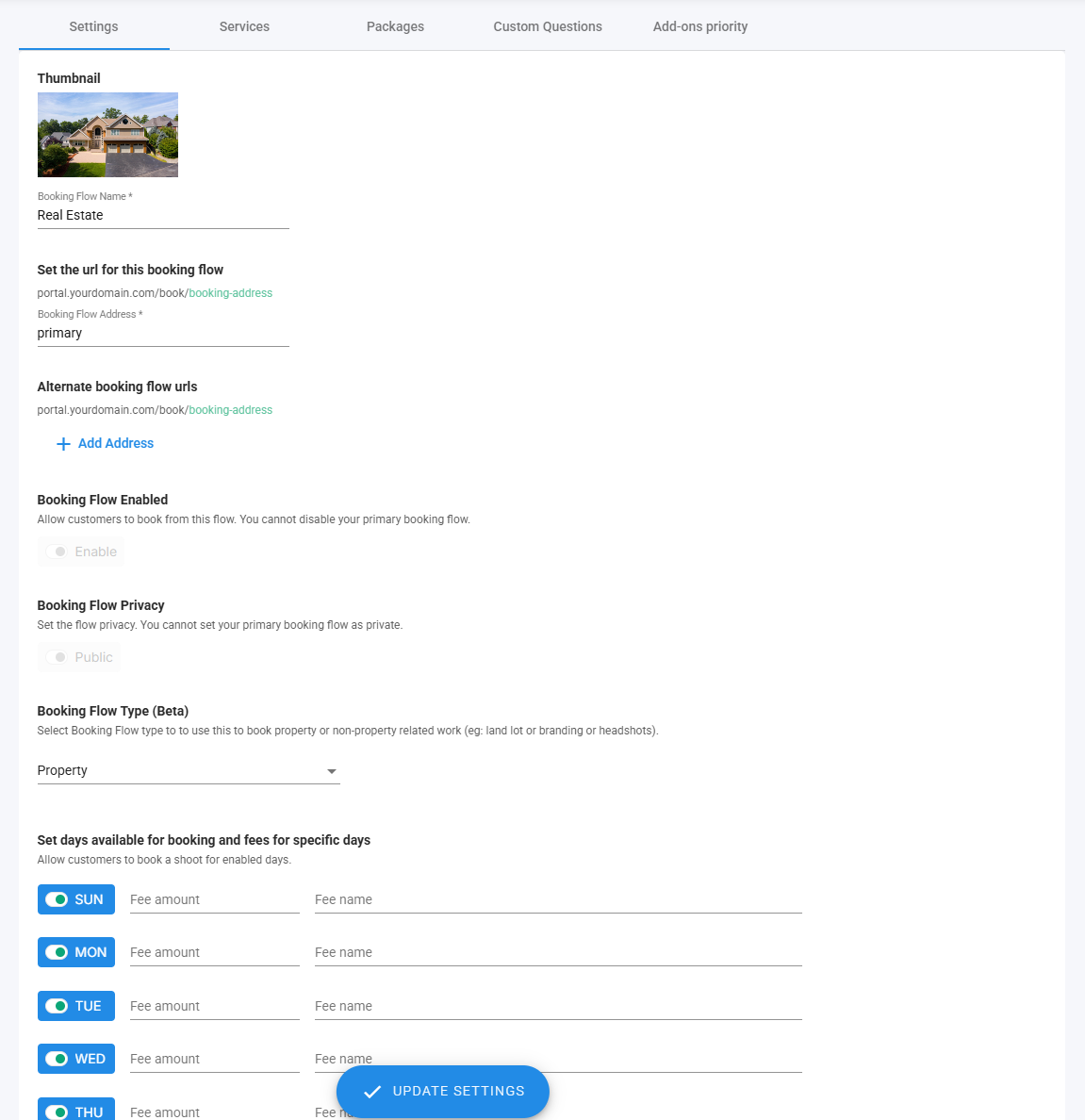
Yes. In Set days available for booking and fees for specific days ("Allow customers to book a shoot for enabled days"):
Switch off any day you don't want booked, for example weekends.
For days you do allow, add a Fee name and Fee amount, for example a Weekend fee.
Which questions can I show or hide on the booking form?
Property and contact details
Setting | What it does |
|---|---|
Hide Square Footage input | Doesn't ask for square footage |
Show Acreage input | Asks for acreage for land lot shoots. Use it when a flow mixes square-footage and acreage pricing, so acreage services are priced correctly. |
Hide Line 2 input | Doesn't ask for an apartment, unit or floor number |
Hide Client preferences | Doesn't ask for client preferences |
Ask customer for number of beds/baths | Asks for bedrooms and bathrooms |
Pricing display
Setting | What customers see |
|---|---|
Hide Savings amount | No savings amount on services and packages |
Hide service prices in packages | Only the package total, on the order and invoice pages |
Instructions and questions
Property details instructions: a note shown before customers confirm the property location and size, in step 1.
Scheduling instructions: a note shown above the calendar when customers choose a date and time.
Ask customer for floor plan notes, if 3D tour / floorplan is selected: optionally Require Floor plan notes, and set the Floor plan notes title.
Ask customer for custom domain, if website is selected: asks what custom domain they want for their website. Optionally Require custom domain choice.
Ask customer for music choice, if video is selected: set a Music choice placeholder, Require music choice, a Choose music later label (for example I'll choose my music option later), Music compilation links for customers to pick from, a Music library link and Music library name, and a Music choice description explaining your music policy.
Feature notes: Hide feature notes, or Require feature notes. Set its title, description, and tip.
Entry notes: Hide entry notes, or Require entry notes. Set its title, description, and tip.
Listing agent information: Require listing agent information, set a description and a Branding Samples link, and choose Ask customer for License #.
Ask "Who are you currently working with"
Ask "Is scheduling flexible?" question, with a Scheduling flexibility default option.
Show terms of service: customers must tick the terms of service before completing the booking. Add a Terms of service description below the link.
For your own extra questions, use the Custom Questions tab (below).
How do I set up payments?
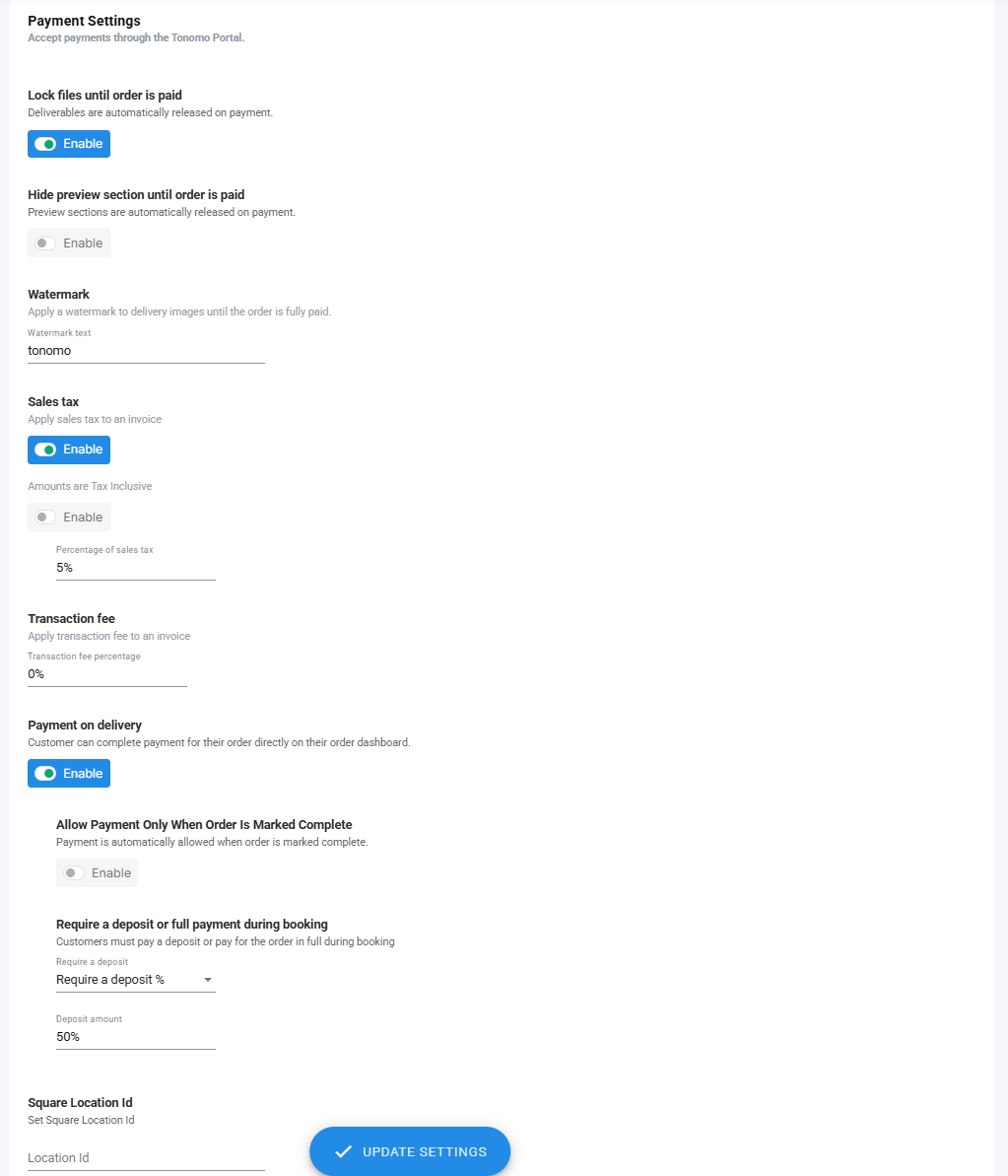
In the payments section ("Accept payments through the Tonomo Portal"). This needs Integrated Payments through Square.
Setting | What it does |
|---|---|
Lock files until order is paid | Customers can't get their files until they pay. Deliverables are released automatically on payment. To release one order early, set its payment status to Paid manually. |
Hide preview section until order is paid | Customers can't see the preview until they pay. It's released automatically on payment. |
Watermark > Watermark text | Text (for example Preview) shown on the delivery page until the order is paid |
Apply tax to an invoice | Adds sales tax. Set the Percentage of sales tax, and choose Amounts are Tax Inclusive if your prices already include tax. |
Transaction fee | Apply transaction fee to an invoice, at the Transaction fee percentage you set |
Payment on delivery | Customers pay from their order summary page |
Allow Payment Only When Order Is Marked Complete | Payment only opens once the order is complete |
Require a deposit or full payment during booking | Customers pay a Deposit amount (percentage or flat amount), or the full amount, before booking |
Square Location Id | Sends payments to the right Square location, if you have more than one |
When a customer pays by card, it's saved to their profile, and an admin can charge it for future orders.
What's on the landing page?
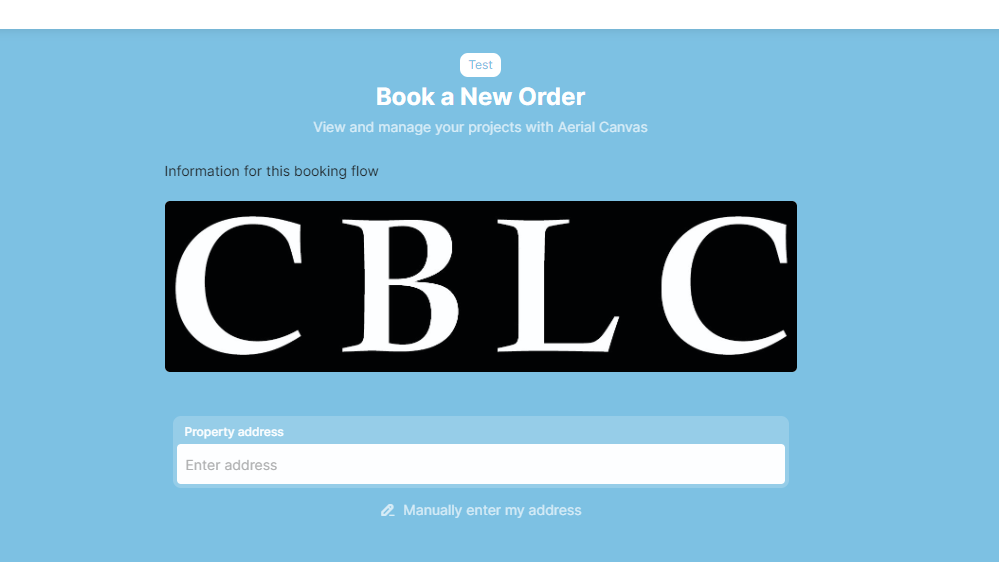
In Customize booking landing page (Landing Page Options, customer facing), add a logo and a description. The editor supports rich text, video, tables and embeds. You can also set the Booking Flow background color.
What do customers see after booking?
In Customize order status page:
Date & time explainer message: a note beside the booked date and time, for example that the time may change based on photographer availability (if you don't use Integrated Booking), or that weekend shoots have a fee. If left blank, only the selected date and time are shown.
Order Status Page Notes: a note on the order status page after booking, for next steps or reminders.
Which scheduling and travel settings are per booking flow?
Use integrated booking: books directly on photographers' calendars. See How Does Integrated Booking Work in Tonomo?
Allow customers to select photographers: customers choose a photographer while booking. It's off by default, and bookings are shared among your photographers automatically. Only qualified photographers are shown.
Scheduling & Travel time settings: Max travel time, Enable recommended slots, Distance limit, Max drive time, and Restrict to recommended slots when available. See How Do I Set Up Recommended Time Slots?
Travel Fees: "Set how travel fees are calculated and billed." Fees are charged per mile of actual road distance, from your office or each photographer's home base. See How Do I Set Up Travel Fees For My Bookings?
Scheduling Settings: Allow cancellation, Allow rescheduling, and Hours from booking to disable rescheduling. For example, "1 hrs before booking" means a customer with a 2:00 PM shoot can't make changes after 1:00 PM. See How Do I Let Customers Reschedule or Cancel Their Own Bookings?
Disable confirmation email: don't send booking confirmation emails for this flow.
Don't invite customer to calendar event: the customer isn't added to the calendar invite. Use it if you notify them another way.
How do I choose the services and packages in this flow?
Services tab
Drag services from the right into categories on the left. Agents browse your services by category, so group them in a way that helps agents compare, for example, Photos and Drone.
Create Service adds a new service.
Add, Rename and Remove categories. Tonomo includes a few to start with.
Drag categories into the order you want agents to see them.

Packages tab
Drag the packages you want into this flow. Packages don't use categories, and you don't need to include every package. Create Package adds a new one.
How do I add custom questions?
On the Custom Questions tab ("Customize additional questions"), add questions to the scheduling step (step 2) of booking. For each one:
set its title or label
choose the field type: Textarea is a bigger box than Text
choose whether it's required
Only for certain services: switch on Service Based Question and pick the services. The question then only appears when those services are in the order.

How do I change the order add-ons appear in?
On the Add-ons priority tab, drag add-ons into the order you want. The top ones show first on the page after customers choose their core services.
Rules:
An add-on only appears if the core service it's linked to is in the order.
An add-on only appears if the customer has chosen a core service from the same category.
How do I set up land lot services priced by acreage?
Set acreage tiers in Configure Booking > General.
Create your land lot services, set their Type to Land Lot, and fill in their pricing tiers.
In the booking flow, switch on Show Acreage input.
Can I book shoots that aren't at a property?
Yes. Set Booking Flow Type (Beta) to Branding. Customers won't be asked for a property address first, and are asked for an office location instead.
What should my terms of service include?
This isn't legal advice. It's a guide to what real estate media companies commonly cover. You're responsible for your own terms of service, so ask an attorney if you have questions.
Treat these as your minimum policy. You can always make exceptions for good customers. For example, you might have a $50 late-cancellation fee and waive it often. With a written policy you can enforce it when someone abuses it, but without one you can't.
Topic | What to cover |
|---|---|
Compensation | When and how customers pay you |
Delivery | How you deliver files, and what customers must do first (see Compensation) |
Turnaround time | What you're comfortable committing to. Ranges are fine, for example 48 hours for photos and 3–5 days for video. |
Late payment fees | Whether you charge them and what they include |
Travel fees | Whether you charge them and how they're calculated |
Cancellation and postponement | How customers request them, and any fees, deadlines or limits |
Revisions | How many are allowed, and the limits of the work you'll do |
Intellectual property and licensing | Who owns the media, what customers can use it for, and whether you can use it in your own marketing |
Turn on Show terms of service to make customers tick them before booking, and add a Terms of service description below the link.
Frequently asked questions
Can different booking flows have different prices? Yes. Use a private booking flow, link a brokerage with pricing overrides, or use Custom Packages.
Can I require a deposit in one flow but not another? Yes. Payment settings are per booking flow.
How do I stop customers booking weekends? Switch Saturday and Sunday off in Set days available for booking and fees for specific days.
Why doesn't a new service appear in my booking flow? Add it to a category on the flow's Services tab.
Related articles