How Do I Create Packages And Custom Packages?
Last updated: September 29, 2026
Packages in Tonomo bundle several services into one bookable option, usually for less than booking them separately, so agents can check out in a few clicks. Custom packages go further: they give one brokerage or agent their own negotiated prices and combinations, shown only to people with their Agent Code, without changing the packages everyone else sees.
At a glance
Packages are built from your existing services. Set up services first.
Create packages in Configure Booking > Packages, and custom packages in Configure Booking > Custom Packages.
A package can contain both core services and add-ons.
Packages are priced by square footage tier, custom tier, or one flat price.
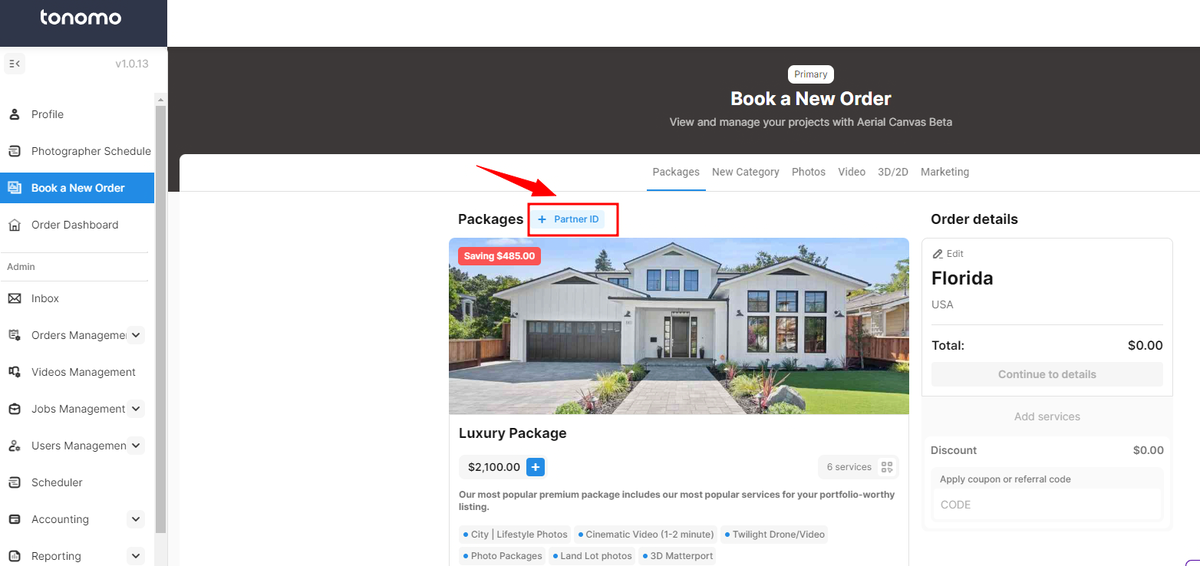
Custom packages are grouped by Agent Code. Agents see them by entering the code as their Partner ID when booking.
A package can be set to always send two photographers.
Why use packages?
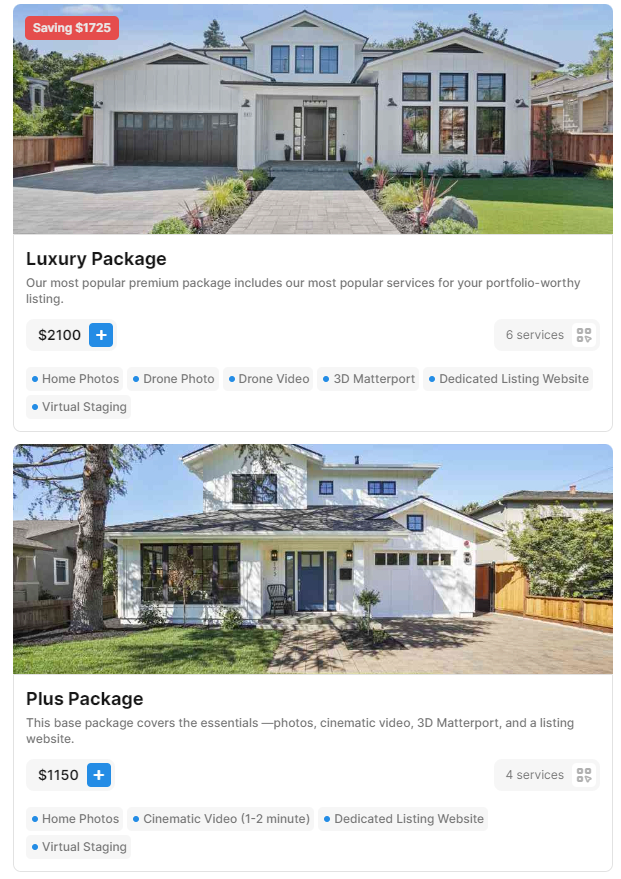
Packages are a sales tool. They bundle standard services into one option, typically with a price break, and make booking faster for agents.
A common approach is three tiers, such as Essentials, Plus and Premier. This gives agents a clear upsell path to premium services they might not otherwise consider.
How do I create a package?
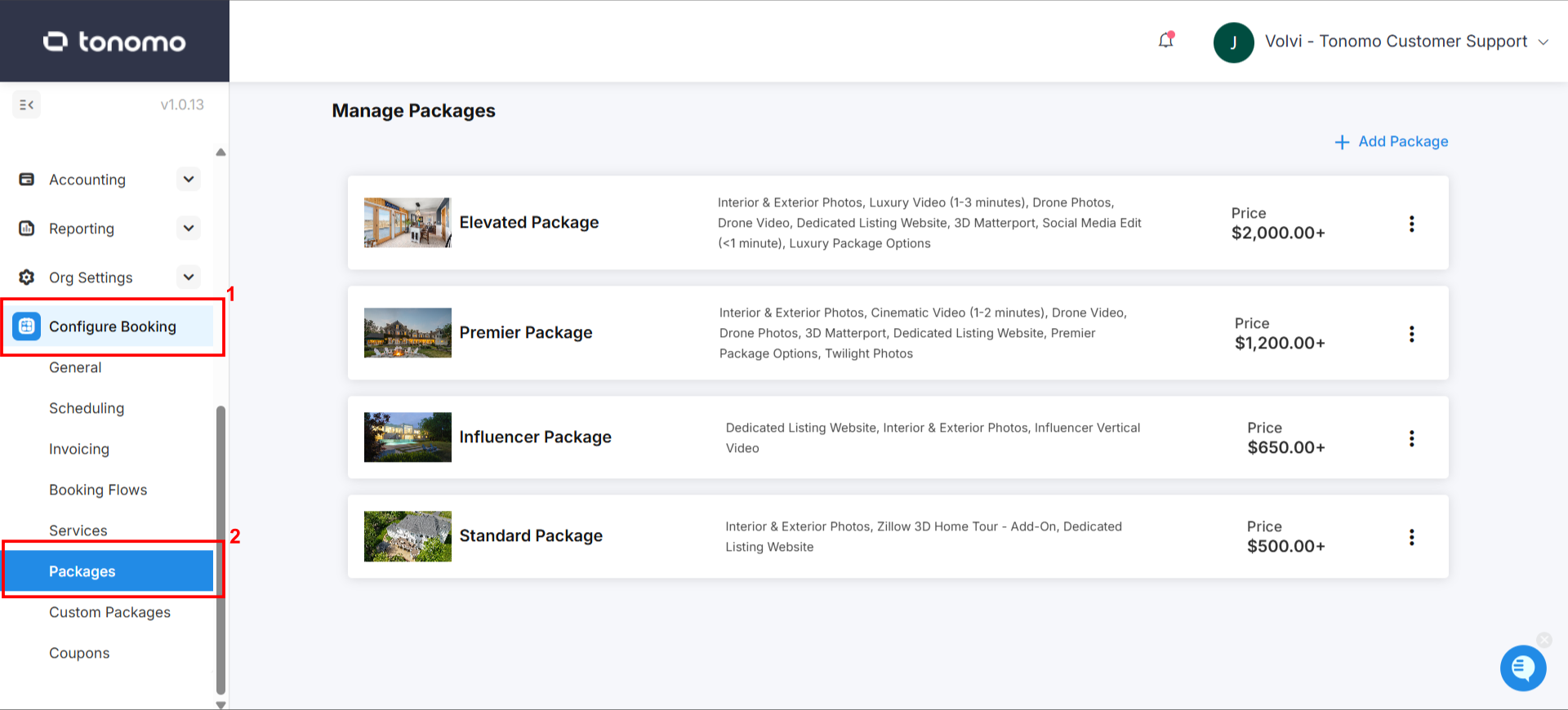
Go to Configure Booking > Packages.
Click + Add Package in the top right.
Fill in the general information (below).
Set pricing, payout and scheduling (below).
Click Save.
Add the package to each booking flow where it should appear. See How Do I Configure Booking Flow Settings?
General information
This works like a service's general information.
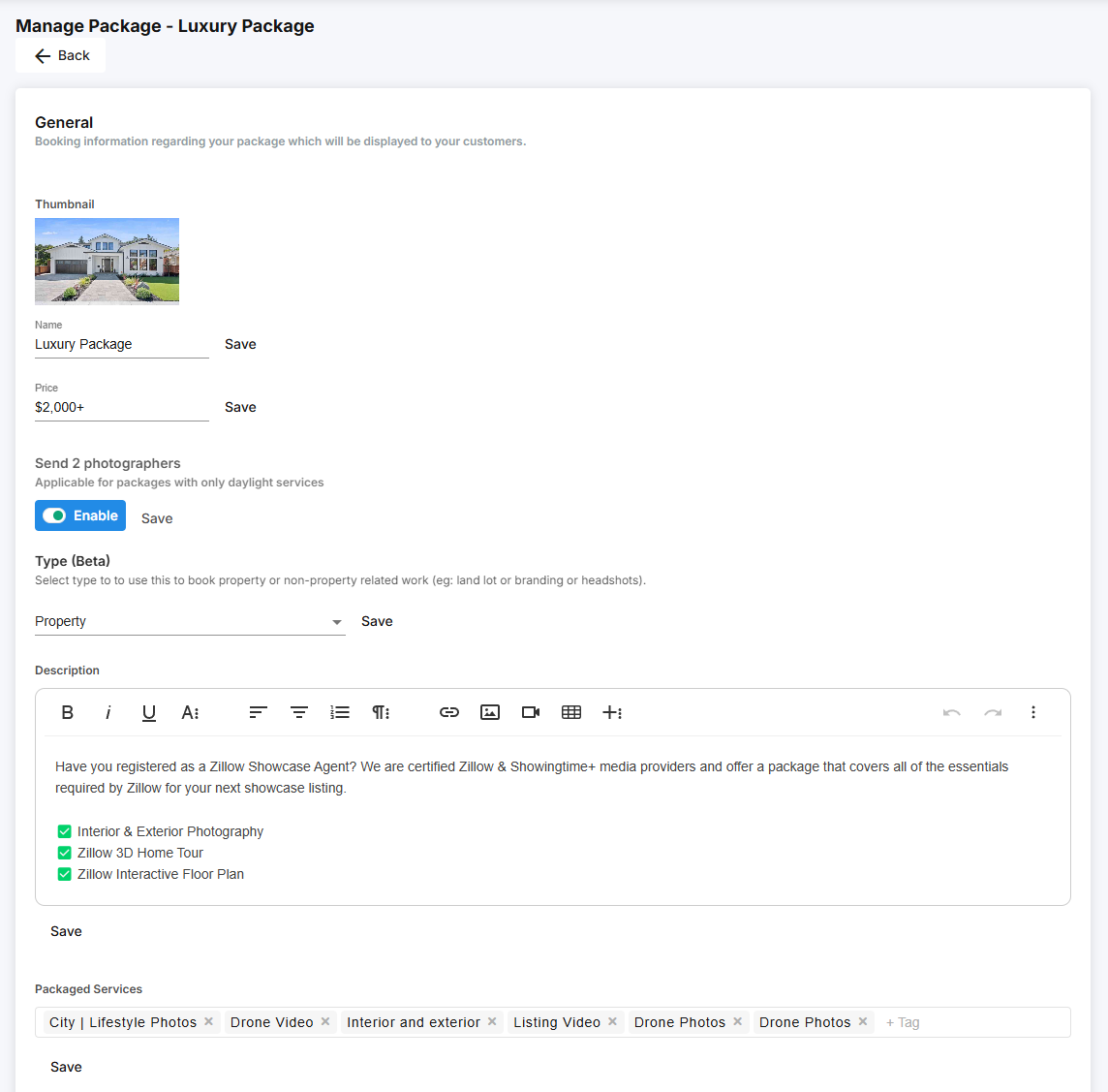
Thumbnail: displayed at 600 × 230 px. Upload at 1280 × 540 px.
Name
Description: keep it to one short sentence that sets it apart from your other packages.
Price: the default price all agents see if you don't use Dynamic Pricing. If you do, the price shown changes with the property size.
Send Two Photographers: turn on to always assign two photographers to this package. Useful for long or complex shoots. See How Do I Send Two Photographers to the Same Shoot?
Package type:
Type | Use it for | Measured by |
|---|---|---|
Property | Real estate listings | Square footage (works with Dynamic Pricing) |
Land Lot | Land | Acres, automatically |
Branding | Branding shoots | No measurement; priced through your Branding booking flow |
Packaged Services: click the box and start typing to add the core services and add-ons included.
To add a video, a gallery or a longer description agents can open while booking, see How Do I Show Extra Photos And Details On A Service? The same options work for packages.
How do I price a package?
Square footage pricing
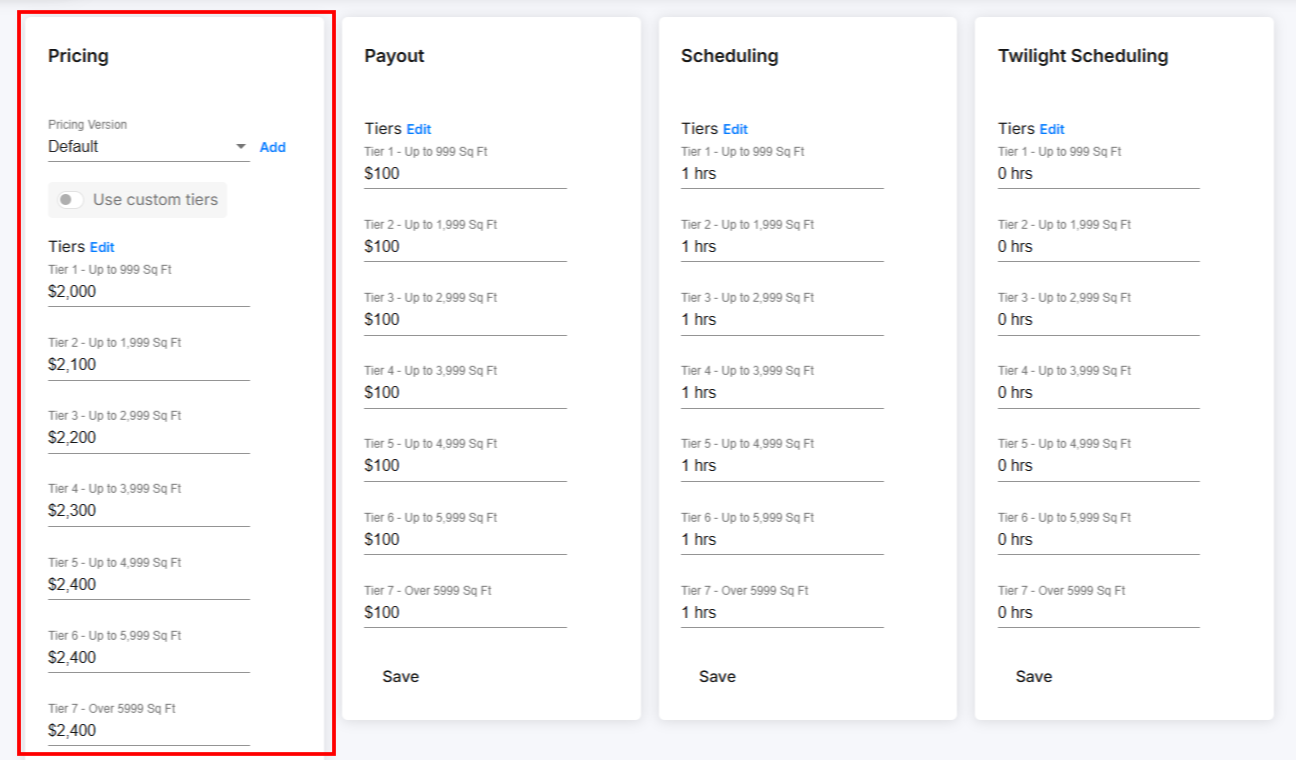
Enter a price for each square footage tier. Tonomo uses the size the agent enters at the start of booking and shows the matching price. Use this when your price depends on property size.
Flat rate for every size: fill in only the first tier and click Save.
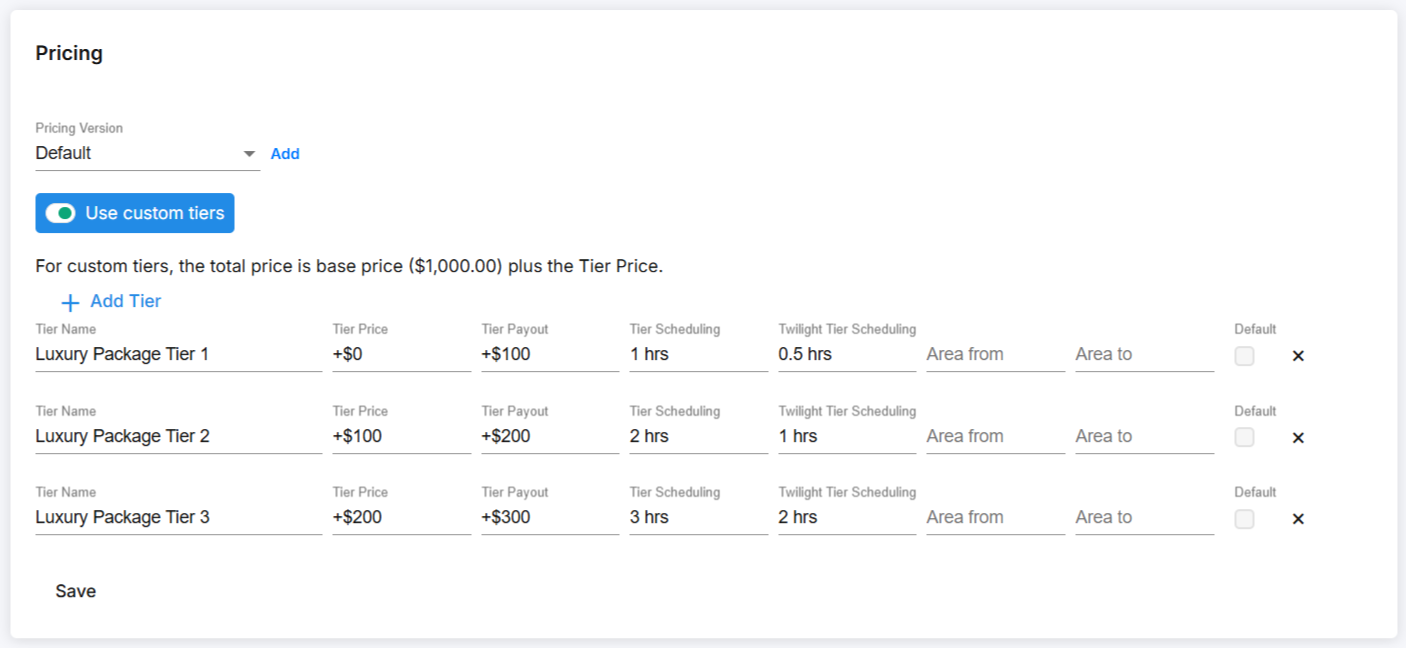
Custom tier pricing
Create your own tiers, each with a name and a square footage range, and set an amount for each.
Each tier's total price is the amount you enter plus the package's base price. For example, a $2,000 base price with a $300 tier amount gives a total of $2,300, and a $400 tier amount gives $2,400.
Click Save after editing.
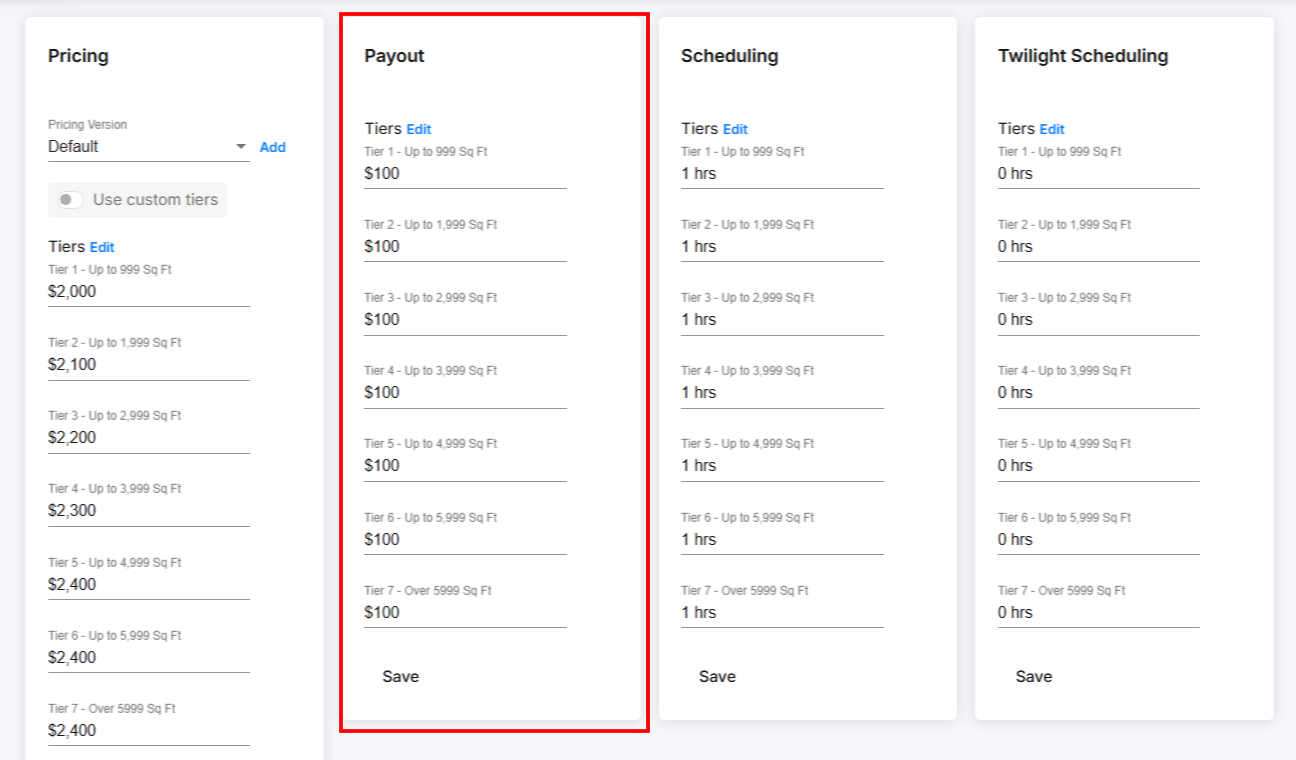
Payout
Tier Payout (also called Contractor Payout) is what you pay each team member for completing the package, per tier. It appears automatically in Contractor Reporting.
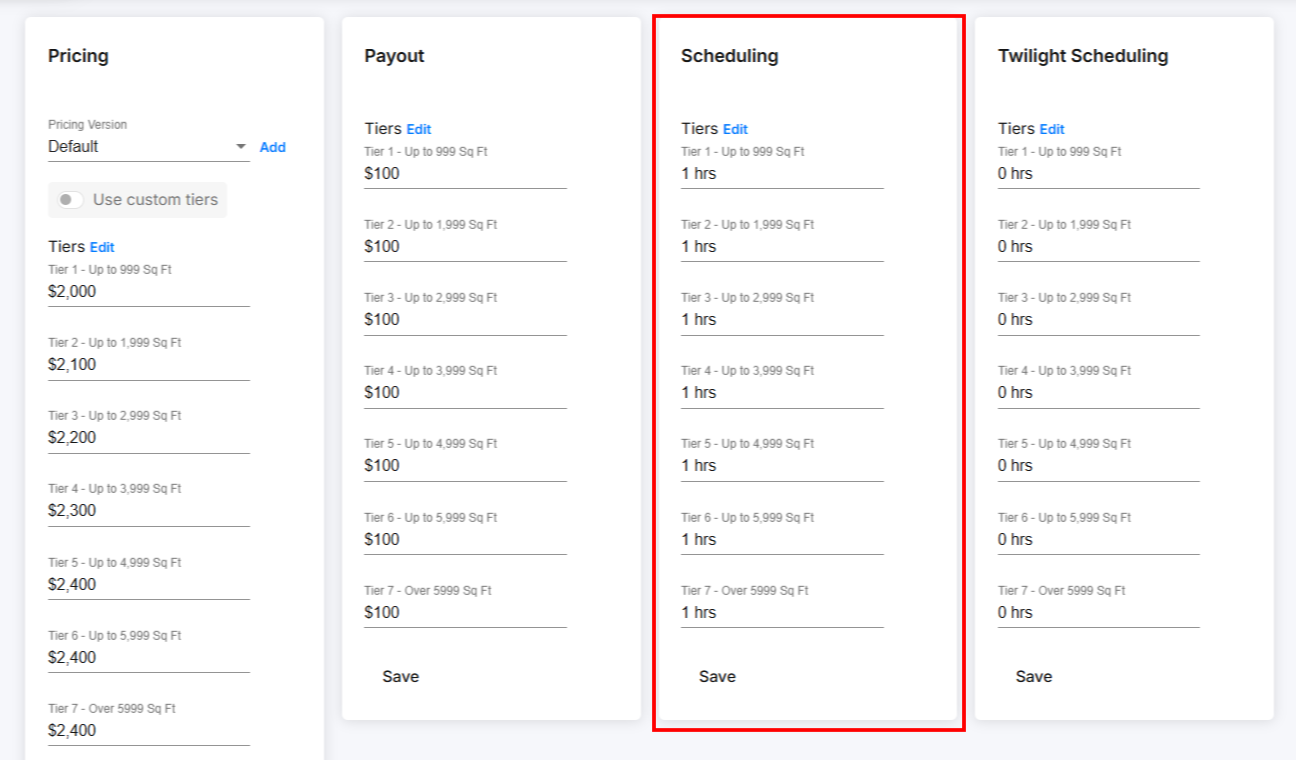
How long does Tonomo book a package for?
In Scheduling, enter how long your team spends on site for the package. This doesn't include editing or project management. Agents then pick a time that fits this length when they book.
What if the package includes a twilight shoot?
Enter the twilight portion separately in Twilight Scheduling, as on-site time for twilight only. For example, if the package takes 3 hours in total and 2.5 hours are daytime, enter 0.5. See How Do I Schedule Twilight Shoots At a Separate Time?
How do I check my package pricing makes sense?
Repeat the steps for each package, then compare each one against its services booked separately.
Example: if Photos and Video are each $100 and 1 hour as individual services, a package with both should be about $200 and 2 hours. A price break to $175 is common. A package that costs more than its services bought separately usually isn't what you want.
How do I give a brokerage or agent their own package prices?
Use custom packages. They let you offer negotiated rates and combinations to a partner. For example, if a brokerage has special pricing on your Bronze, Silver and Gold packages, you can give them their own versions without changing your standard packages.
Create custom packages
Go to Configure Booking > Custom Packages (just below Packages).
Click New Package.
Enter the package details and an Agent Code.
Click Save Changes.
Click the Edit Additional Details icon and complete the rest, just like a normal package.
The Agent Code groups custom packages together. Every custom package with the code "ACME" is shown together on ACME's booking page.
To see all custom packages for one code, click the link under View in Booking next to any of them.
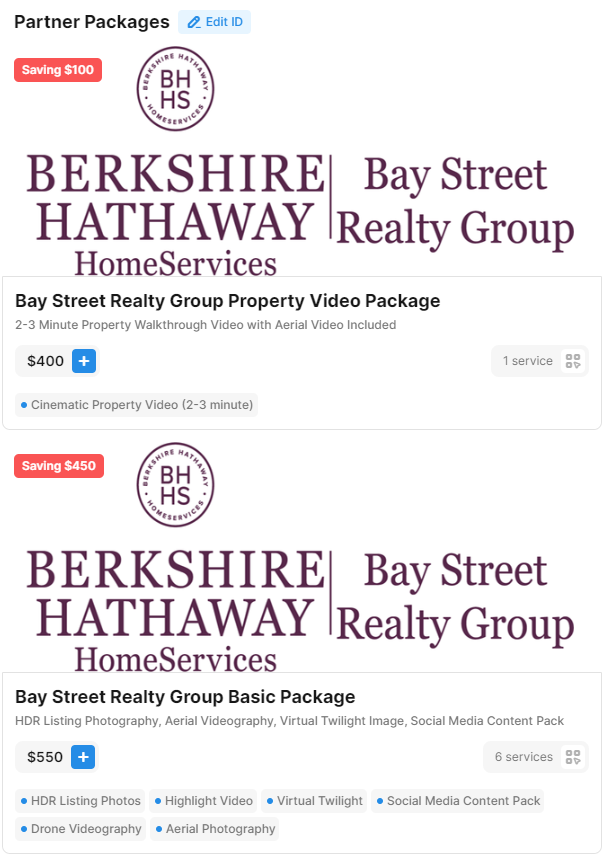
How does the agent see their custom packages?
Send the agent their code. Then, when they book:
They click Partner ID.
They enter their code (for example, "2024").
Their custom packages appear.
Are there other ways to price for one client?
A private booking flow for one brokerage or specific people, with its own services, packages, and payment rules. See How Do I Create a Booking Flow?
Coupons for discounts and promotions.
Client credits on an account. See How Do I Add A Credit Or Debit To A Client's Account?
Frequently asked questions
Can a package include add-ons? Yes. Add both core services and add-ons under Packaged Services.
Why doesn't a suggested add-on show when this package is booked? Suggested add-ons must be linked to at least one core service inside the package. See How Do I Set Up The Services I Offer?
Can I hide how much agents save with a package? Yes. Turn on Hide Saving amount in the booking flow settings. You can also turn on Hide service prices in packages so only the total is shown.
Do I have to offer every package in every booking flow? No. Choose which packages go in each booking flow.
Can a brokerage have custom pricing that other agents can't see? Yes. Use custom packages with an Agent Code.
Related articles