What Is the Customer Preview Link?
Last updated: October 21, 2026
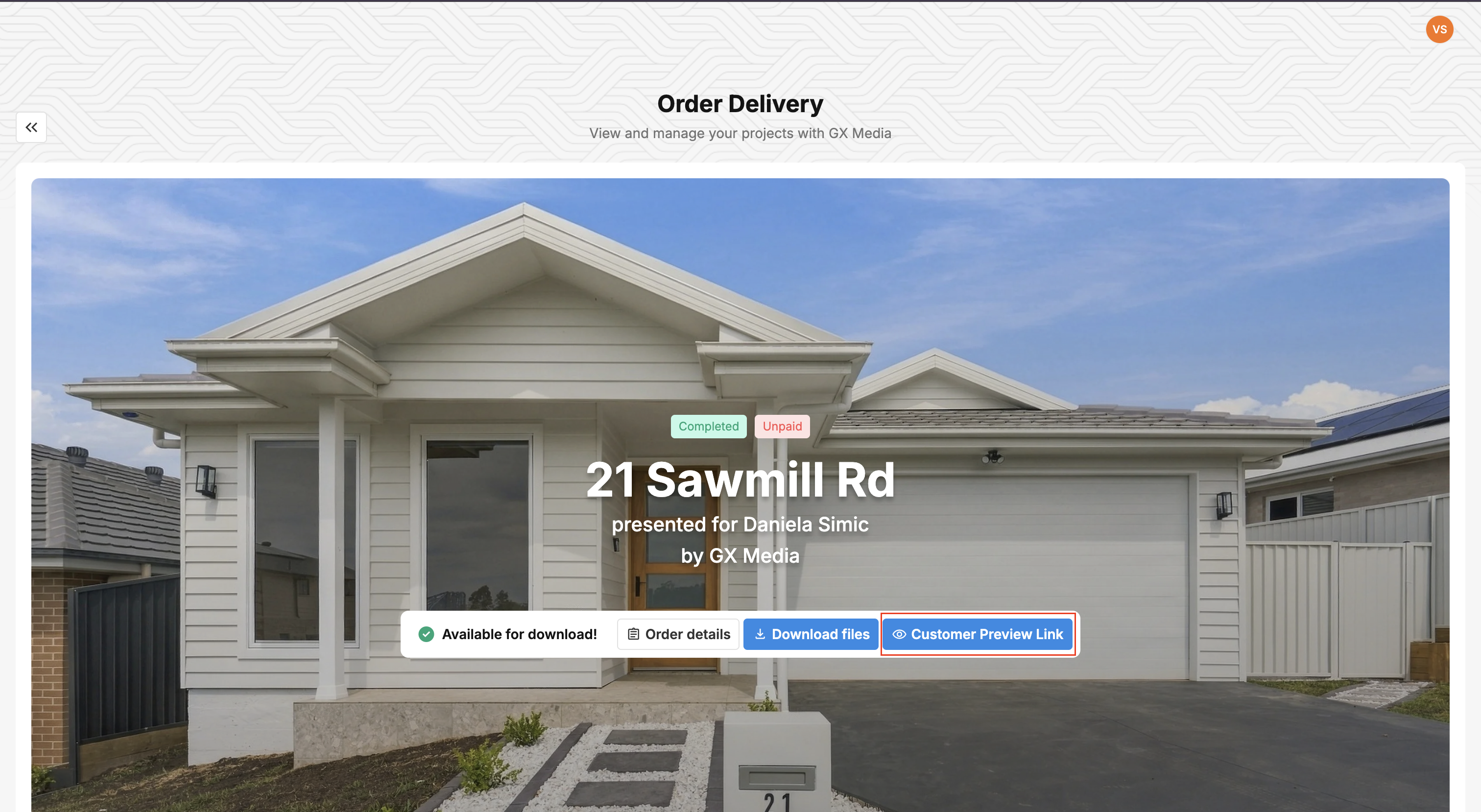
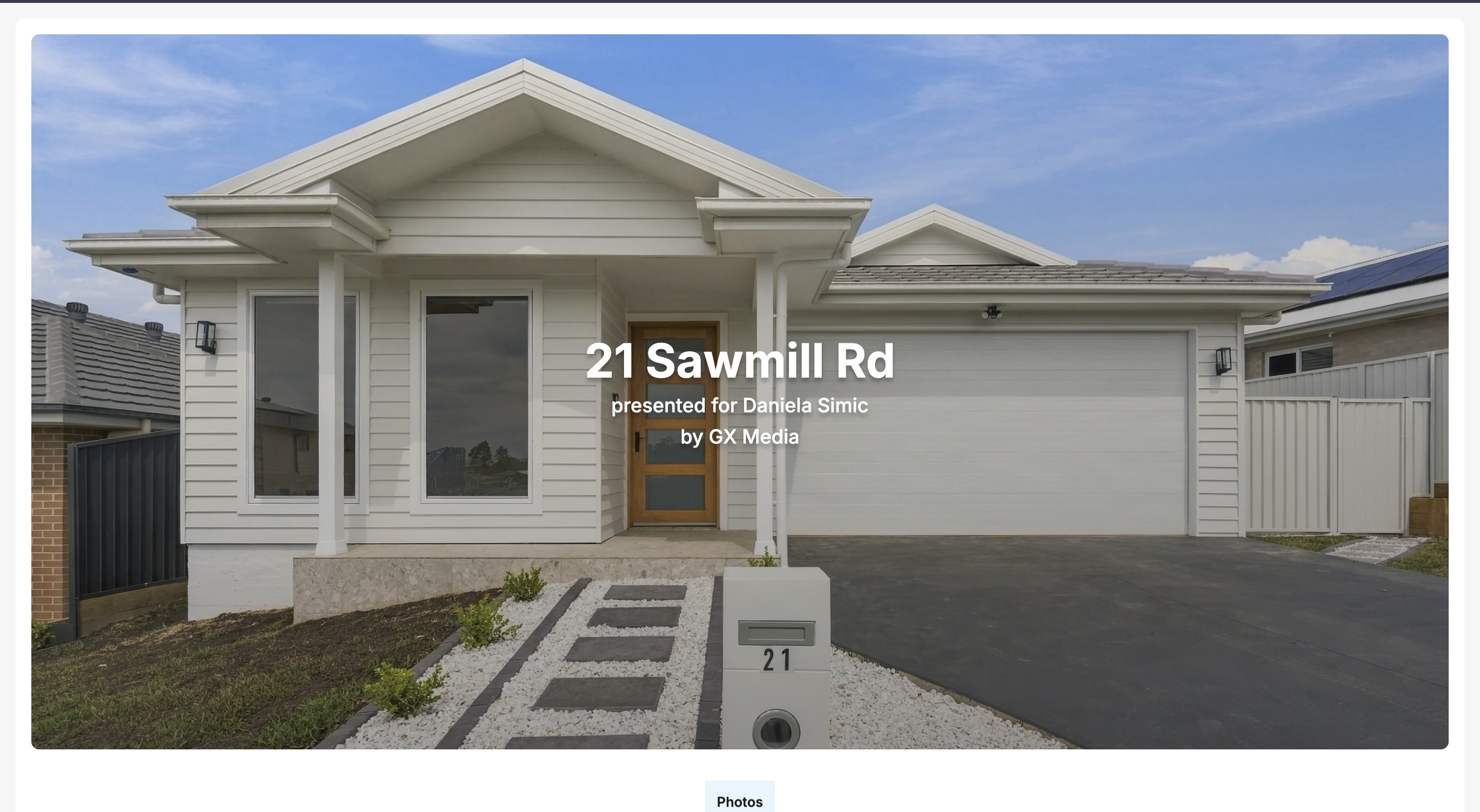
The Customer Preview Link is a clean, view-only version of an order's delivery page. It shows the property's photos, videos, floor plans, and tours with the address and "presented for [agent] by [your company]", but none of the working parts: no download buttons, no payment prompts, no order or payment status, and no portal menu. Agents use it to show the media to a homeowner, seller, or colleague without handing over the files. You open it with the Customer Preview Link button on the delivery page.
At a glance
What it is: a view-only presentation of the delivery page. Nothing can be downloaded from it.
Where to find it: open the order's delivery page and click Customer Preview Link. It opens in a new tab. Copy the address from your browser to share it.
Availability: switched on per portal by Tonomo. If you don't see the button, contact Tonomo support.
Works for both Dropbox and Direct Upload deliveries.
Hidden on the preview: download buttons, Available for download! / Payment required!, pay buttons, order and payment status, the portal menu, photo selection and Edit Photos, and the flyer/marketing section.
Still shown: the cover, address, agent and company names, and the media sections. Photos hidden with Edit Photos stay hidden.
Watermarks still apply: if the order is unpaid and its files are locked, the preview shows the watermarked photos.
Not a private link: it's a lighter view of the delivery page, not a restricted or password-protected one. Share it only with people you'd trust with the delivery page.
When would I use the preview link?
Use it when someone needs to see the media but shouldn't download it or see the business side of the order. For example:
An agent wants to show the seller or homeowner how their property was photographed before the listing goes live.
A brokerage manager wants a quick look at the shoot.
You want to show the work in a meeting without the payment status and download buttons on screen.
Example: a shoot is delivered, but the agent hasn't paid yet, and files are locked until payment. The agent wants the homeowner to see the photos. They open the delivery page, click Customer Preview Link, and send that page to the homeowner. The homeowner sees the gallery (watermarked because the order is unpaid), with no way to download and no invoice or "Payment required!" message.
How do I open the preview link?
Open the order's delivery page. For example, on Orders Management > Orders (Beta), use the order's Delivery Page Link, or click View Delivery in Order Details.
On the cover at the top, click Customer Preview Link. The preview opens in a new tab.
Copy the address from your browser's address bar and share it.
The button only shows once the order has a delivery page (its files have been synced or delivered with Direct Upload).
What's the difference between the delivery page and the preview link?
Delivery page | Customer Preview Link | |
|---|---|---|
Photos, videos, floor plans, 3D tours | Shown | Shown |
Address and "presented for … by …" | Shown | Shown |
Download buttons | Shown when files aren't locked | Never shown |
Available for download! / Payment required! and pay buttons | Shown | Hidden |
Order status and payment status | Shown | Hidden |
Portal menu and header | Shown | Hidden |
Photo selection and Edit Photos | Shown to your team | Hidden |
Flyers / marketing kit | Shown when enabled | Hidden |
Watermark on unpaid, locked orders | Shown | Shown |
Photos hidden with Edit Photos | Hidden from the gallery | Hidden |
How do I get the preview link switched on?
The Customer Preview Link is switched on for each portal by Tonomo. There's no setting for it in Configure Booking.
Can customers see the preview link button?
Yes, the button is on the delivery page, so agents who open their delivery page can use it too.
On Dropbox deliveries, if the booking flow has Hide preview section until order is paid switched on and the order is unpaid and locked, customers don't see the preview section or the Customer Preview Link button until they pay. Your team (admins, staff and contractors) always sees it.
Frequently asked questions
Can people download photos from the preview link? No. All download options are turned off on the preview, regardless of the order's payment status. To let someone download, send them the delivery page itself.
Is the preview link private? No. It's a lighter presentation of the delivery page, not an access-controlled or password-protected view. Share it only with people you'd share the delivery page with.
Why do the photos on the preview have a watermark? The order is unpaid, and its files are locked until payment, so watermarks apply on the preview as well. They disappear once the order is Paid or Promised payment. See How Do I Add a Watermark to Photos?
Can I hide some photos from the preview? Yes. Use Edit Photos on the delivery page to hide photos. Hidden photos don't show on the preview link. See How Do I Change Which Files Get Delivered?
Why don't I see the Customer Preview Link button? Either the feature isn't switched on for your portal (contact Tonomo support), or the order has no delivery page yet. Sync the delivery files, or deliver the order with Direct Upload.
Related articles