How Does Order Management Work?
Last updated: October 14, 2026
Order Management is where every order lives in Tonomo, from the moment an agent books until the invoice is paid and the media is delivered. Everything is tracked on the order: the consultation, the shoot, each editing round, the final invoice, and the delivery. Your team can see every order's status, assign a project manager and team, follow each service from production to completion, and talk about the job in the order's Project Chat. Open it from Orders Management in the left menu
At a glance
Open Orders Management > Orders (Beta) in the left menu.
Views: All Orders, Active, Postponed, Requires Attention.
Requires Attention collects orders that are unscheduled (no shoot date) or escalated.
From the list: assign Project Manager and Team, change Order Status and Payment Status, and sync and deliver files.
Click an Order ID for Order Details, or click Services for Project Chat.
In Project Chat, each service moves through Pre-Production, Production, Post-Production and Complete (Archive is for cancelled services).
Archived orders are under Orders Management > Archived Orders.
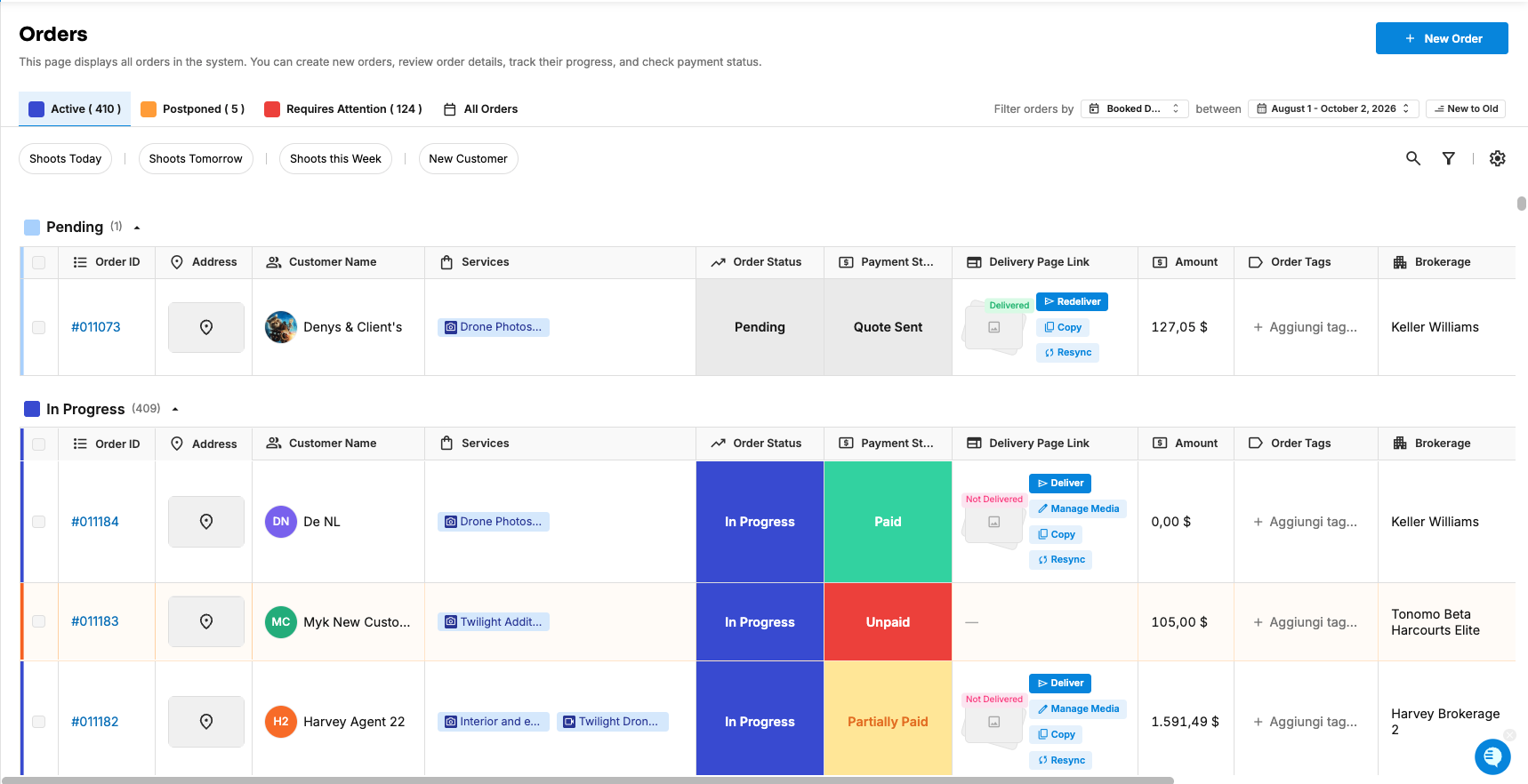
What's on the Orders (Beta) page?
Area | What you do there |
|---|---|
Views | Switch between All Orders, Active, Postponed and Requires Attention |
Quick filters | Shoots Today, Shoots Tomorrow, Shoots this Week, New Customer |
Filter orders by … between | Choose which orders load, by booked, shoot or due date |
Search orders | Find any order in your whole history |
Filters and Settings | Narrow the list, and choose your columns |
Order table | Every order, grouped by status, with inline actions |
See How Do I Use the Orders (Beta) Page? for every control.
What can I do on an order from the list?
Open its details: click the Order ID. See How Do I Use the Order Details Section?
Open its Project Chat: click its Services. See How Do I Use Project Chat On an Order?
Assign people: set the Project Manager (who's responsible) and Team (who produces it). These columns are hidden at first, so switch them on in Settings.
Update status: change Order Status and Payment Status in the row.
Deliver: use the Delivery Page Link cell to Sync Files, Deliver and Copy the link.
Act on many orders at once: select them to change statuses, Archive, Sync Delivery Files or Create Video Project.
What are unscheduled orders?
Any order with no shoot date, whatever its status, shows in the Requires Attention view under Unscheduled. That's where to look for orders that still need an appointment. Give one an appointment in the Scheduler. See How Do I Create an Appointment or Reserved Timeslot in the Scheduler?
Escalated orders appear in the same view, under Escalated. See How Do I Flag an Urgent Order Using Escalation?
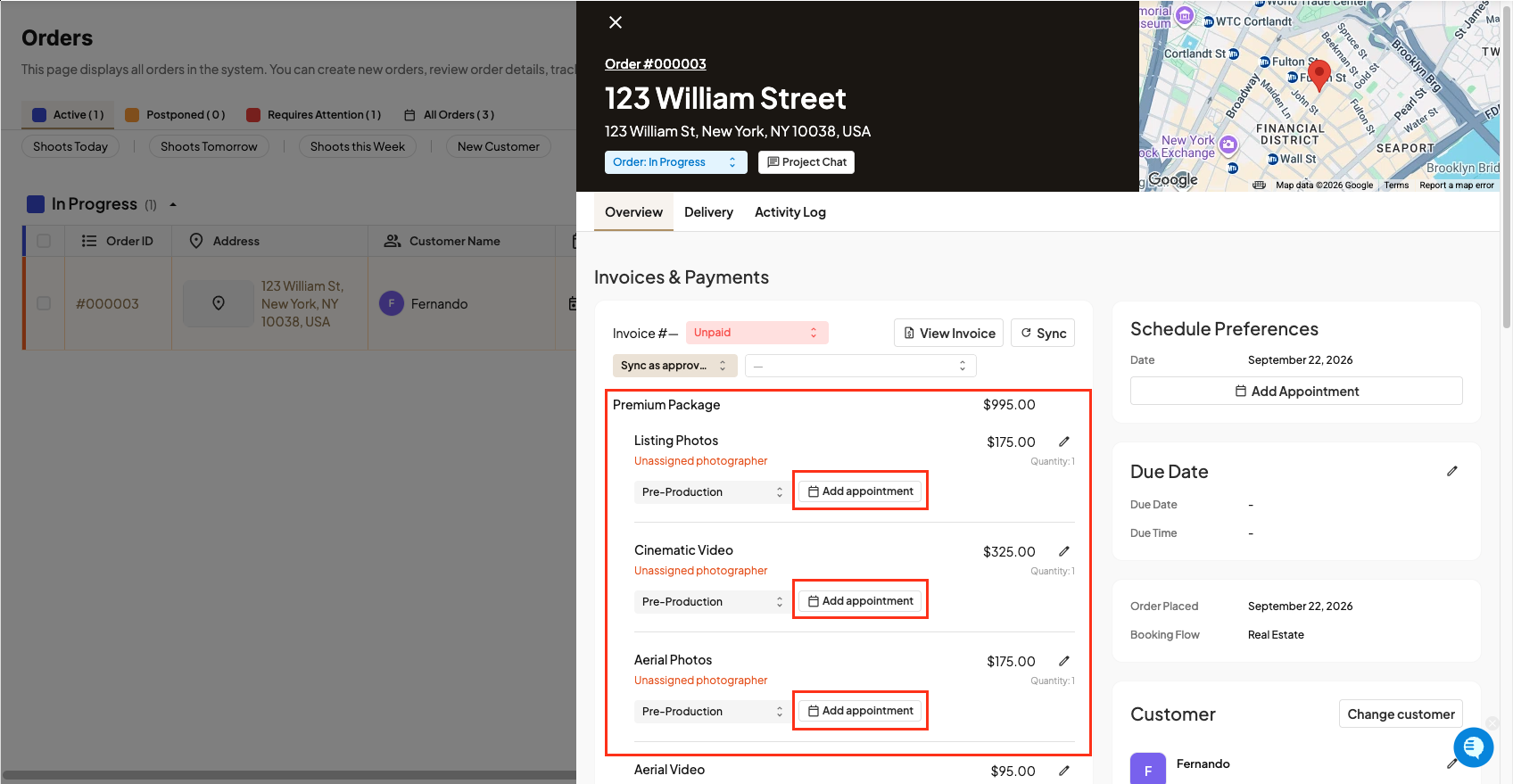
How do services move through production?
Each service on an order has its own stage, so photos can be complete while video is still being edited:
Stage | Means |
|---|---|
Pre-Production | Booked, not yet shot |
Production | Being shot |
Post-Production | Being edited |
Complete | Finished |
Archive | The agent cancelled this service |
Drag services between stages in Project Chat. You can rename stages in Org Settings > Customization, but their behavior stays the same. See How Do I Rename Order, Payment, and Service Statuses?
What is Project Chat?
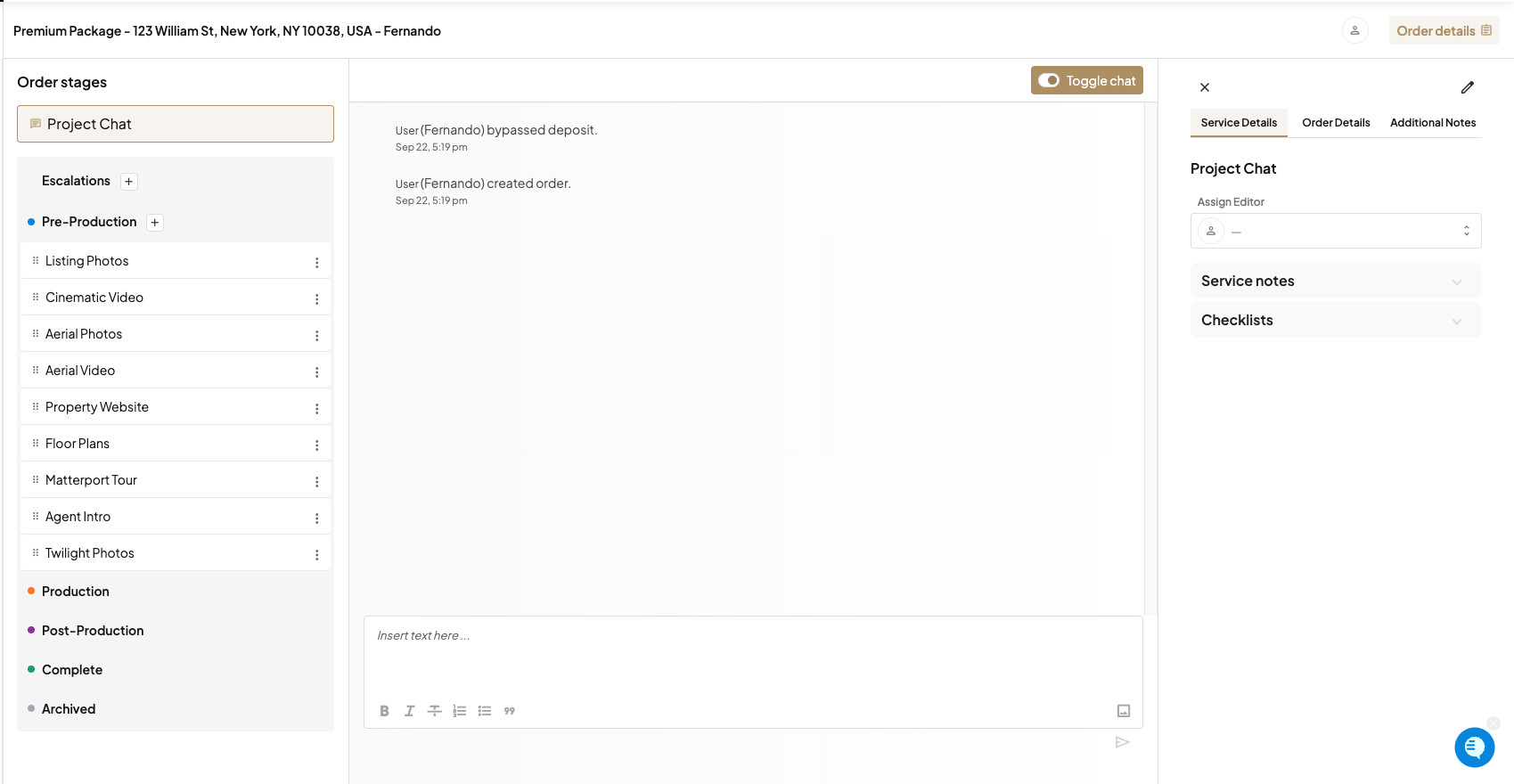
Every order has an internal Project Chat for your team. It shows the services and their stages on the left, the conversation in the middle, and details, notes, and checklists on the right. Agents never see it. Tag teammates with @, and turn on the activity log to see every change made to the order.
Frequently asked questions
Who can use Order Management? Admin and Staff users.
Can agents see Project Chat? No. It's for your team only.
Where do archived orders go? To Orders Management > Archived Orders.
What's the difference between order status and a service's stage? Order status (for example Pending, In Progress, Delivered) is for the whole order. A service stage tracks each service through production.
Related articles