How Do I Use the Jobs Dashboard?
Last updated: September 28, 2026
The Jobs Dashboard gives you a quick view of your team's post-production workload. Open it from the Dashboard tab on Jobs Management > Jobs. It shows the jobs due today and tomorrow, the jobs that need attention because they're overdue or escalated, and summaries for this month so far and last month, broken down by status, service and editor.
At a glance
Go to Jobs Management > Jobs and click the Dashboard tab.
Jobs Due Today and Jobs Due Tomorrow
Requires attention: Over Due Job and Escalated Job. Completed jobs are excluded.
Real-Time Summary (this month so far) and Last Month Summary
Summaries show jobs by status, by service, and completed by editor for each template.
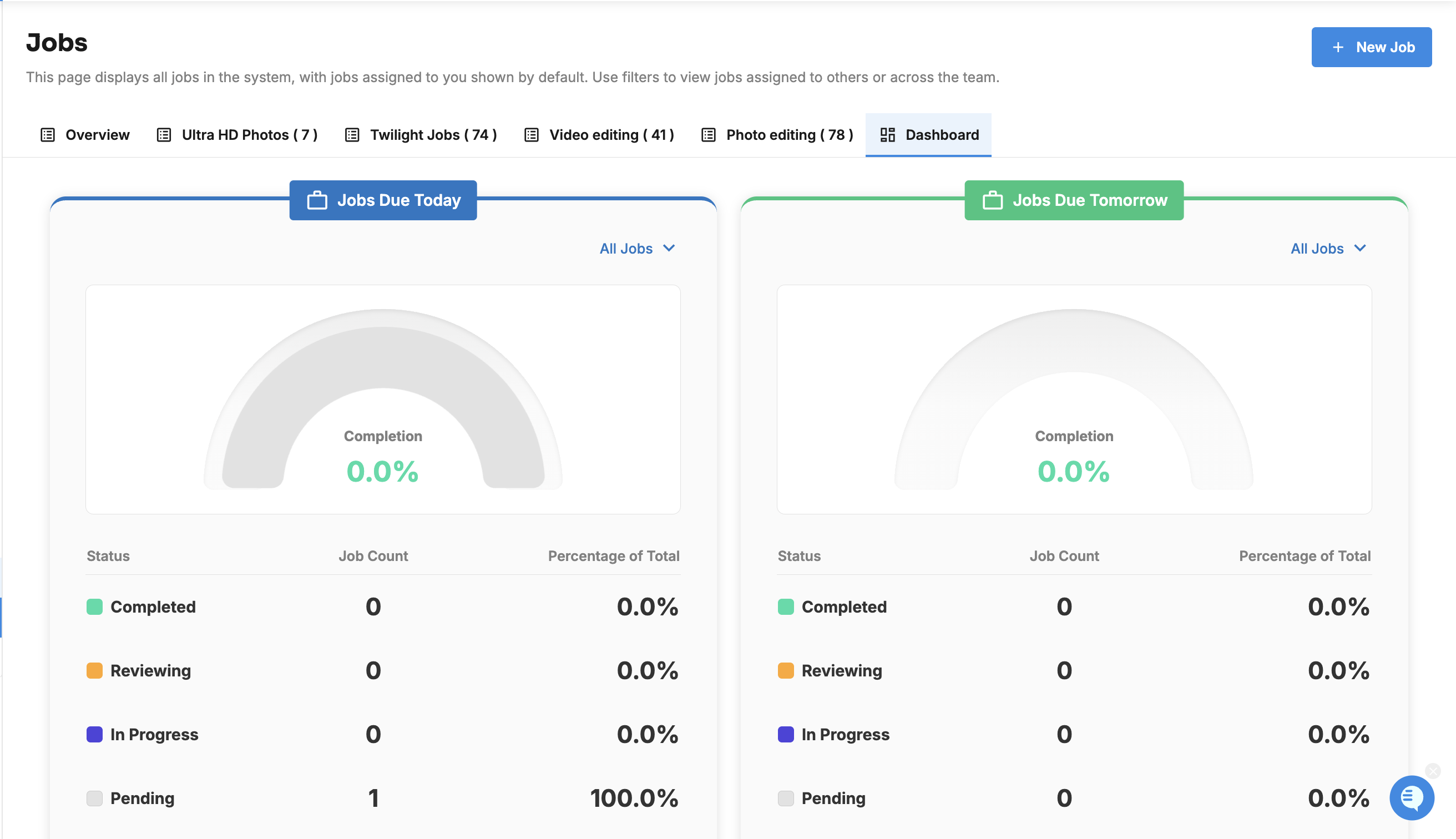
What's due soon?
Jobs Due Today: every job due today.
Jobs Due Tomorrow: every job due tomorrow.
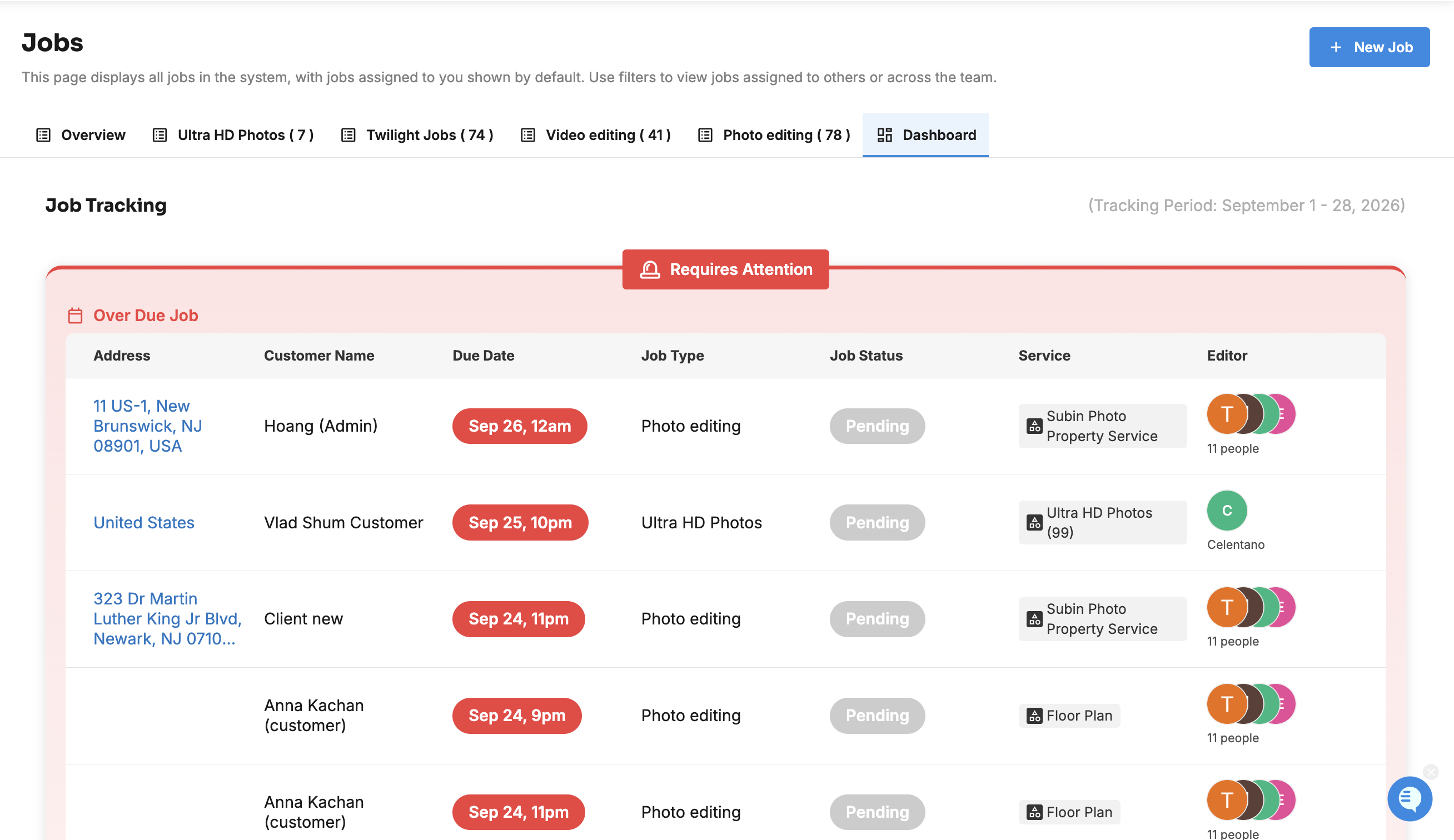
What needs attention?
The attention list shows jobs that need action now:
Over Due Job: jobs past their due date.
Escalated Job: jobs someone has escalated. See How Do I Escalate a Job?
For each job it shows the Address, Customer Name, Due Date, Job Type, Job Status, Service and Editor. Completed jobs are never listed here.
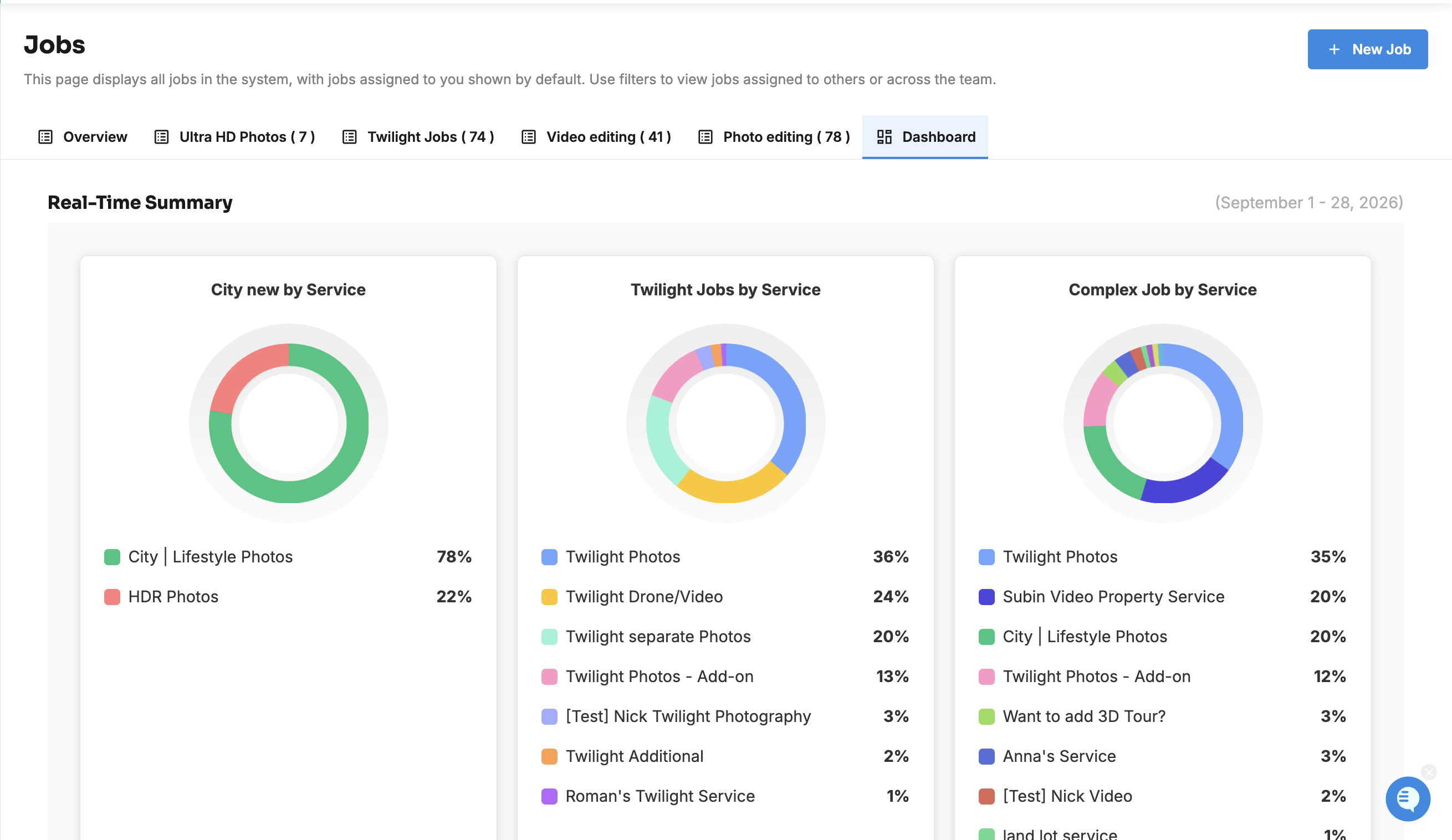
What do the summaries show?
Real-Time Summary: this month so far.
Last Month Summary: the whole of last month.
Each summary includes:
jobs by status: Completed, Reviewing, In Progress and Pending
for each job template, [Template] by Service (how the jobs split across services) and [Template] Completed (how many each editor completed)
Services with less than 1% of jobs are grouped into Others.
Related articles