How Do I Escalate a Job?
Last updated: September 28, 2026
If something is stopping you from finishing a job, such as missing files, unclear instructions, or a client question, click Escalate Job on the job's details page. You can add a short note (up to 300 characters) explaining what's blocking you. The job is flagged as Requires Attention: it moves to a red section at the top of the job list and shows on the Jobs Dashboard until someone removes the escalation.
At a glance
Click Escalate Job on the Job Detail page.
Add a message of up to 300 characters, or skip it.
The job shows a red banner: "This job is escalated and requires attention."
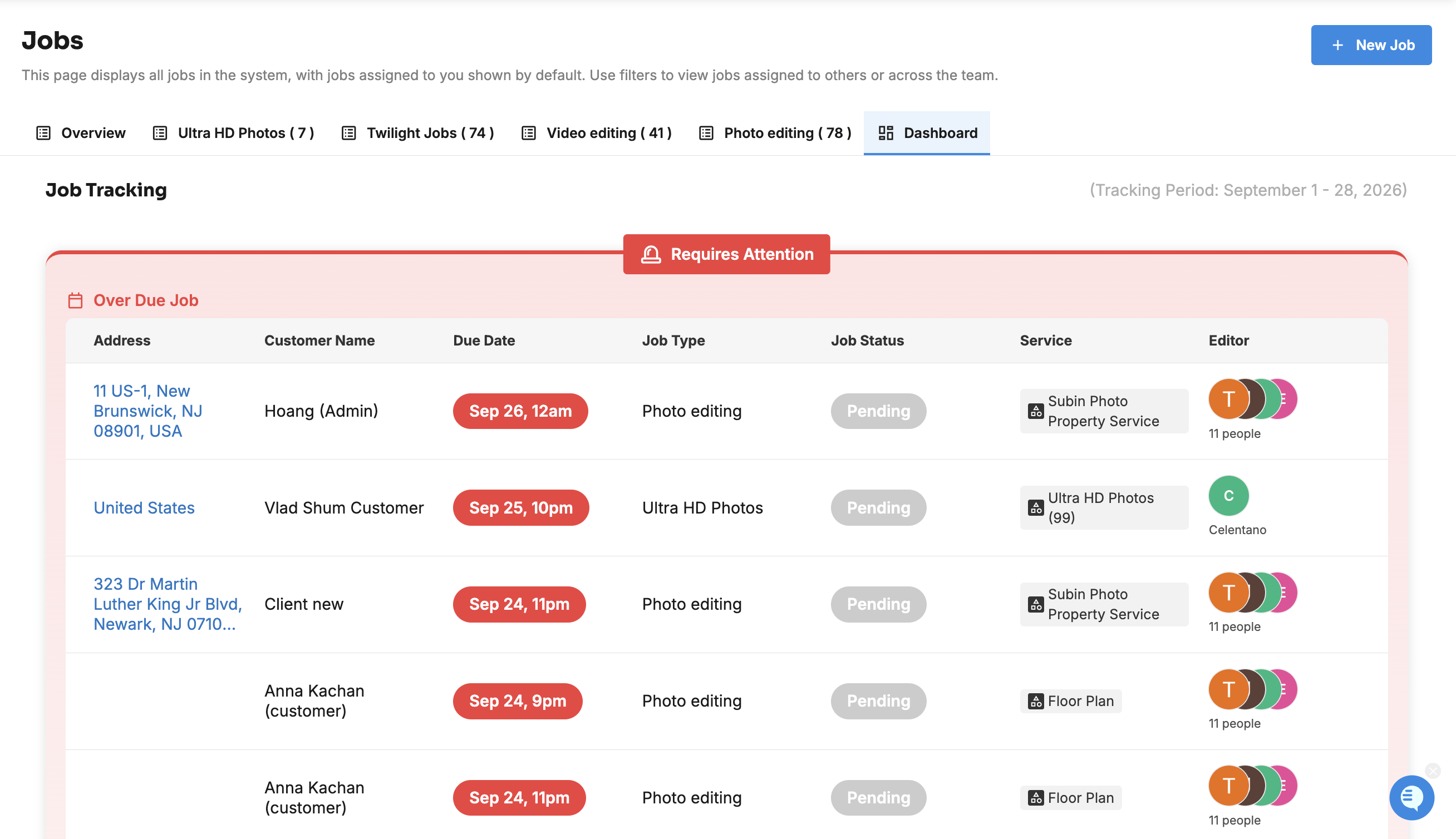
It's listed under Requires Attention at the top of the job list, and under Escalated Job on the Dashboard.
Escalating doesn't change the job's status.
Click Remove Escalation when it's resolved. This also clears the message.
How do I escalate a job?
Open the job from Jobs Management > Jobs.
Click Escalate Job.
In Escalate this job, describe what's blocking you, what you've tried, and what you need, for example: "No twilight photos in the RAW folder. Checked Dropbox twice. Need the photographer to re-upload."
Click Send and Escalate, or Skip Message and Escalate to escalate without a note.
The counter shows how many of the 300 characters you've used.
What happens when a job is escalated?
A red banner at the top of the job says "This job is escalated and requires attention." Click it to read the message.
In the job list, the job moves to the Requires Attention group at the top, highlighted in red.
On the Dashboard, it's listed under Escalated Job.
Its status (for example, In Progress) stays the same.
Tip: @mention your project manager in the job chat so they see it straight away.
How do I remove an escalation?
Open the job and click Remove Escalation. The red banner and the message are cleared, and the job returns to its normal status group. If it's escalated again later, it starts with a fresh message.
Frequently asked questions
Do completed jobs stay in Requires Attention? Escalated jobs that are Completed don't appear in the Dashboard's attention list.
Who can escalate or remove an escalation? Anyone who can open the job.
Related articles