How do I set a client arrival window?
Last updated: September 30, 2026
Tonomo can show clients an arrival window instead of an exact start time, so you don't have to commit to a precise arrival. For example, with a 30-minute window, clients are told the photographer will arrive any time within those 30 minutes of the appointment time. You set it once in Configure Booking > Scheduling, in minutes, and your emails show the window automatically.
At a glance
Go to Configure Booking > Scheduling, General tab, Client Arrival Window Duration.
Enter the window in minutes, for example 30. 0 (the default) turns it off.
The window is added after the appointment time.
Emails show it through the existing
{{scheduled_time}}variable, with no template changes needed.One setting for all booking flows.
How do I set an arrival window?
Go to Configure Booking > Scheduling and open the General tab.
Find Client Arrival Window Duration ("Duration in minutes to calculate the client-facing appointment arrival window").
Enter the number of minutes, for example 30.
Click Save changes.
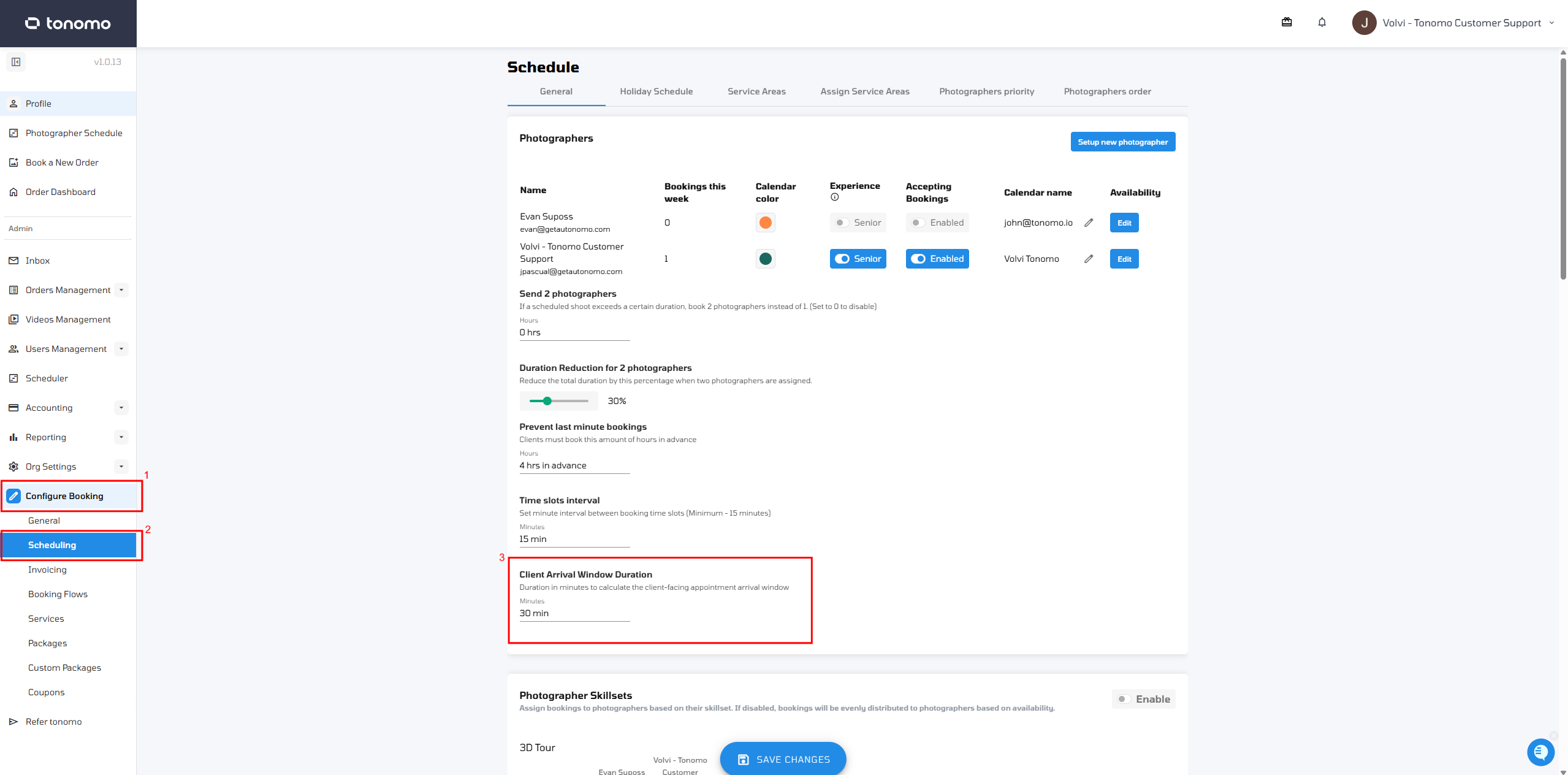
To turn the arrival window off, set it back to 0.
What do clients see?
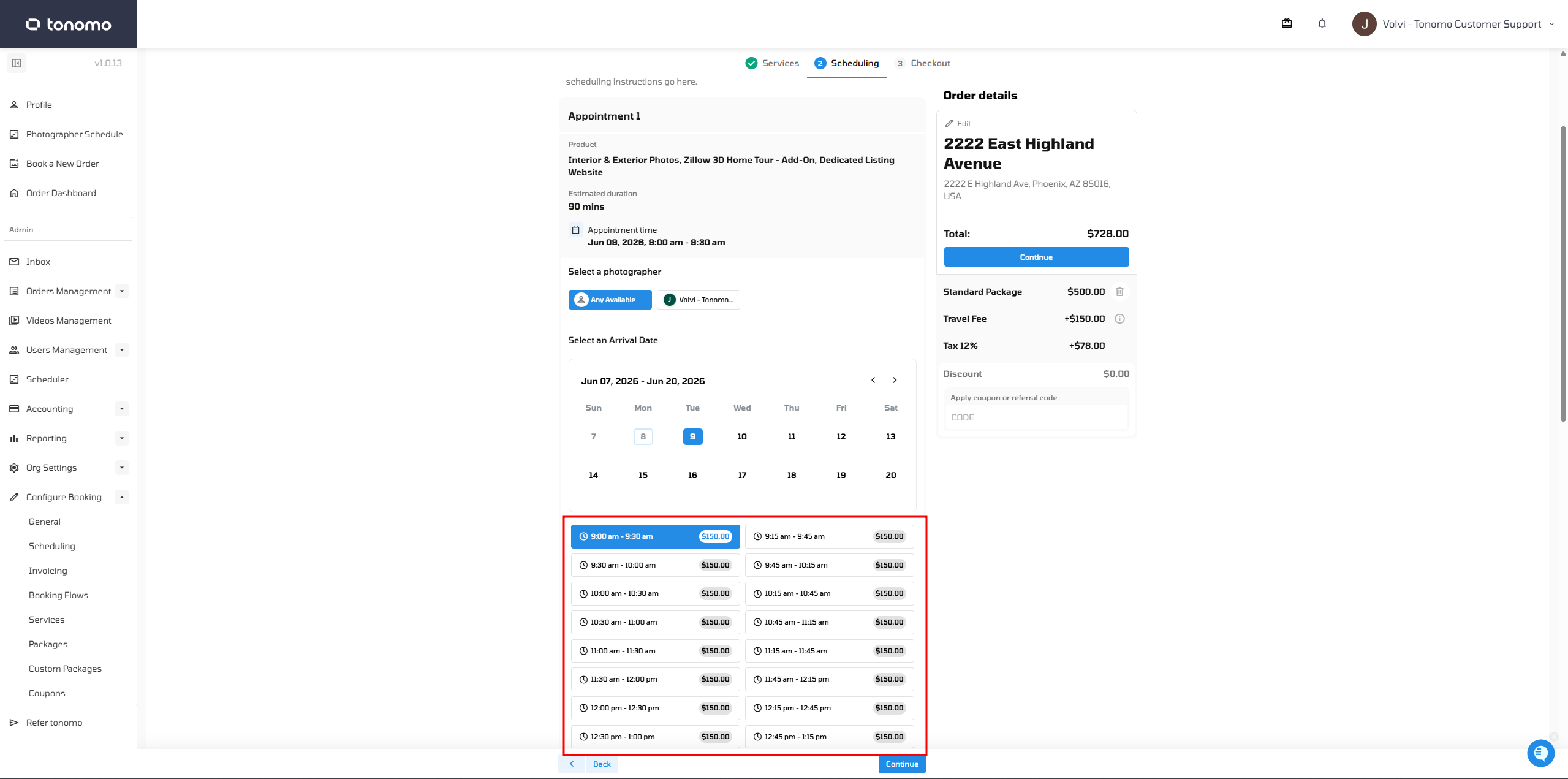
The arrival window is a time buffer added to the original appointment time. It tells the client the photographer may arrive at any point within that range, rather than at an exact time.
Example: with a 30-minute window, a client booked for 10:00 AM sees an arrival window of 10:00–10:30 AM.
How does it appear in email templates?
There's no separate variable. When an arrival window is set, the existing {{scheduled_time}} variable automatically shows the arrival window range instead of the standard scheduled time, so there's no extra setup. See Variables.

Frequently asked questions
Does the arrival window change the photographer's calendar event? No. The photographer's calendar still shows the exact start time.
Can I use a different window per booking flow? No. It's one setting for all booking flows.
Does it affect how long the shoot is booked for? No. It only changes what clients are told.
Related articles