How Does Integrated Booking Work in Tonomo?
Last updated: September 29, 2026
Integrated Booking lets your customers book a shoot directly on your team's calendar in Tonomo. While they book, they only see time slots where a photographer who fits the job is free. When they confirm, Tonomo creates the calendar event automatically on your primary calendar and shares it with the agent and the assigned photographer. You turn it on in Configure Booking > General, and it needs a connected Google Calendar.
At a glance
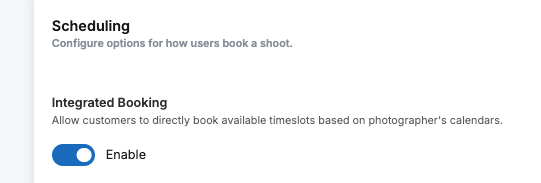
Turn it on in Configure Booking > General, in the Scheduling section, under Integrated Booking.
You need a connected primary Google Calendar, plus every on-site photographer's calendar.
Time slot length = the scheduling time of the services and packages booked.
Time slots start every 15 minutes by default. You can change this with Time slots interval.
Tonomo can add extra travel buffer between shoots.
It can be switched on or off per booking flow with Use integrated booking.
Who gets booked depends on availability, service areas, skillsets, minimum notice, two-photographer rules and priority.
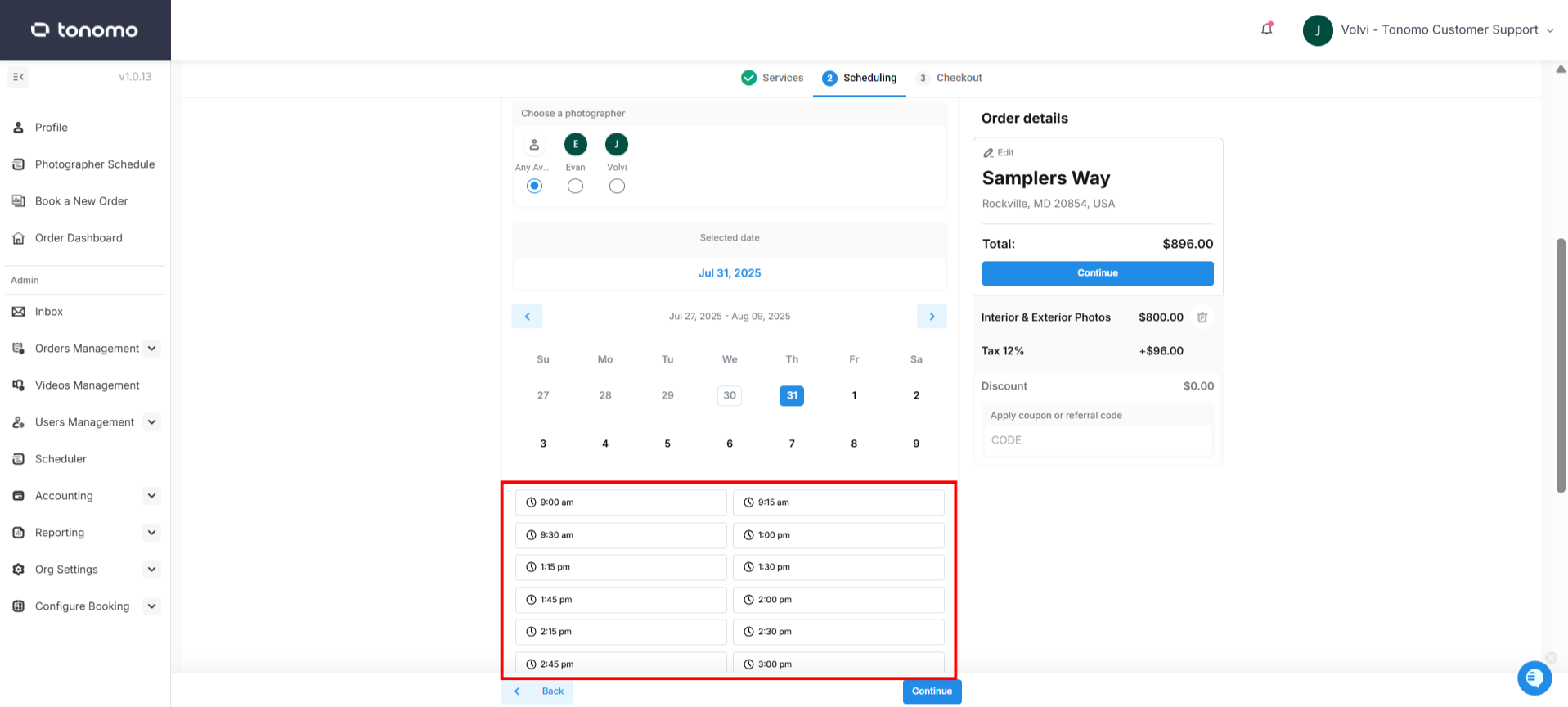
What happens when a customer books?
When an agent picks a time and completes a booking, Tonomo:
creates a calendar event on your primary calendar
shares it with the booking agent and the assigned photographer
picks the photographer using your scheduling rules (see below)
You can still change the assigned photographer or the shoot date and time afterwards. Integrated Booking gives you a strong starting point for scheduling.
How long are the time slots customers see?
Slots are as long as the scheduling time set on each service or package in the order.
Example: an agent books Photos and Video, each set to 1 hour. Tonomo only shows 2-hour blocks where a photographer is free.
How often slots start is set by Time slots interval, in the General tab of Configure Booking > Scheduling. The minimum is 15 minutes.
Travel buffer: in Configure Booking > General, under Calculate drive times during booking, set Add an extra buffer to travel time (minutes) to give photographers extra time between shoots.
How do I set up Integrated Booking?
Five things must be in place:
Turn it on. Go to Configure Booking > General. In the Scheduling section, enable Integrated Booking and click Save.
Set daylight and twilight hours. In the same section, set Daylight hours (Start of day and End of day, the hours your photographers are available) and Twilight hours. See How Do I Schedule Twilight Shoots At a Separate Time?
Connect a primary calendar. This is where all bookings are stored and managed. See How Do I Sync My Calendar with Tonomo?
Connect every on-site photographer's calendar. Everyone who goes to shoots needs their calendar connected.
Set scheduling hours on every service and package, so they can be booked within your team's working hours. See How Do I Set Up The Services I Offer?
Can I use it in some booking flows and not others?
Yes. Each booking flow has a Use integrated booking setting ("Books directly with photographer's calendars") in its settings. See How Do I Configure Booking Flow Settings?
How does Tonomo decide which photographer gets the booking?
A photographer is only offered if they pass every rule you've switched on:
Rule | What it does | Learn more |
|---|---|---|
Calendar availability | Busy events on their connected calendar block time | |
Working hours | Their weekly schedule in Tonomo | |
Service areas | They must cover the property's location | |
Skillsets | They must be trained for the services booked, for example, videography | |
Minimum notice | Agents can't book with less notice than you allow, for example a 30-minute minimum | |
Two photographers | Longer shoots can need a qualified pair | |
Holidays | Company holidays are blocked |
Among those who qualify, Tonomo shares bookings evenly (round-robin), or follows your priority list if Photographers priority is on. See How Do I Set Up Photographer Priority Scheduling?
To cut photographer drive time and waive travel fees, see How Do I Set Up Recommended Time Slots?
What happens if Integrated Booking is off?
Customers aren't booked directly onto photographers' calendars. You can offer Block Scheduling instead: set time blocks, each with a start time, end time and Block description, in Configure Booking > General.
Frequently asked questions
Which calendars does Integrated Booking work with? Google Calendar only.
Can customers pick their own photographer? Yes, if you turn on Allow customers to select photographers in the booking flow. Only qualified photographers are shown.
Will the calendar event update if the order changes? Turn on Automatically update event duration in Configure Booking > General. The event length then adjusts when services or square footage change on the order.
Why are no time slots showing? Usually nobody qualifies. Check photographers' calendars, working hours, service areas, photographer skillsets, and your minimum notice.
Related articles