How Do I Create a Job Manually?
Last updated: September 28, 2026
Most jobs are created automatically from job templates, but you can also create one by hand. On Jobs Management > Jobs, click New Job, choose the job type (template), search for the order, set a priority, and optionally add a message. Tonomo fills in the job's services, editors, reviewers, and due date from the template and the order.
At a glance
Click New Job at the top of the Jobs page.
Choose a job template, then search for the order by order number or keywords.
Set priority: High, Medium (default), or Low.
Add an optional customized message. It replaces the template's instructions on this job.
The due date is counted from the order's shoot date closest to today.
When would I create a job by hand?
The template is disabled, or doesn't auto-create for this service.
An order needs extra work, for example, a re-edit or a one-off task.
The order was booked before the template existed.
How do I create a job?
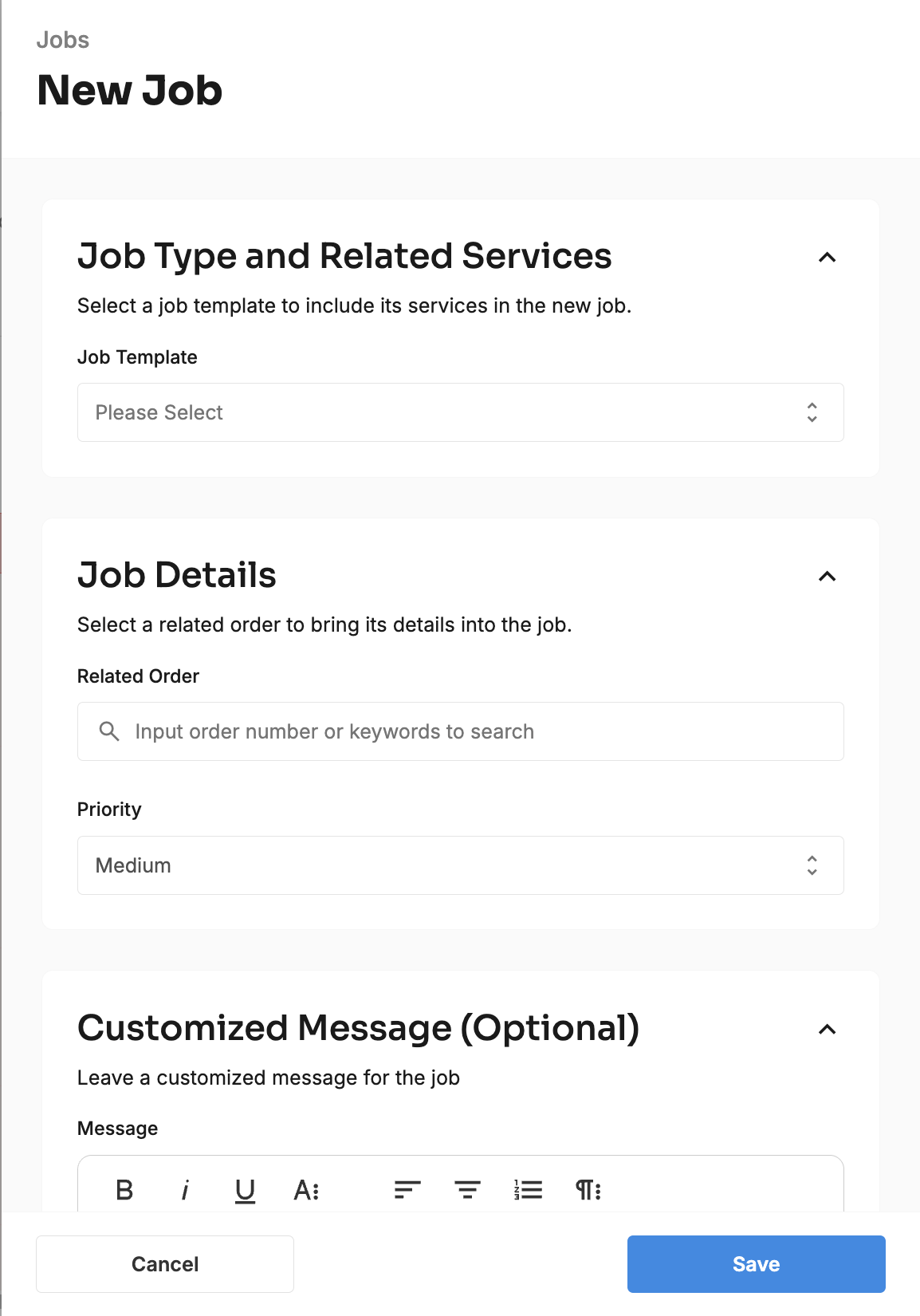
Go to Jobs Management > Jobs and click New Job.
Job Type and Related Services: select a job template to include its services in the new job. Choose the template from Please Select.
Job Details: Select a related order to bring its details into the job. Type the order number or keywords into the search, and pick the order.
Choose a priority: High, Medium, or Low. It's set to Medium to start.
Customized Message (Optional): Leave a customized message for the job, for example, "Client asked for warmer tones, see chat."
Create the job.
You'll see "Job has been created successfully." If something goes wrong, you'll see "Failed to save the job." with the reason.
What does Tonomo fill in for me?
Field | Comes from |
|---|---|
Services | The order's services that match the template |
Editors and reviewers | The template |
Due date | The template's due date rule, counted from the order's shoot closest to today |
Message | Your customized message, or the template's Job Instructions if you leave it blank |
Status | Pending |
Address, customer, photographers, files | The order |
You can change the editors, reviewers, due date, and status on the job afterwards.
Related articles