
How Do I Split Services Into Separate Appointments?
You can split one order's services across several appointments, each with its own photographer, date and time. For example, a daytime shoot for photos and video, and a separate twilight shoot. Do it in the Scheduler: open the shoot's Edit event window and use Assign Services to choose which services happen at that appointment, then book the rest with Schedule Appointment or Add new appointment. Tonomo shows which services already have an appointment and which are still unscheduled. Your reporting stays accurate because each service is tied to the photographer who actually does it.
At a glance
Where: the Scheduler. Open the order there from Order Details or with Find existing orders.
Change what's on a shoot: click the pencil (Edit event) on the shoot, tick or untick services under Assign Services, then Save event.
Book the rest: Schedule Appointment in the left panel, or Add new appointment in the Order Details panel on the right.
Services With Appointment lists services already booked on another appointment. You can't tick them here.
The event's end time recalculates from the services you keep.
Each appointment can have a different photographer.
How do I open the order in the Scheduler?
Either:
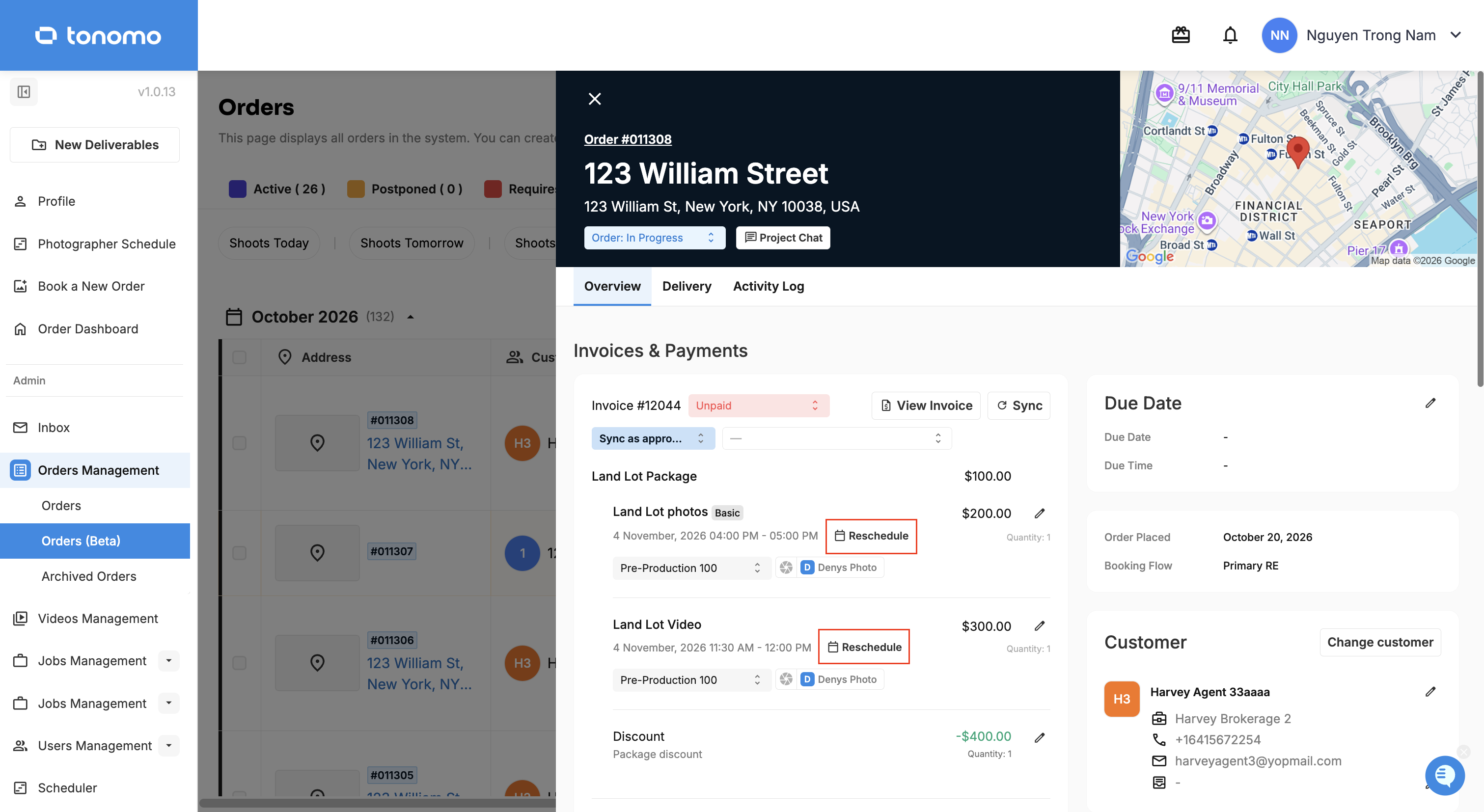
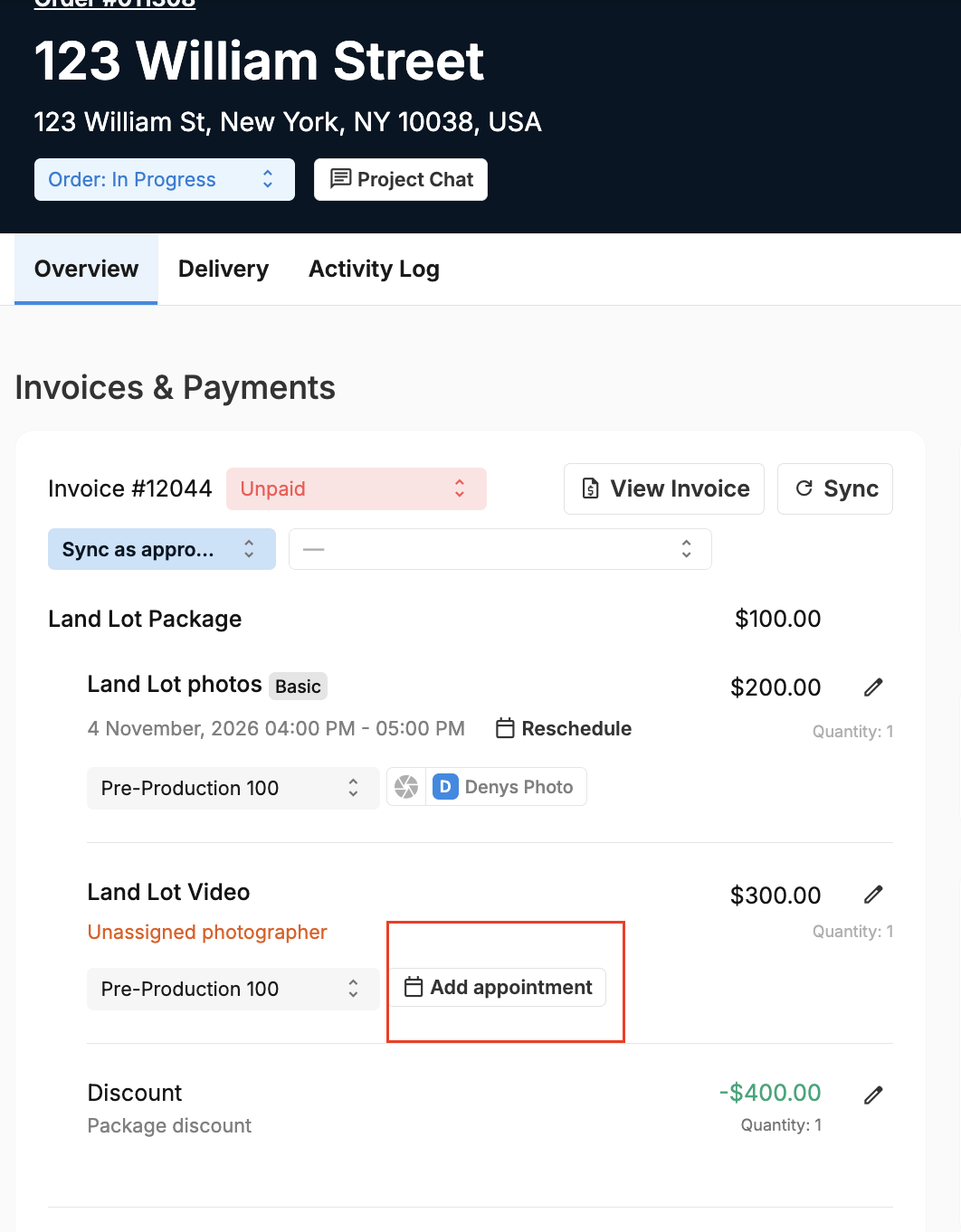
Go to Orders Management > Orders (Beta), click the order's Order ID, and in Invoices & payments click Reschedule next to a service's appointment time. The Scheduler opens in a new tab with that appointment selected. If the order has no appointment yet, use Add appointment instead.
Or open Scheduler from the left menu and search for the order in Find existing orders.
When the order is selected, the left panel shows its Services. Each service has a status dot: green when it's on an appointment, red with Unscheduled when it isn't.
How do I take services off an existing appointment?
On the calendar, click the pencil icon (Edit event) on the shoot.
Under Assign Services, keep the services you want at this appointment ticked and untick the rest.
Services already booked on a different appointment appear under Services With Appointment, ticked and greyed out.
Tonomo recalculates the end time from the services still ticked. Check Date and time.
Change the photographer under Photographers if needed, and add notes in Description.
Click Save event.
The services you unticked now show as Unscheduled in the left panel.
How do I book the remaining services as a new appointment?
Click Schedule Appointment under the order's Services in the left panel. It shows while any service is unscheduled. Or scroll down the Order Details panel on the right and click Add new appointment.
In the day view, click a free time in the column of the photographer you want. Edit event opens for this order, with that photographer and start time filled in.
In Edit event, the unscheduled services are ticked under Assign Services. Untick any you'll book separately.
Set the Date and time, the Photographers, and any notes.
Choose the notification switches: Notify participants, Send booking confirmation, Don't invite customer to calendar event.
Click Save event.
Repeat until every service has an appointment. If a new time changes the travel fee, Tonomo shows a reminder in the window so you can update the invoice.
How do I manage each appointment afterwards?
In the left panel, click the ⋮ menu next to a scheduled service:
Edit Appointment opens Edit event for that shoot
Delete Appointment removes the shoot. The service goes back to Unscheduled.
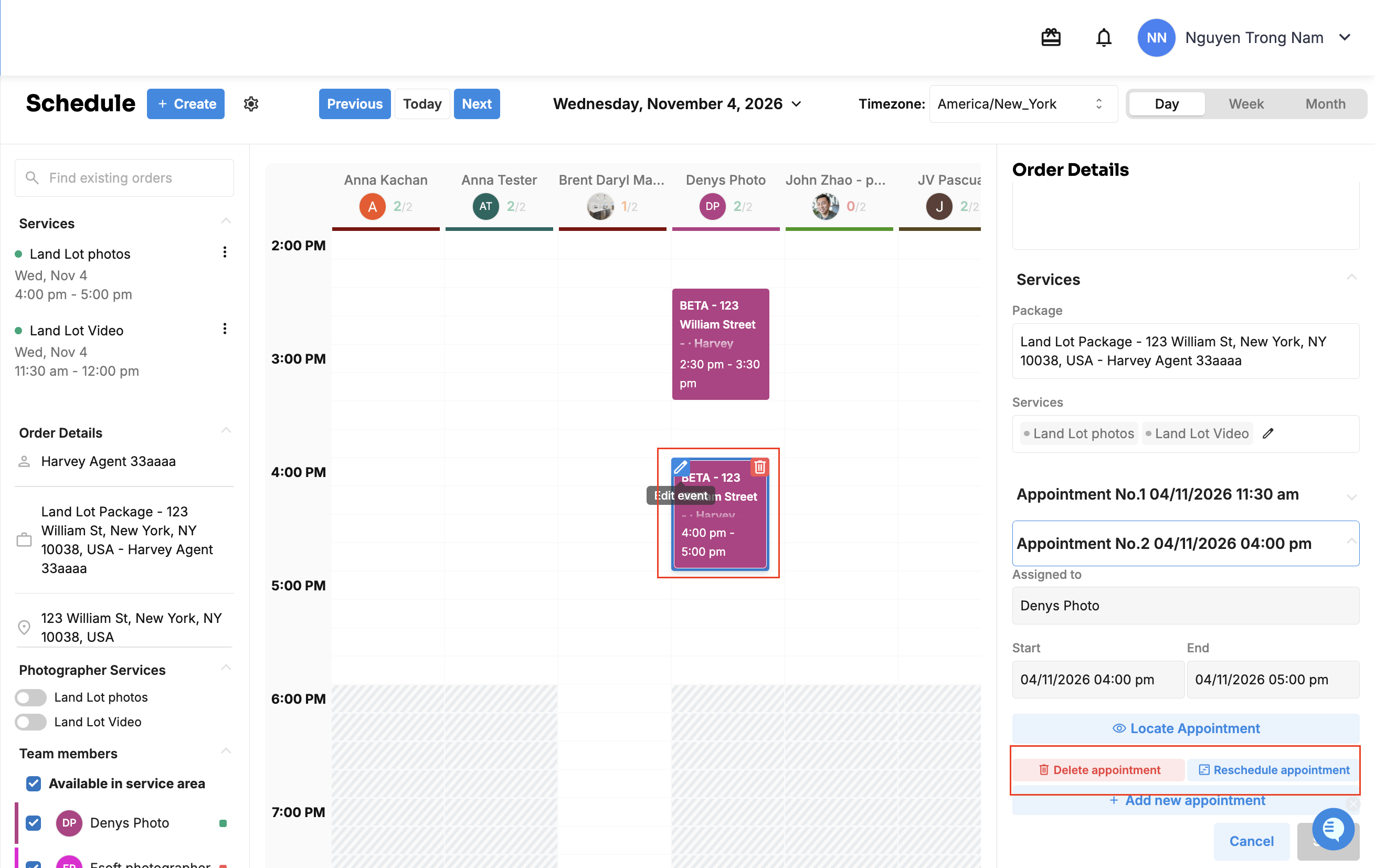
In the Order Details panel on the right, each appointment is listed as Appointment No.1, Appointment No.2 and so on, with Assigned to, Start and End, and these buttons:
Locate Appointment jumps to it on the calendar
Reschedule appointment opens Edit event
Delete appointment removes it
Frequently asked questions
Can each appointment have a different photographer? Yes. Set Photographers separately in each appointment's Edit event window.
Can one service be on two appointments? No. A service belongs to one appointment. That's why services booked elsewhere are greyed out under Services With Appointment.
Why did the event get shorter when I unticked a service? Tonomo works out the length from the services on the appointment, so removing one shortens it. Adjust the time by hand if you need to.
Can customers book a twilight shoot as a separate appointment themselves? That depends on Don't split appointments in Configure Booking > General > Scheduling. When it's on, customers can only book twilight right after a daytime appointment ends. See How Do I Schedule Twilight Shoots at a Separate Time?
I need a new service on its own appointment. Where do I start? Add the service first, then book its appointment. See and How Do I Add Another Appointment To An Existing Order?
Related articles